

In many situations, Exchange users need to export EDB file data to PST files so that they can easily access EDB data anywhere. Some users need a solution to export EDB to Office 365 for an easy transfer process. This EDB to Outlook PST Migration is generally performed to backup Exchange data, reduce EDB mailbox size, or save storage space.

With the newer Exchange versions, administrators can effortlessly export mailboxes from Exchange Server to PST files with the help of the Exchange admin center (EAC). Unlike PowerShell cmdlets, EAC offers a simple interface that one can use without facing any technical issues.
Export EDB Mailbox data to PST using Exchange Admin Center (EAC)
Exchange Admin Center offers a manual method for administrators for migrating EDB mailboxes to Outlook PST. The complete steps using EAC are:
- As an Exchange administrator, you need to login to Exchange Admin Center and hit the Recipients & then mailboxes

Note: Before you start the migration process, kindly assign Mailbox Import Export Role to the one who is migrating EDB data files to PST. For this, go to permissions – admin roles – organization management – edit – roles. Then, you need to assign a new role to the administrator.

- Right-click on the mailbox you want to export and pick the option Export to PST

- Now, hit the Browse button to choose the mailboxes you want to migrate, pick the appropriate option and then press the Next

- Enter the target location for file saving. Then, press the Next

Note: The saving location for the PST file must be a shared network path. For this, simply right-click on the folder you have created on a network location. Then, click on the Properties icon. Then, tap on Sharing tab and to create a shared folder, use the Share option.

- Check the email option and browse the mailbox name that is to receive the email notification. Now, hit the Finish

- Go to the location where you saved the PST file. You will see that all the mailboxes are exported successfully.

- You will get a message in the specified mailbox once the process gets completed.

This is all about the manual process to move the Exchange database file to Outlook PST using Exchange Admin Center. You can see that this is a tiresome process that involves technicalities. Thus, we have another good option with us to move EDB data to PST files using a professional program. It also helps users to repair corrupt EDB files with safe data transfer.
Use a professional solution to export EDB mailboxes to PST file
WholeClear EDB to PST Converter Software is a brilliantly designed application to export EDB mailbox data to PST file, Live Exchange & Office 365 cloud. This program allows users to repair damaged EDB files and save the recovered data in a PST file. It has an option to add multiple EDB files at once to convert them into Outlook PST, MSG, EML, HTML, vCard, etc. formats.
With the use of this automated program, EDB file complete data to PST file format is smoothly migrated in a hassle-free manner. You can quickly migrate public folders, archive mailboxes, and private folders from Exchange EDB files to Outlook PST files.
Prime benefits of using this professional program:
- Facility to add multiple EDB files to migrate into Outlook PST file
- Renders a facility to migrate EDB files to Live Exchange and Office 365
- No Exchange connectivity and Outlook configuration to migrate EDB emails to PST file
- Completely maintain data integrity during Exchange Server mailboxes to PST conversion
- Many filters are available for desired Exchange data items for PST migration
- Proper scan to the added EDB file and a detailed preview before export to PST file
- Advanced option to split the output PST & to apply a password to the PST file
- Freely convert the first 50 items per folder from Exchange EDB file to PST file
The process to Export EDB mailbox items to PST file:
Only a few simple steps are there in the conversion of EDB mailbox data to Outlook PST file:
- Launch the recommended software to convert EDB to MS Outlook PST file.
- Use the given Browse button to load the EDB file.

- Check the preview of added EDB file.
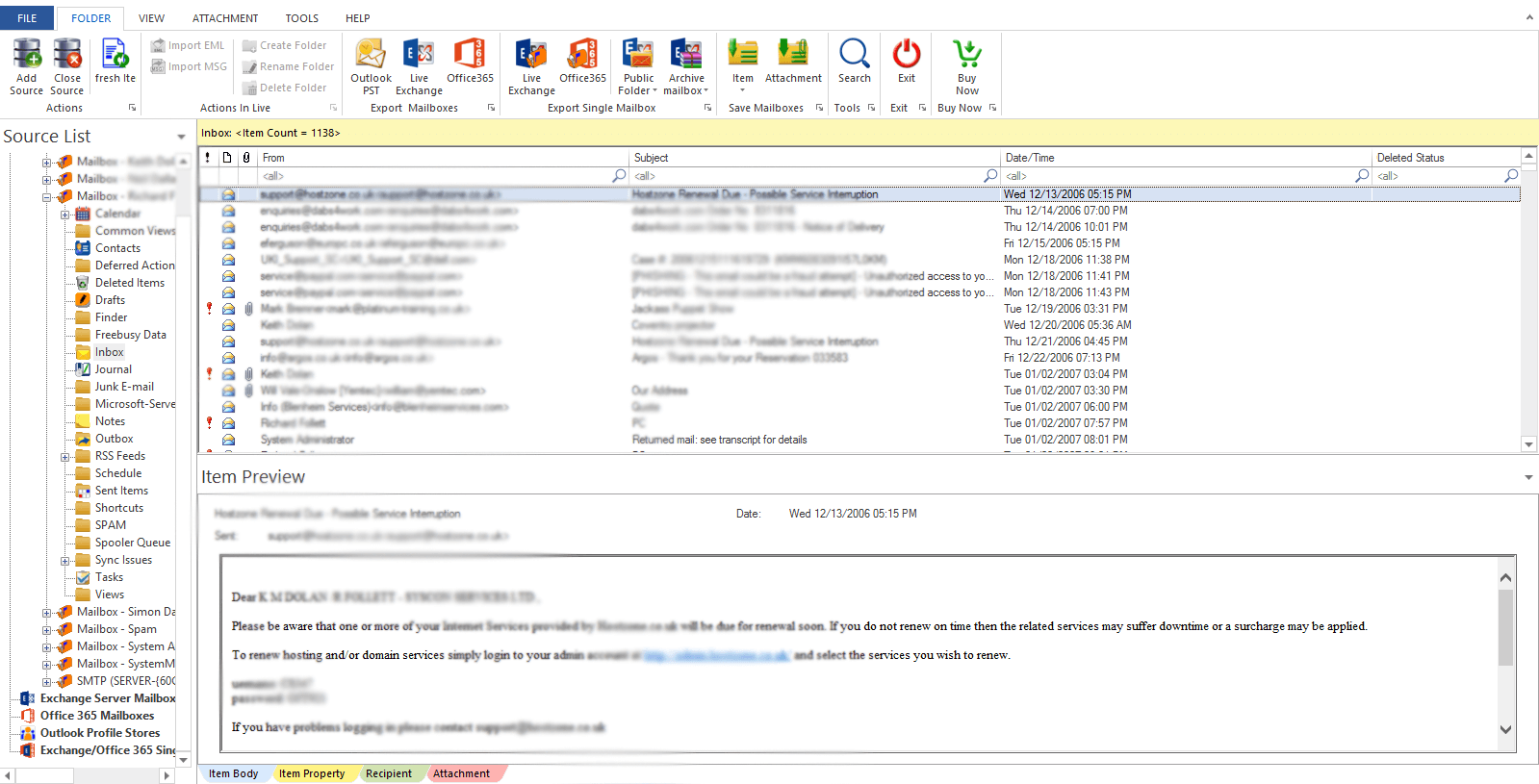
- From the options, pick the ‘Export to PST file’
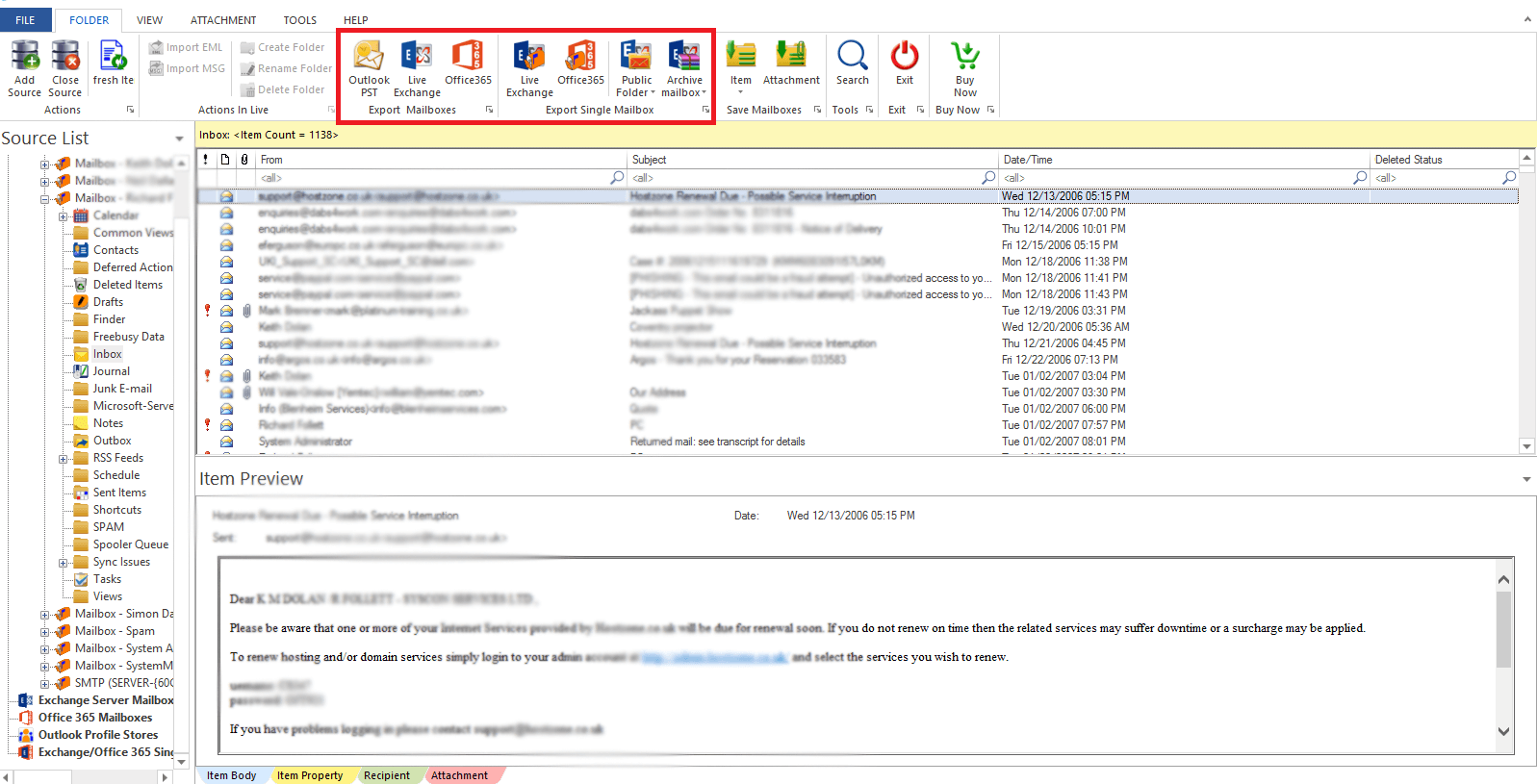
- Set the required path for saving the PST file.
- Save the conversion report and press the Finish
Conclusion
Converting data from EDB to Microsoft Outlook PST with the manual method can be a tough & messy task for users. Also, there is a high probability of data loss. So, we suggest using the mentioned third-party software for quick and effortless conversion. This program has many amazing features to make the conversion flawless. You can deeply understand this utility by simply downloading a free trial edition prior to the software purchase.