WholeClear Email Archiving Tool to Archive Emails to Hard Drive
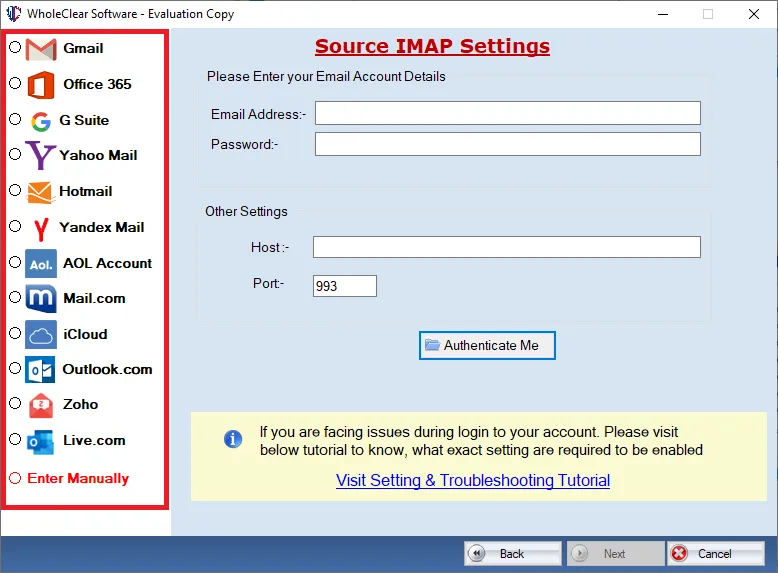
- Quickly archive emails from multiple email servers: Yahoo, Gmail, Office 365, AOL, etc.
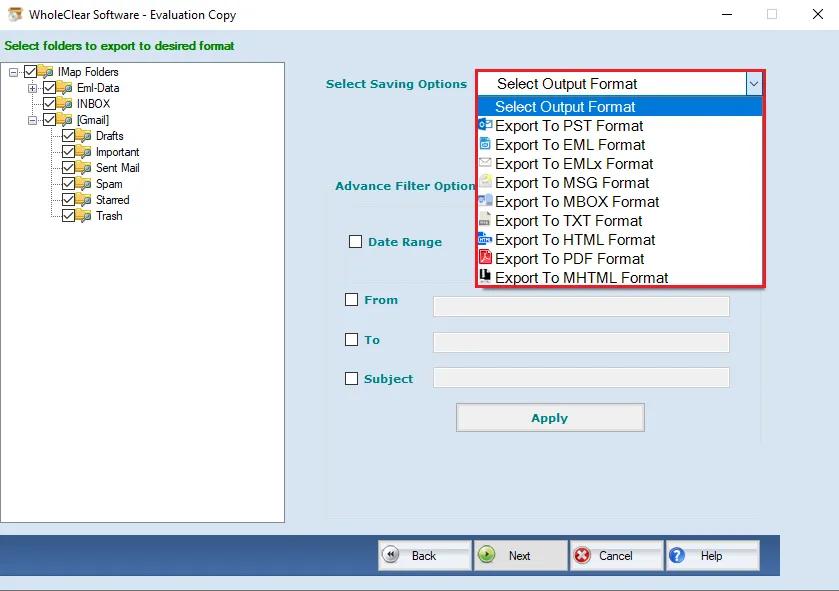
- Archive emails in various formats: PDF, MBOX, PST, TXT, EML, MSG, HTML, MHTML, & others
- Safely archive attachments with email messages
- Retain actual formatting and database hierarchy throughout the archiving of emails
- Desired email items archiving using the filter option
- Archive emails to the local hard drive at the user-defined path
- Freely use this Email archiving solution on all Windows (Windows 11, 10, 8, 7, Vista, XP, etc.)
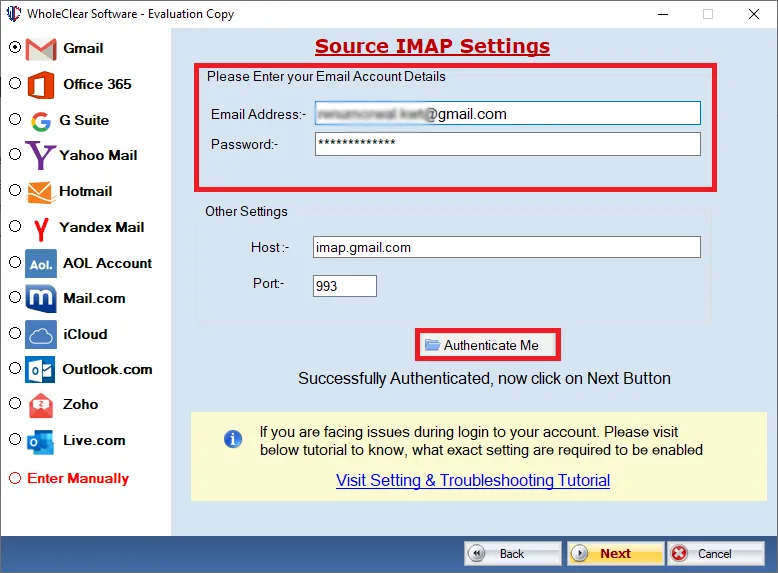
- Need only email address and password to authenticate the desired account
- No fixed limit on archiving emails using this app
- Simple process and easy steps for archiving emails
- Evaluation free of cost for all
- Customer support 24x7 to resolve queries of users
- Accurate and instant archiving of emails without any data loss
Amazing Features of WholeClear Email Archiving Tool
Explore all advanced features to archive emails from 100+ email servers
Archive any Email Server emails
This program lets you easily archive all your emails with attachments from the desired webmail server. The app allows archiving emails from 100+ email servers including AOL, Gmail, Yahoo, Hotmail, Office 365, Zoho, etc. You can simply archive emails from the desired webmail server to your local system using this solution.
Archive particular email items
If you want to archive emails from a particular folder or only selected emails, then this is one of the perfect solutions for you. You can pick any email folder of the provided email server or use date filter for particular data with this software. It helps you by excluding other emails from the archiving process and works without any data loss.
Multiple File Saving formats
You will get different formats like MBOX, TXT, PDF, PST, MSG, EML, EMLX, HTML, etc. to save archived emails. Without any problems, users can choose the required file format to save archived files. Keeping all email elements maintained, the software allows the archiving of emails to the local system. Not a single piece of data gets changed during the archiving process.
Need only Email address & password
By providing the email address and password of the required account, the app archives emails. No other detail is required to function on this app. However, a strong internet connection is must to use this application and it must be continuous so that there will be no interruption in the archiving process.
Secure & Tested solution
This advanced solution is completely tested and secure. Multiple tests have been performed on it and it has been found fully secure. There will be no data damage throughout the process of archiving email messages. You will get accurate and timely results with this app without damaging the actual database.
Sustain Key elements and folder hierarchy
While archiving emails, the software properly retains all email attributes like formatting, inline images, email headers, subject, sender/recipient details, hyperlinks, etc. Moreover, with this professional solution, you won’t get any change in the folders & subfolders hierarchy throughout the process.
Freely operate on all Windows editions
You are completely free to utilize this software on every new & old version of the Windows operating system. It performs email items from any webmail server to the new Windows 11 & earlier versions like XP, Vista, 7, and more. The software won’t create any trouble in running any version of Windows OS.