EML to HTML Converter to export EML files into HTML
- Proper conversion of EML emails to HTML with attachments
- Conversion of EML messages with images and layouts
- Bulk migration of EML files to HTML format
- Retain metadata properties completely
- No restrictions on EML file size, well tested on several samples
- Allow EML file created on any EML based programs
- 24*7 dedicated customer handling support team
- Export EML to HTML without additional utility installation
- Allowable to install on every Windows version
- 100% secure conversion without corruption single EML file
- EML 2 HTML trial facility to understand the software
- Simplified and guiding interface to understand quickly
- 100% Money Back Policy and free lifetime upgrades
Find quality attributes to export EML emails into HTML
Go in deep to understand features of EML to HTML Converter
Export all EML information
WholeClear EML 2 HTML Converter application is capable to export complete email information like to, cc, bcc, email addresses, sent & received dates, etc. The utility offers swift conversion of attachments also with EML emails. There is full surety of data safety with this application. Users can save the attachments into a new folder.
Conserve all text formatting
The software takes care of original formatting while converting EML files to HTML format. All the inline images, font style, hyperlinks, color, etc. remain intact within the emails while users perform the conversion. The utility has been well tested by the professionals on several parameters to provide secure conversion results every time.
Read emails in web browsers
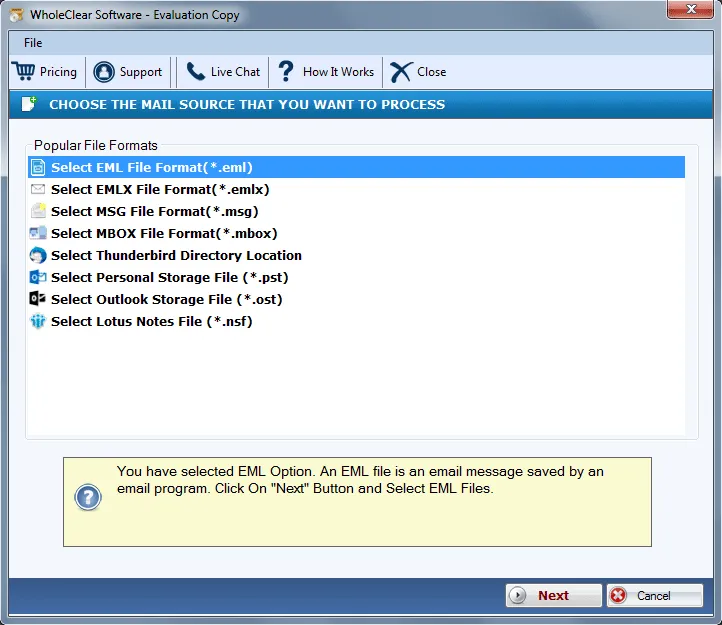
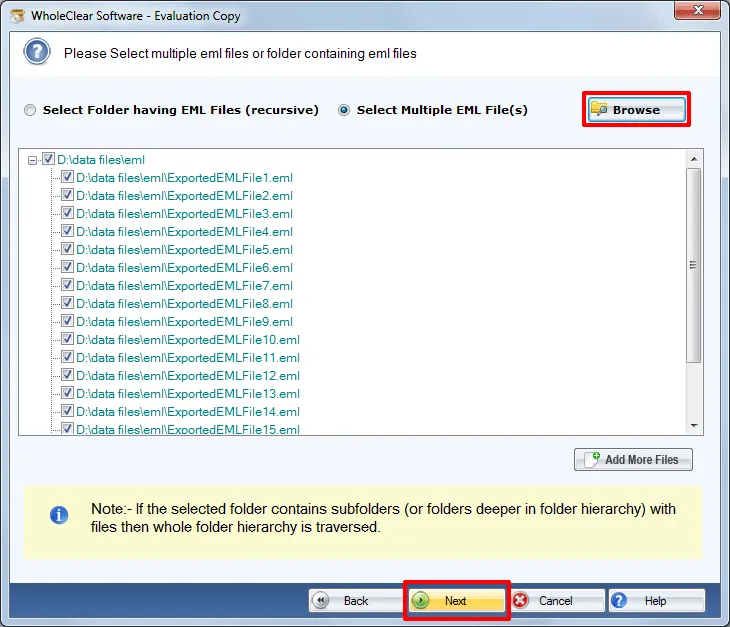
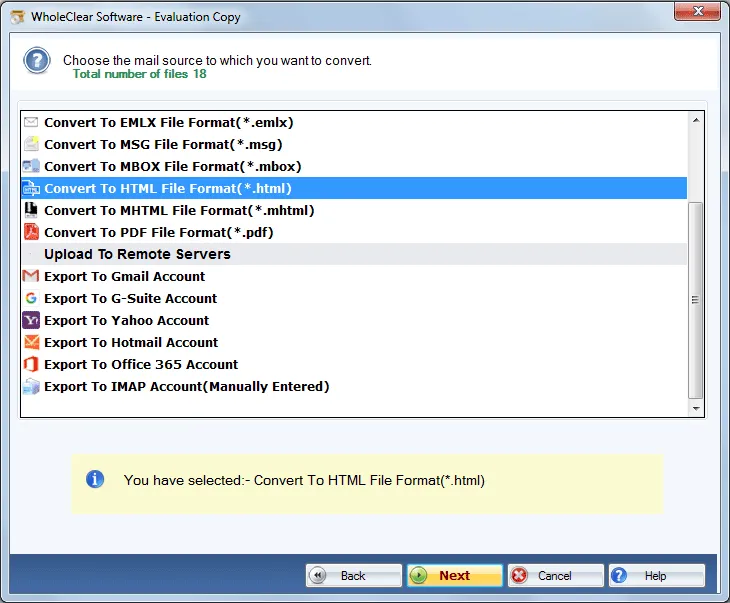
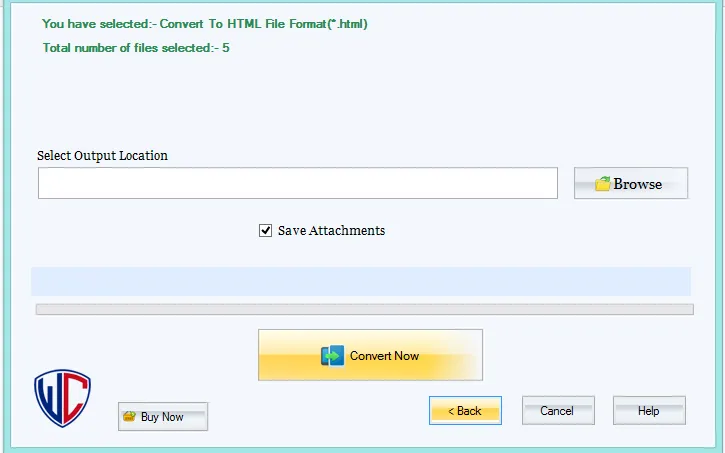
Since HTML format is supported by all web browsers, so users can read EML files on browsers like Internet Explorer, Chrome, Firefox, etc. once EML messages get converted into HTML format. The conversion of EML files into HTML format takes only 3 steps and a few minutes to complete the conversion process without facing any difficulties.
Standalone application
The software is competent enough to export EML messages to HTML without the installation of an additional tool. It works alone and completes the conversion without any delays. The utility does not require any technical skills to operate it. It is designed to suit all kind of users. Even a novice user can handle the application without any assistance.
Grant every large EML file
EML to HTML Converter easily authorize every large EML file. The utility does not have issues with any large EML file. Moreover, the quantity of EML files does not matter with this application. One can export n number of EML files to HTML at once. The utility works without any limitations by taking of every element of the file.
Installable on all Windows OS
EML 2 HTML Conversion Tool does not deny to work with Windows OS. It swiftly works with every Windows version including the latest Windows 10, Windows 11, macOS 12+, and Linux x64. Windows 32-bit and 64-bit versions both are well supported by the application. Moreover, the tool provides the facility to save the HTML file at the user-defined location.
Free EML 2 HTML Converter
A free version of the application is provided to all users so that they can examine the utility from its working performance to features before applying for the complete toolkit. This will help users in taking the decision to purchase the utility. It is exactly same as the license version but allows the conversion of first 25 EML files to HTML format.
Multiple email client support
Convert EML messages to HTML irrespective of the platform where EML files are created. Swift conversion of EML files of Mozilla Thunderbird, Outlook Express, eM Client, IncrediMail, Windows Live Mail to HTML is supported by the application. The utility does not create any trouble in dealing with the files of all EML-based programs.