How to access EML emails and attachments in Yahoo application?
Available on Windows, macOS, and Linux.
Here is the solution if you have the query to access EML emails and attachments in Yahoo application. Let us continue reading this page where you will be able to find a sequential solution of your query. So, let us start the solution without wasting any time.
No manual method is available that directly help users in accessing EML emails and attachments to Yahoo application. So, we have provided an alternate solution here whom users can get with the above download link. The software is designed especially for users and is widely used to move EML emails and attachments to online Yahoo application.
DownloadBuy NowWhy pick this software for accessing EML emails & attachments to Yahoo?
- Speedy moving of the database to Yahoo
- Safe and desired data export
- No restrictions on the number & file size
- Multiple EML files conversion at one time
- Direct import without additional tool installation
- Know the application deeply with free version
- Maintain accuracy and complete information
Steps to move EML emails and attachments to Yahoo application
Step 1.Run WholeClear EML to Yahoo Converter.
Step 2. Select EML file format. Click Next: Data Explorer.
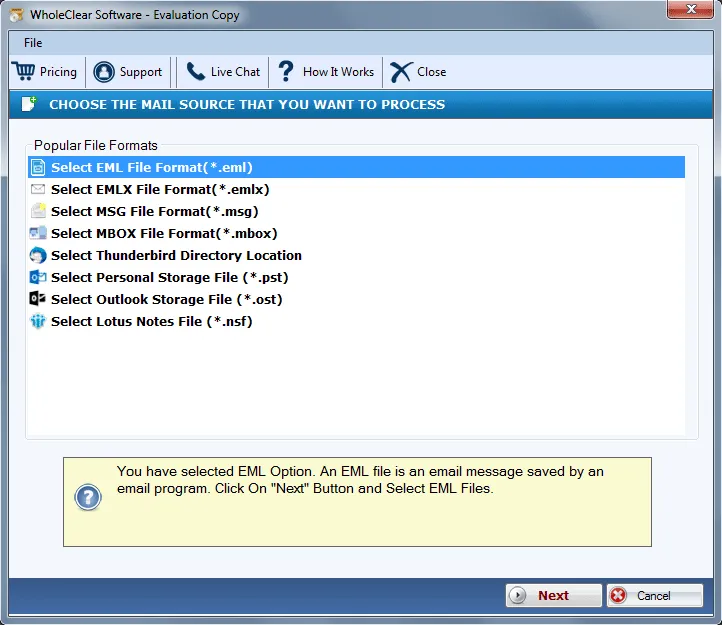
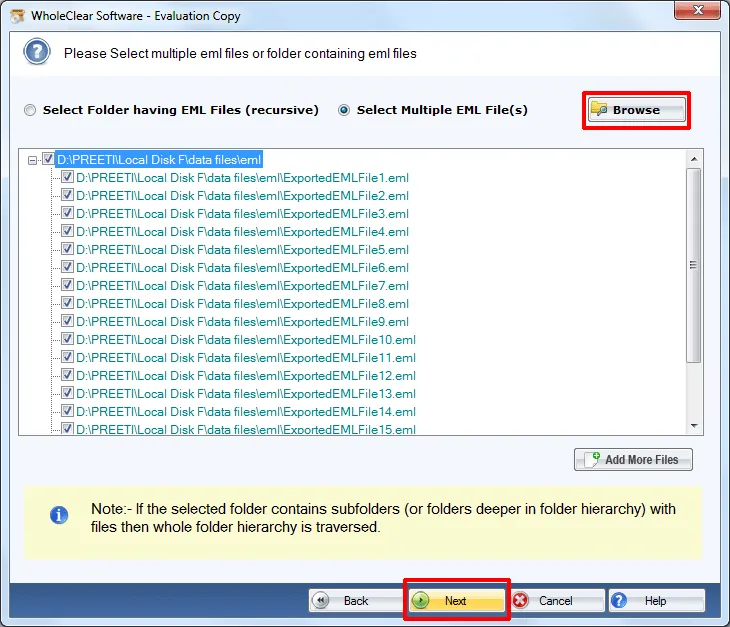
Step 3. Pick Browse files... or Browse folder... Add EML files. Then click Continue to Destination.
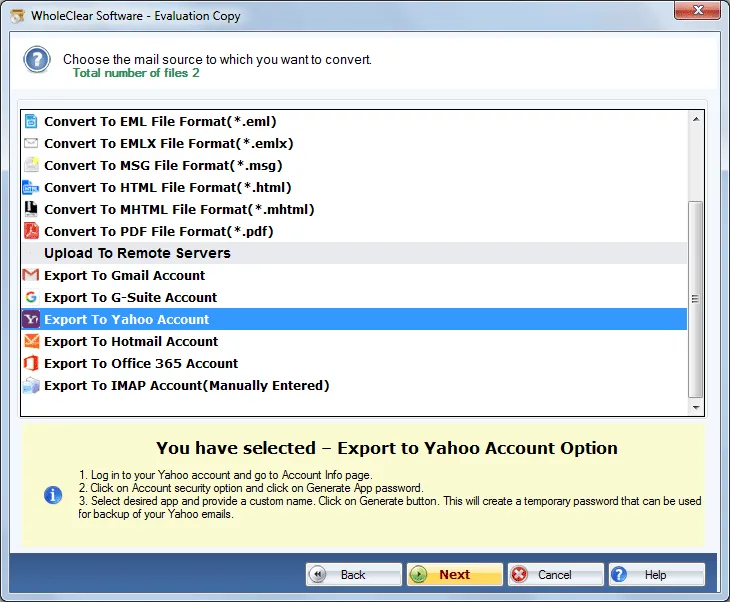
Step 4. Select Export to Yahoo account.
Step 5.Enter Yahoo account login details – username and password.
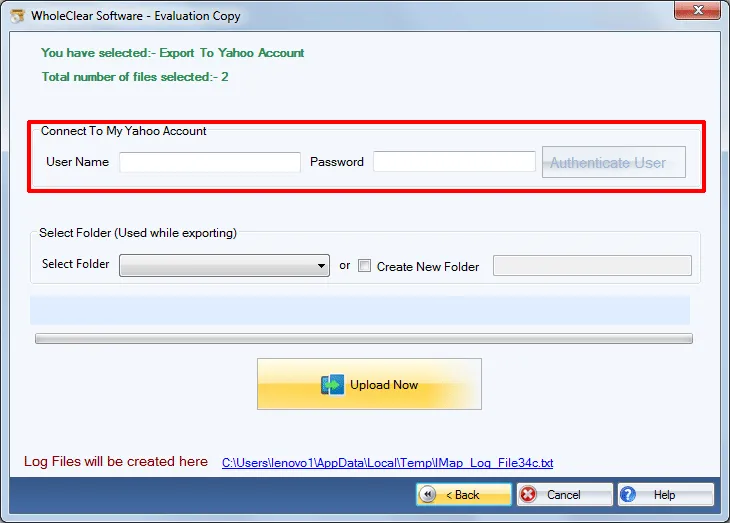
Step 6.Specify folder or create a folder to save EML files. Hit the Migrate all button.
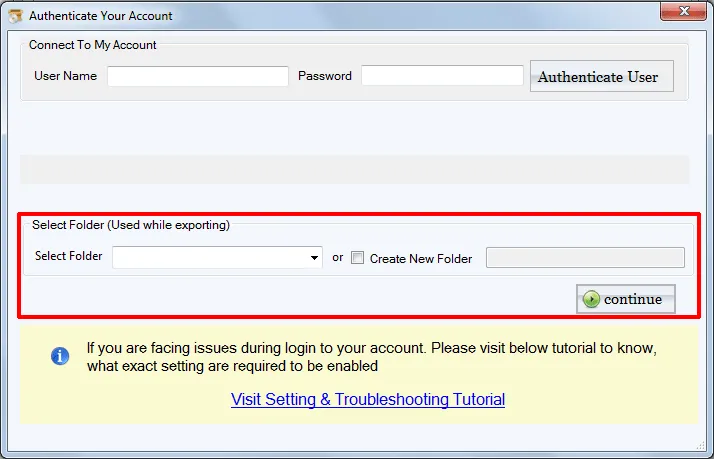
After following these steps, it will take a few minutes to accomplish the task. Users can simply login their Yahoo account and access EML emails and attachments in Yahoo. Now, it becomes so simple for users to access EML files on mobile devices and multiple operating systems.
Note: For Gmail, Yahoo, Outlook.com/Hotmail and similar IMAP targets, enter the provider IMAP host and an App Password (not the normal login password), then click Authenticate. The default folder is wholeclear migration. Use Migrate all after Destination Connected is ready. The demo processes up to 25 items.
Time to sum up
The software is a marvelous solution for all users who want to access EML emails and attachments online on several devices by login to Yahoo account. Any time, users can access EML database to cloud Yahoo application. With free version, know the software before you pay for it.

