How to add Apple Mail EMLX files on Zimbra desktop?
Want to read EMLX files on Zimbra platform? Get a wonderful solution here with a step by step guide to accomplish the task. As Zimbra desktop holds data in TGZ file format so the conversion of Apple Mail files to TGZ file format is necessary to access Apple Mail data files on Zimbra.
With Apple Mail, no option is there to export its data files into TGZ format. Therefore, you can find another solution whose download link is mentioned above. With the simplified interface, handling this application for every user is too easy. The software can be utilized by home as well as corporate users. Without getting any errors, the conversion task can be easily completed.
DownloadBuy NowWhy pick the software to perform conversion of Apple Mail files to TGZ file?
- Fast and effortless conversion facility
- Error-free and seamless migration
- Multiple Apple Mail files conversion at once
- File size does not an issue
- Retain complete layout of emails
- Protect email components and attachments
- Perform conversion without dependency on any email client
Working process to add Apple Mail EMLX files on Zimbra desktop
Step 1. Download and Run WholeClear WholeClear EMLX to TGZ Converter on your system.
Step 2. Select EMLX File Format (.emlx) in the mail source wizard. Click Next: Data Explorer.
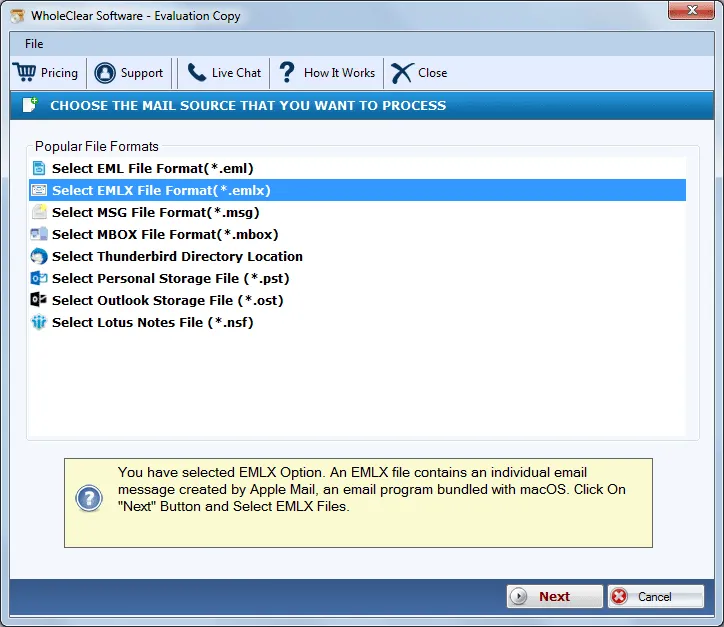
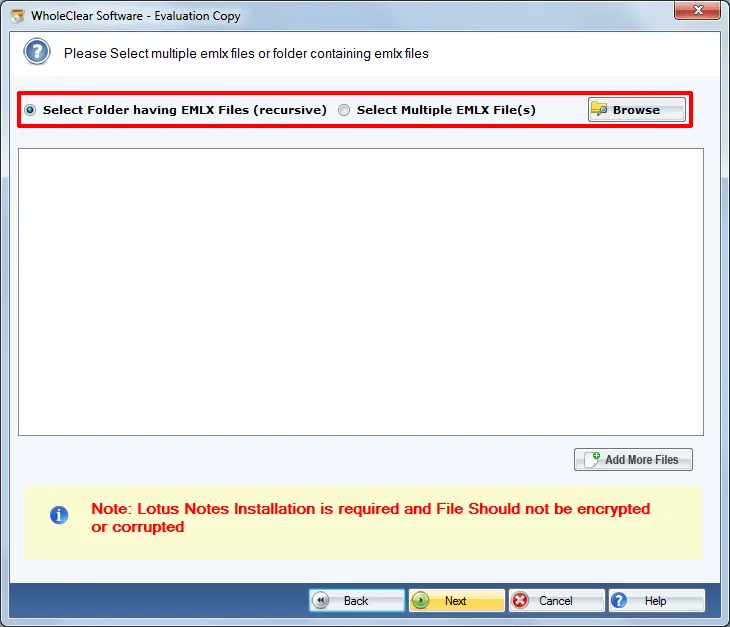
Step 3.Choose Browse files... or Browse folder... and load EMLX files on the software panel. Then click Continue to Destination.
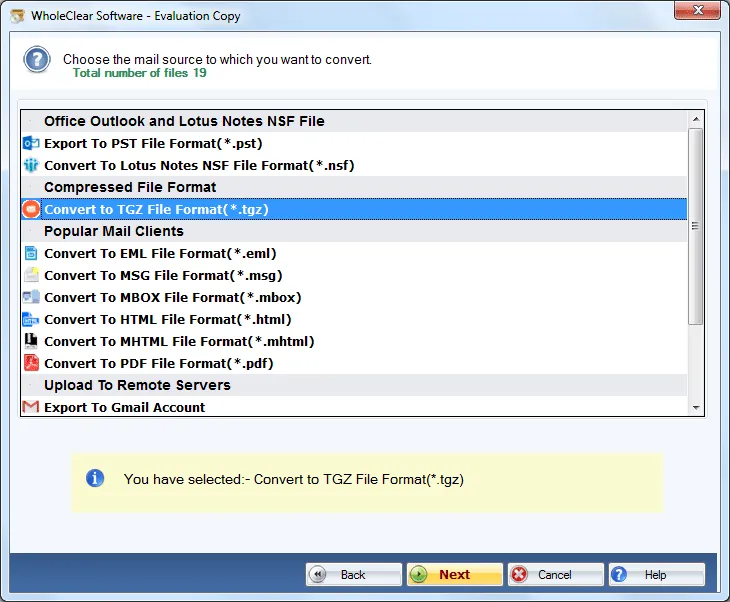
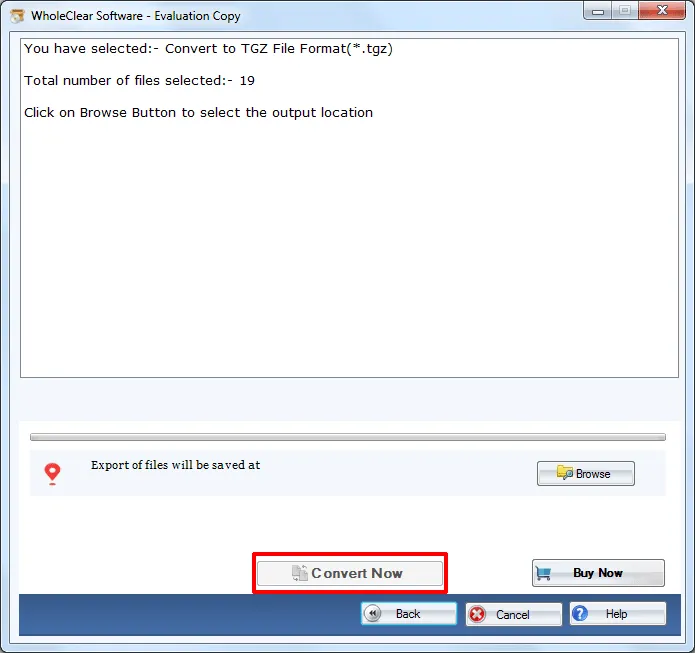
Step 4.Select Convert to TGZ File Format & hit the Next button.
Step 5. use the Browse output folder button and mention an output location to save TGZ files.
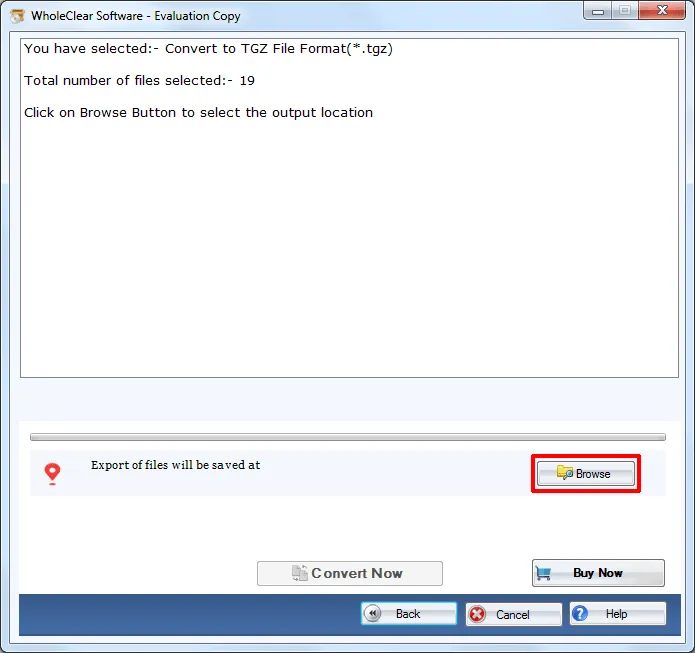
Step 6. Move the mouse pointer to Convert selected button and this will commence the conversion process.
Once you follow the above steps, you will have TGZ file with you to whom you can simply import to all editions of Zimbra desktop. The software can be comfortably run on all editions of Windows OS like Windows 10, Windows 11, macOS 12+, and Linux x64, & below editions.
Note: The wizard is Source → Explorer → Destination → Convert. After choosing the source, click Next: Data Explorer. Add data with Browse files... or Browse folder..., then Continue to Destination. On Convert, use Browse output folder and start with Convert selected when Ready Check is green. The demo processes up to 25 items.
Conclusion
Having this software, one can easily perform the conversion without any data losses. Professionals have examined this application several times so no chances of errors are there with this application. To completely understand the application, download trial version which works same and exports only 25 files. For limitless conversion, users need to invest in the license edition.

