How to bulk export Zimbra emails to EML with attachments?
Available on Windows, macOS, and Linux.
Looking for an instant solution to bulk export Zimbra emails to EML file with attachments, then find out a step by step guide with this post. We offer you complete guide for instant and safe conversion of Zimbra mailboxes to EML file format to access in Windows Live Mail, Thunderbird, & other EML supportive email clients. Now, let us find out the solution.
Due to the unavailability of a manual way to export Zimbra mailboxes to EML file format so we have provided you a complete solution that can be downloaded from the above link. One can smoothly export Zimbra email items to EML file format without any supportive program installation. There is complete data safety assurance while performing the conversion with this tool.
DownloadBuy NowReasons to pick the software to export Zimbra emails to EML file format
- Fast and smart conversion results
- No external program installation is needed
- Smoothly export any large size Zimbra TGZ file
- Get a free trial version prior purchasing the software
- Hold email components, attachments and mailbox folder hierarchy
- Working interface of the tool is user-friendly
- Allow single or multiple Zimbra TGZ files at once
Working steps of the software to export Zimbra emails to EML format
Step 1.Download and Install WholeClear TGZ to EML Converter.
Step 2.Select TGZ file format as the source. Click Next: Data Explorer.
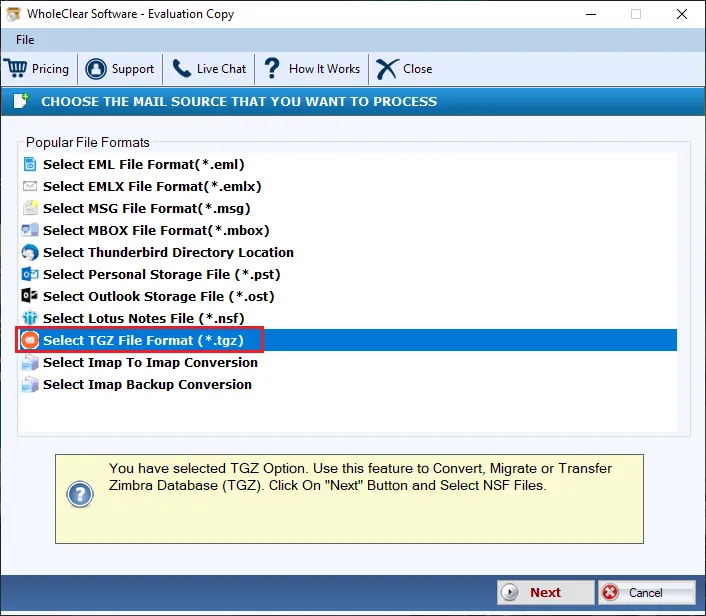
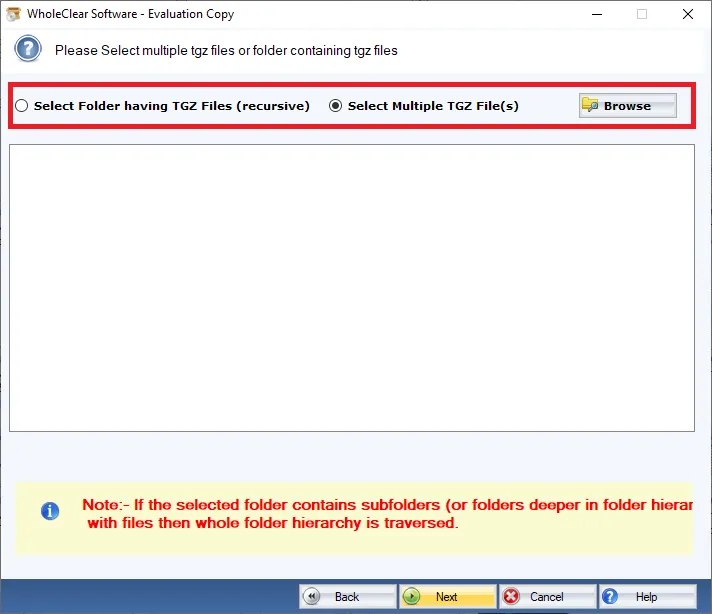
Step 3. Choose Browse files... or Browse folder... and add TGZ files that you to want to export. Then click Continue to Destination.
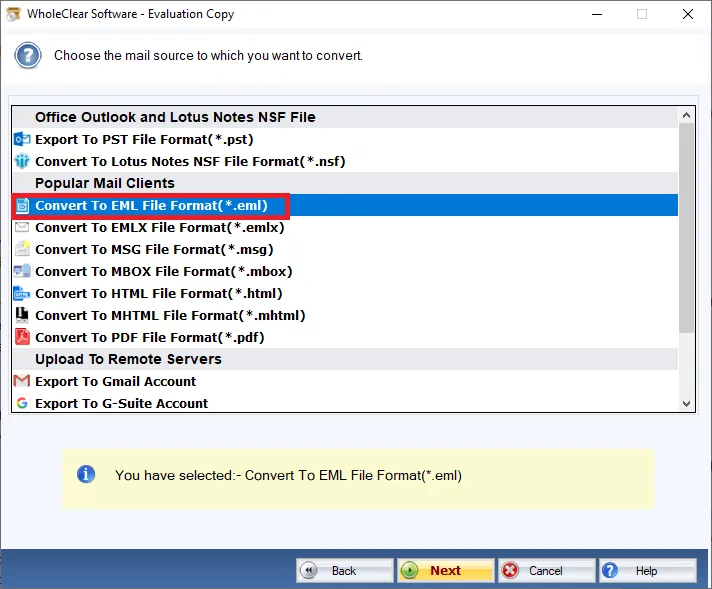
Step 4. Now, select Convert to EML File format (.eml)
Step 5. Then, choose a location to save the exported EML file.
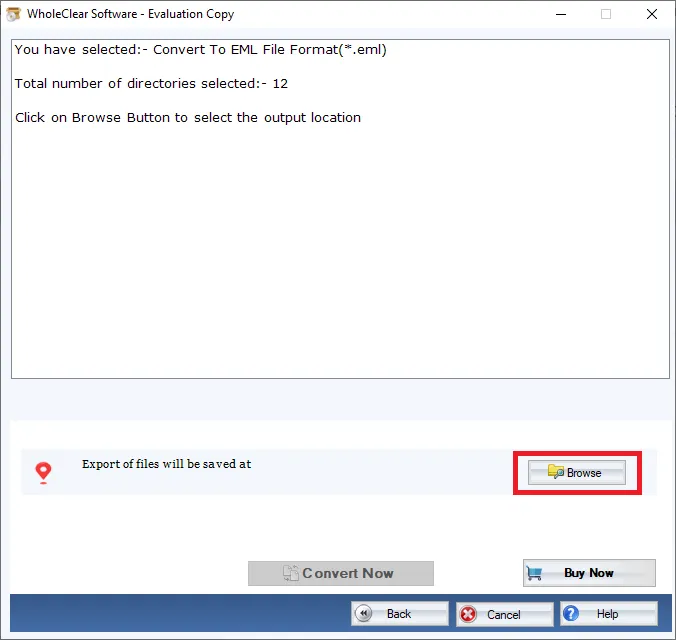
Step 6. To begin the conversion process, press the Convert selected button.
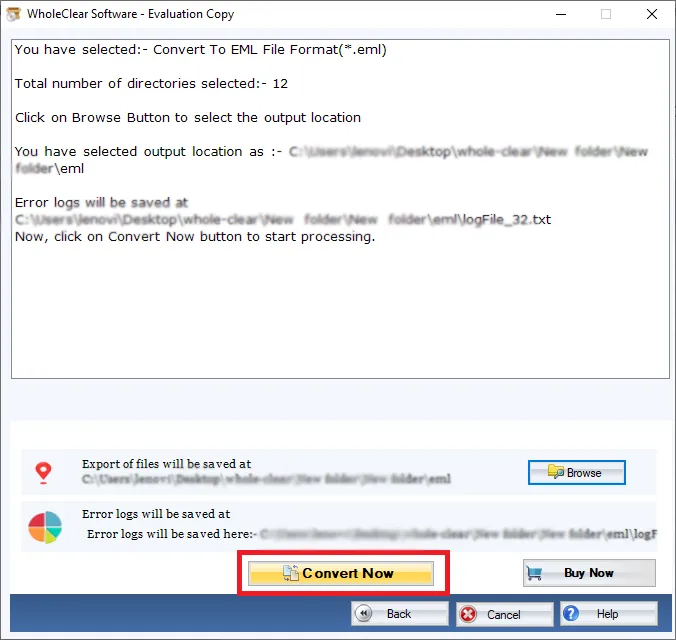
Once you follow these steps, you will get EML files that you can read easily on all EML supportive email clients like Windows Live Mail, Thunderbird, Outlook Express, etc.
Note: The wizard is Source → Explorer → Destination → Convert. After choosing the source, click Next: Data Explorer. Add data with Browse files... or Browse folder..., then Continue to Destination. On Convert, use Browse output folder and start with Convert selected when Ready Check is green. The demo processes up to 25 items.
Conclusion
The utility assures safe and smart conversion without any hassles. The program is well-tested so there are no troubles faced by users in handling it. To check the working of the program, download the trial version that exports first 25 items per folder. After testing the demo version, one can apply for the license keys to get unlimited data export from Zimbra desktop.

