How to create Outlook MSG file from EML without Outlook?
Due to the increasing demand for MS Outlook application, users are migrating their database from other clients to Outlook. If you have EML files and you want to convert them as MSG file without Outlook to move in Outlook application, then find the suitable solution here that is opted by thousands of users for solving their query.
In the absence of any solution that directly create MSG file from EML file without Outlook, we offer you a software solution whom you can get from the above link. It is designed especially for those users who don’t have Outlook but want to create MSG files from .eml file. So, get ready to complete the task without any difficulties.
DownloadBuy NowWhy pick the software to create Outlook MSG file from EML folders?
- Quick conversion without facing any losses
- No errors and modifications to the original files
- Bulk transfer facility to save a lot of time
- Unlimited conversion without restrictions on size and number
- Works without Outlook and other supportive tool
- Totally Windows-based application
- Retain email properties and rich-text formatting
Step by step working with the software is as follows;
Step 1. Start WholeClear EML to MSG Converter software.
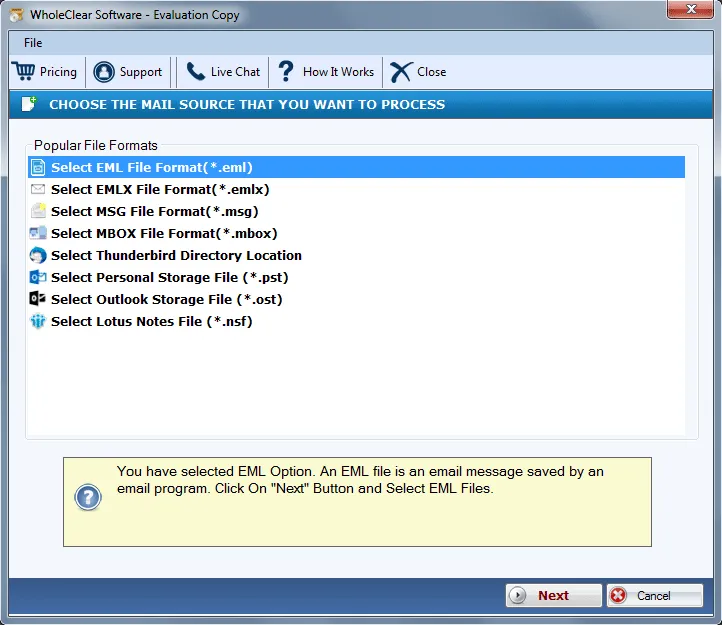
Step 2.Choose EML file format from as the source. Click Next: Data Explorer.
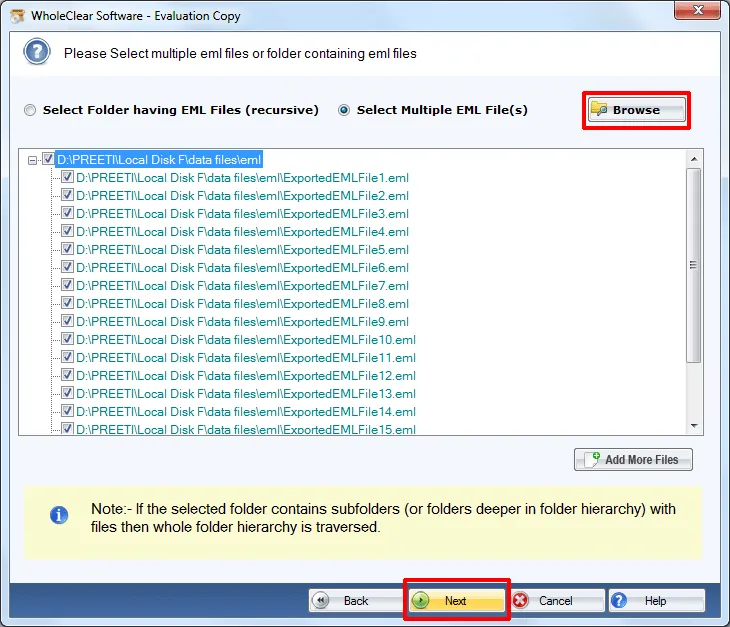
Step 3.Select Browse files... or Browse folder... and add EML files. Then click Continue to Destination.
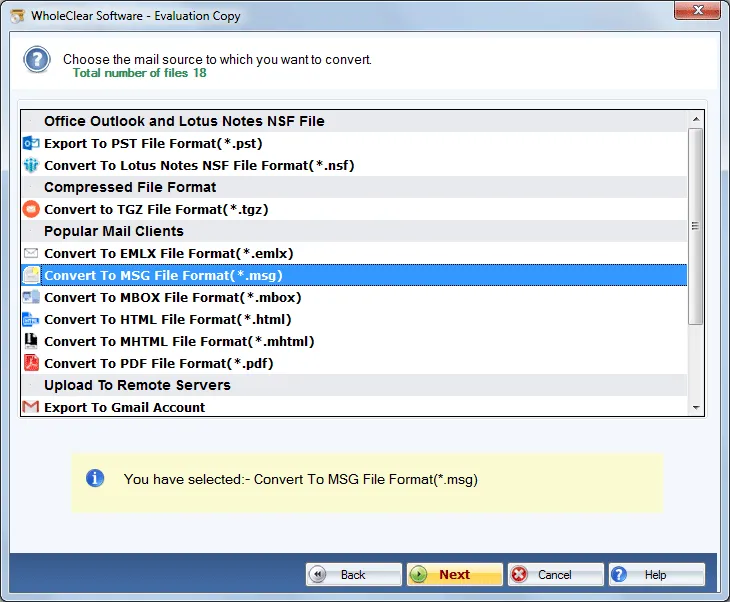
Step 4. Select Convert to MSG File format (.msg)
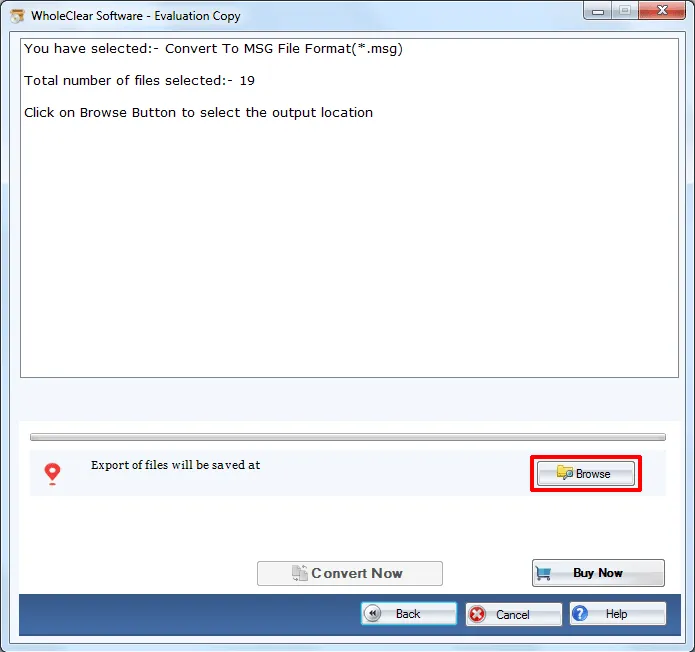
Step 5. Choose an output location by clicking on the Browse button. Click the Convert selected button.
Once you follow the mentioned steps, the software takes a few minutes to provide you the desired results. Now, you can get MSG files with you. Without any issues, this is how the software works instantly without any disturbances.
Note: The wizard is Source → Explorer → Destination → Convert. After choosing the source, click Next: Data Explorer. Add data with Browse files... or Browse folder..., then Continue to Destination. On Convert, use Browse output folder and start with Convert selected when Ready Check is green. The demo processes up to 25 items.
Closing Lines
Without having technically sound, one can effortlessly perform the task. If you have any doubt regarding the functioning of the software, go for the free version that offers creation of only 25 MSG files from EML files. Once you check the application, simply get the license keys within a few minutes.

