How to create PST file from EML format in Windows?
Available on Windows, macOS, and Linux.
If you need to create PST file from EML file. Try the solution discussed here. I am sure you will get the solution. A complete guidance to operate the application is also discussed here as millions of users want to read EML file in Windows. So, let us find the complete solution.
Without having a reliable solution, it is not possible for users to generate PST from EML and manual solutions are not the effective methods. You can check out the software with the above downloaded link and install it on your Windows system. By this solution, it becomes easy for users to move EML database and create Outlook PST file without any issues.
DownloadBuy NowReasons to choose the software to move EML data & create PST file on Windows
- Deliver rapid and bulk conversion of EML files
- Do not harm the original database
- Export unlimited EML folders without extra efforts
- No limit for file size
- View EML file on MS Outlook 2019, 2016, 2013, 2010, 2007, 2003, etc.
- Effective launch the tool on all Windows editions
- Preserve complete folder structure and email formatting
Steps to create PST file from EML file on Windows OS
Step 1. Run WholeClear EML to PST Converter.
Step 2. Choose EML format.
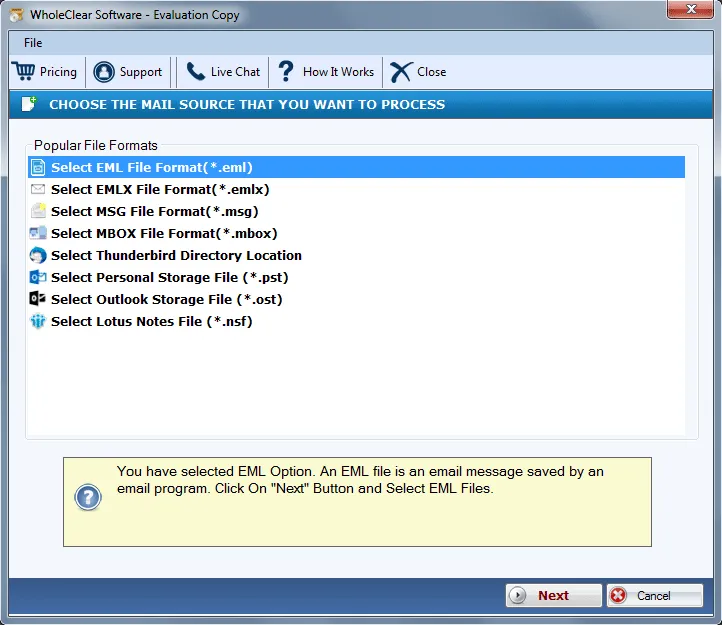
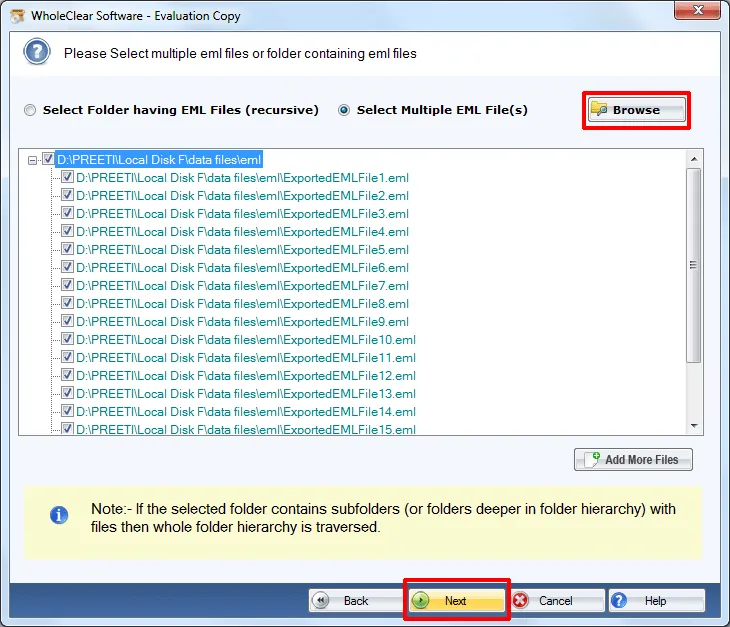
Step 3.Select folder having EML files or select multiple EML files. Add EML files with the Browse option.
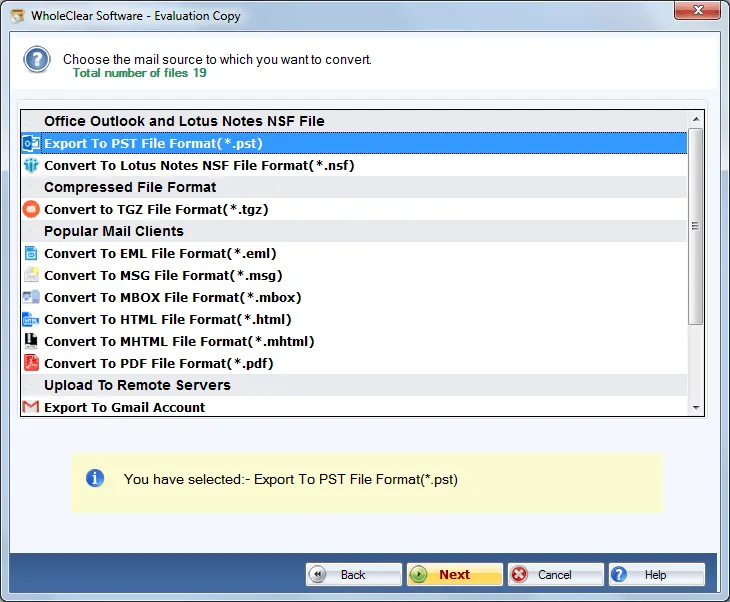
Step 4. Select Export to PST File format and Click Next
Step 5. Use the Browse button and provide an output destination to save PST file. Hit the Convert selected button.
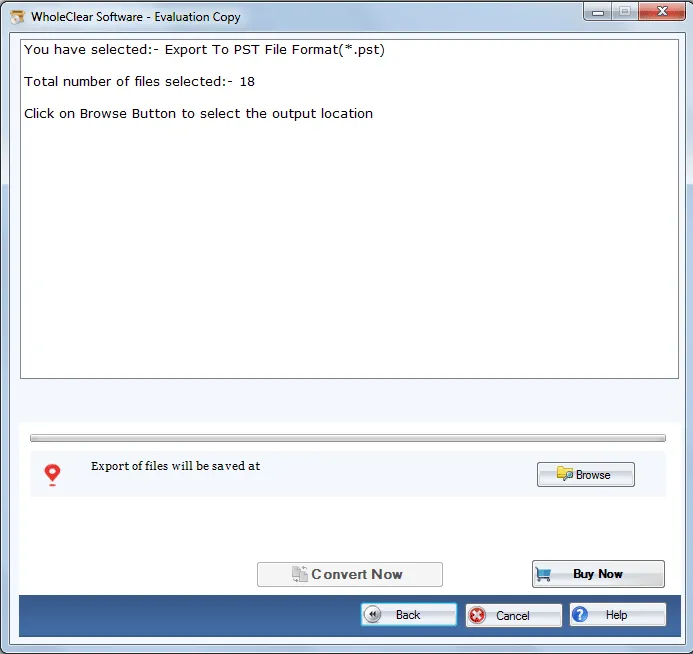
This is how you can simply generate PST file from EML with few simplified steps. Without limits on size and number of EML files to export, one can easily access EML file on MS Outlook 2019, 2016, 2013, and other versions as per their choice.
Note: The wizard is Source → Explorer → Destination → Convert. After choosing the source, click Next: Data Explorer. Add data with Browse files... or Browse folder..., then Continue to Destination. On Convert, use Browse output folder and start with Convert selected when Ready Check is green. The demo processes up to 25 items.
Winding Up
I hope you will be able to find the appropriate solution by which one can easily create Outlook file from EML file without facing any difficulties. To know the software before you purchase it, go for the license edition that create 25 PST emails from EML file. To enjoy unlimited conversion, go for the paid toolkit.

