How to easily turn Thunderbird mailboxes (.mbox) to EML format?
Available on Windows, macOS, and Linux.
Need a solution that can turn your mailboxes to EML file format. Then visit this page where you will get answers to your queries. We provide you a reliable solution to finish this conversion task. There are billions of users who are also asking for the solution of same issue. Now, they can resolve their queries once they follow the step by step process we have discussed in the coming section.
In the unavailability of a direct solution to easily get EML files from MBOX. We have provided a direct and safe solution. The link is provided above where you can download the software and simply begin the conversion task. We assure you that you can simply handle this utility and get healthy outcomes.
DownloadBuy NowReasons to pick the software to turn Thunderbird mailboxes (.mbox) to EML format
- Fast conversion rate
- No chances of data loss
- 100% secure tool and simple interface to handle it
- Needs no external application
- Keep every information in its original form
- Export multiple MBOX files at a time
- No limit for conversion
Working steps of the tool to turn to EML file from MBOX
Step 1. Download and Install WholeClear MBOX to EML Converter.
Step 2.Select MBOX file format as the source. Click Next: Data Explorer.
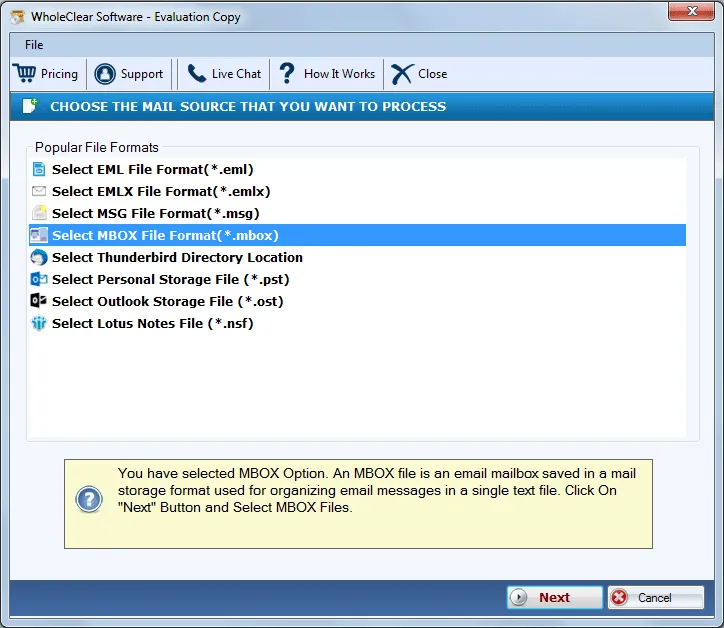
Step 3. Choose Browse files... or Browse folder... and add MBOX files that you to want to export. Then click Continue to Destination.
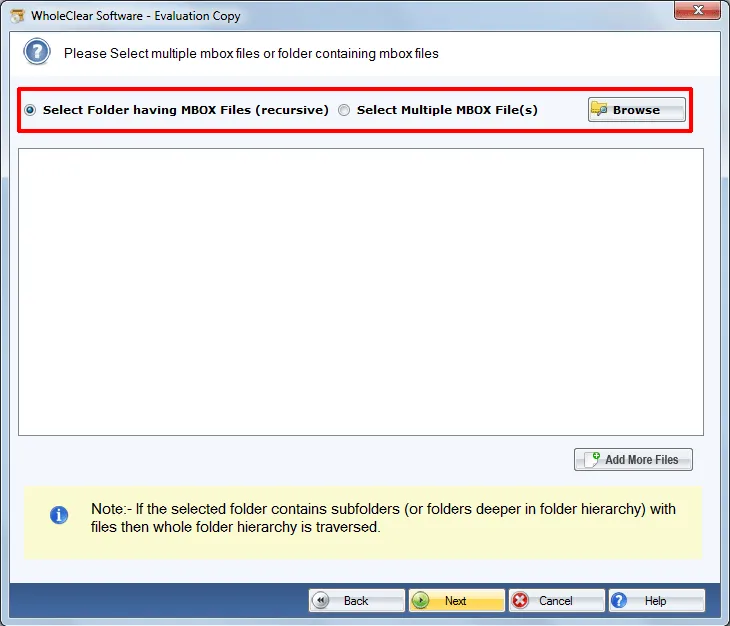
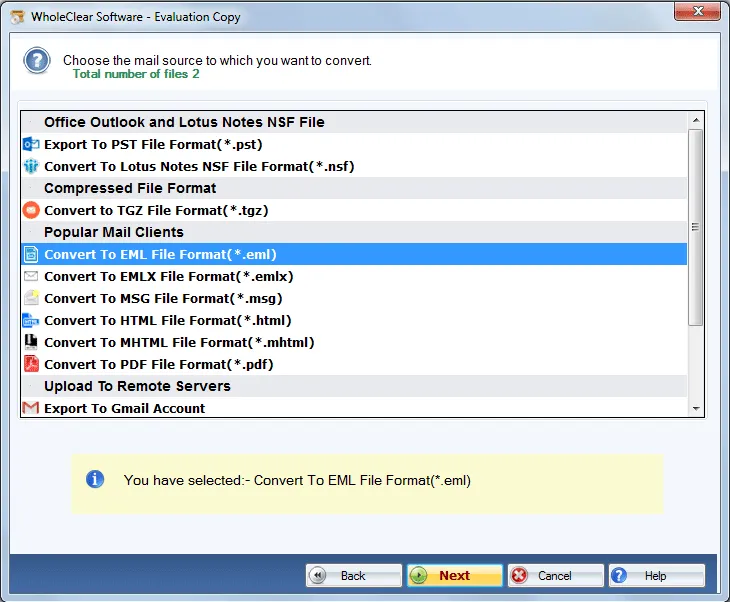
Step 4. Now, select Convert to EML File format (.eml)
Step 5. Then, select a destination path to save the exported EML file.
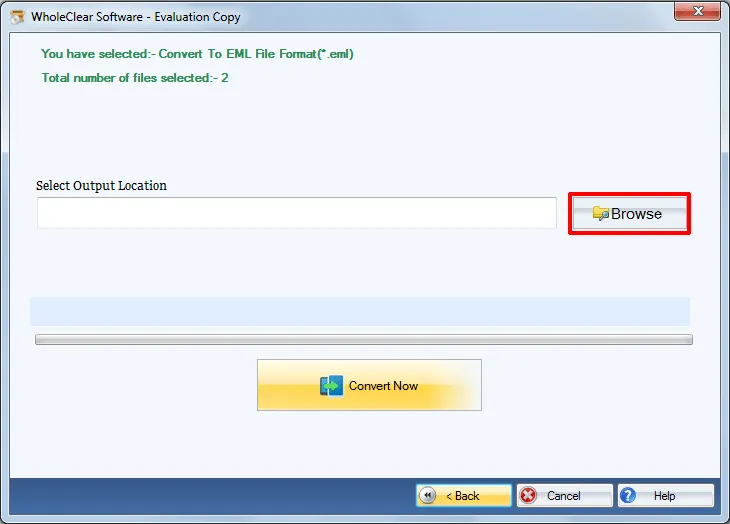
Step 6. To start the conversion process, move the mouse cursor to Convert selected button.
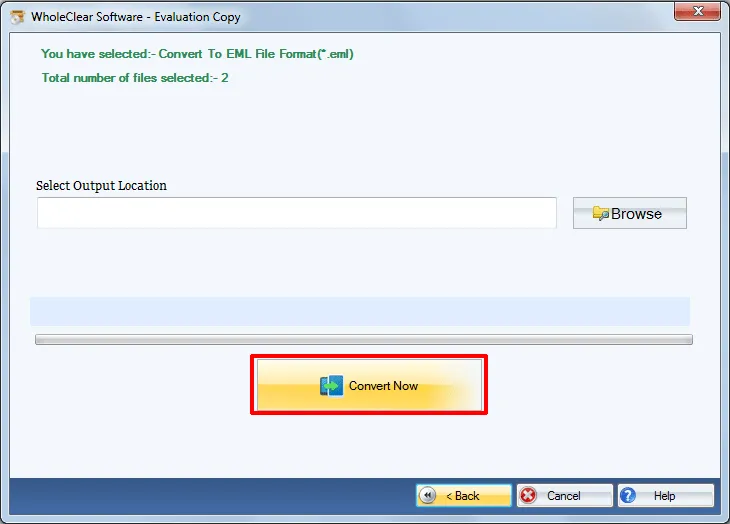
Once you follow these steps, you will find that your MBOX files get turned into EML file that you can find to the location specified by you during the migration task.
Note: The wizard is Source → Explorer → Destination → Convert. After choosing the source, click Next: Data Explorer. Add data with Browse files... or Browse folder..., then Continue to Destination. On Convert, use Browse output folder and start with Convert selected when Ready Check is green. The demo processes up to 25 items.
Conclusion
The utility assures complete and safe conversion results. For any doubt, you can take a free trial of the tool before applying for the license edition. 100% unharmed data with full accuracy is achieved.

