How to export mailboxes from MS Outlook to numerous formats?
Available on Windows, macOS, and Linux.
Exporting mailboxes from Microsoft Outlook to access Outlook data files to multiple email clients like Thunderbird, Apple Mail, Postbox, Entourage, Windows Live Mail, etc. Try out the discussed software solution which offers you a single application to export Outlook PST files to numerous file formats.
No official method is available to export mailboxes from Outlook, hence we are providing a software solution whose download link is provided above. This application is specially designed for novice users so that they can complete the migration in an easy manner. This single application offers export of multiple PST files to several email clients.
DownloadBuy NowWhy pick the software solution to export mailboxes from MS Outlook to numerous formats?
- Quick conversion of Outlook files
- Export complete database of MS Outlook
- Permit conversion of every huge size PST file
- Filtered database conversion facility
- Outlook installation not required
- Easily transfer to cloud-based email services
- Free trial edition for all users
Working guide to export Outlook mailboxes items to multiple formats
Step 1. Run WholeClear PST Converter on your Windows system.
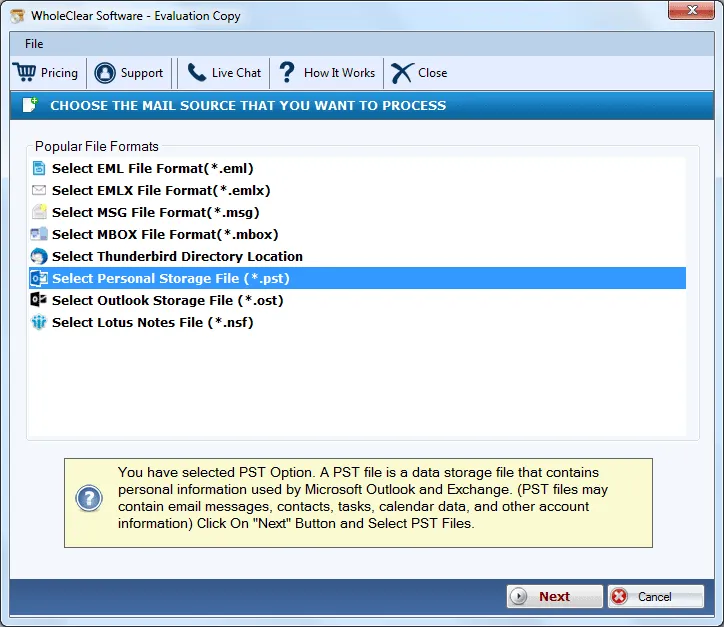
Step 2. Select Personal Storage File (.pst) as the source. Click Next: Data Explorer.
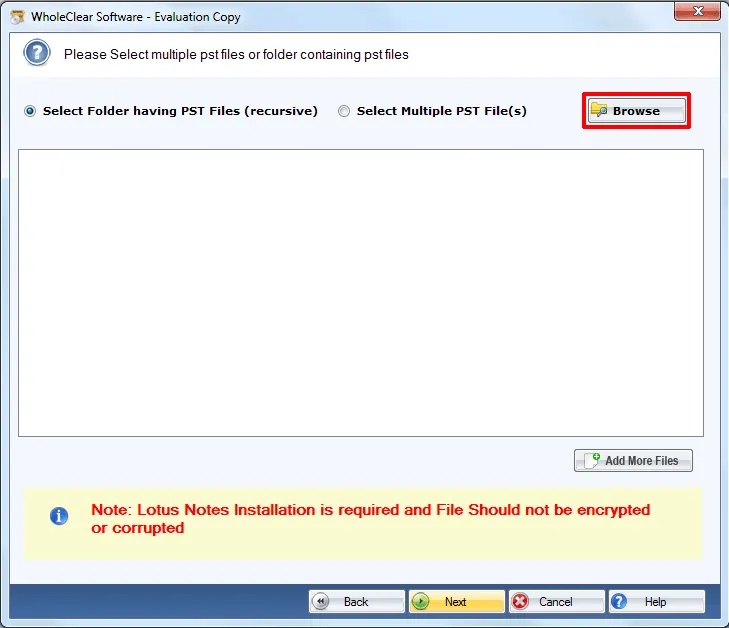
Step 3. Choose Browse files... or Browse folder.... Click the Browse button and add PST files. Then click Continue to Destination.
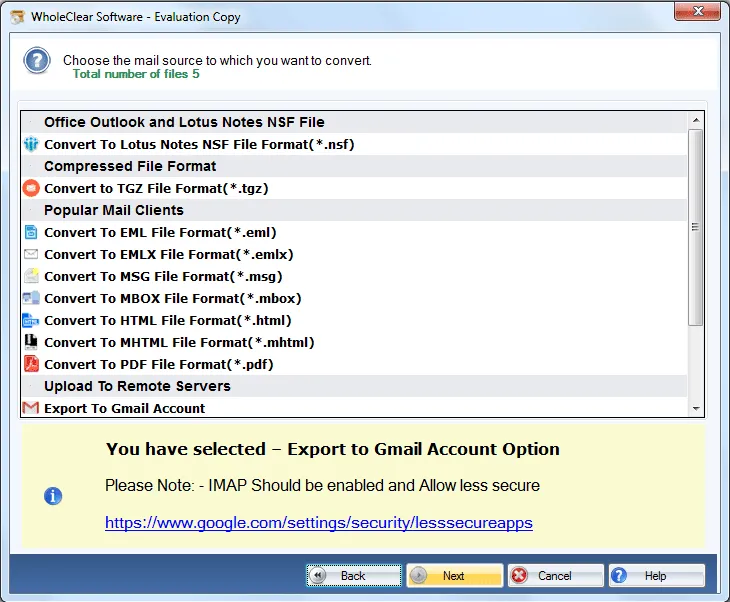
Step 4.Select a file format, desktop email client, or remote server where you want to export PST files.
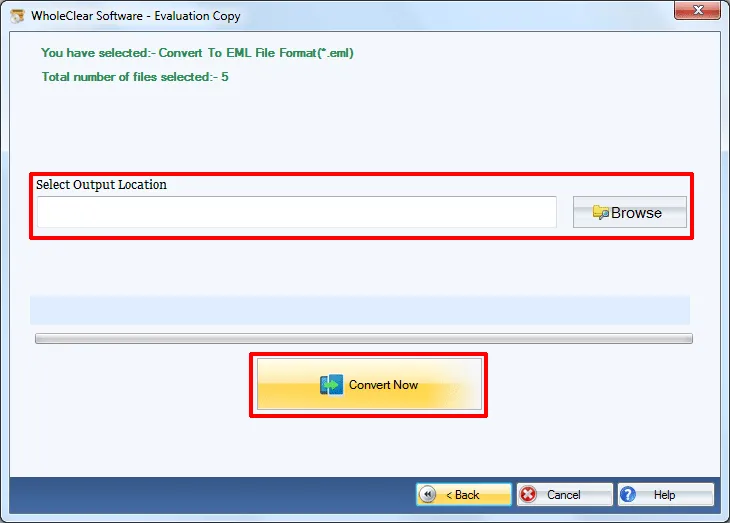
Step 5. Choose an output directory with the help of the Browse button. Click Convert selected.
Step 6.Provide login details & select folder or create a new folder to save PST files. Hit the Migrate all option. (in case of remote server migration)
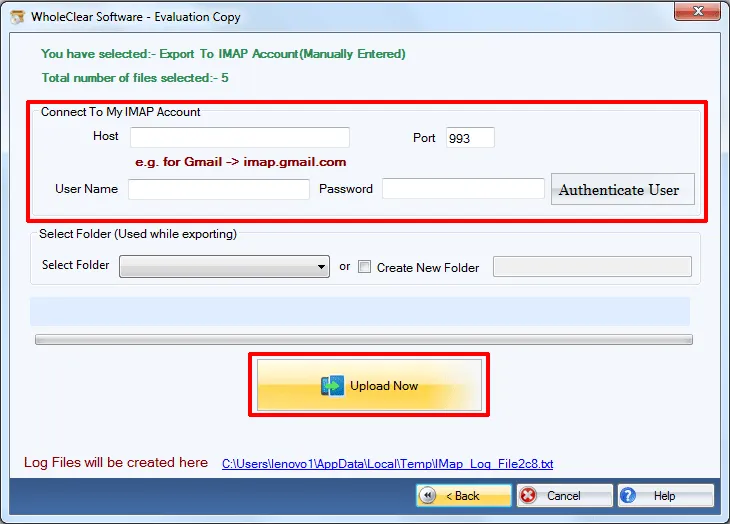
This is how one can export Outlook mailbox items to many desktop and cloud-based email services. The software offers complete database conversion including emails, contacts, notes, attachments, etc. without Outlook or any other email client installation.
Note: For Gmail, Yahoo, Outlook.com/Hotmail and similar IMAP targets, enter the provider IMAP host and an App Password (not the normal login password), then click Authenticate. The default folder is wholeclear migration. Use Migrate all after Destination Connected is ready. The demo processes up to 25 items.
Wrapping Up
With this single conversion tool, one can export Outlook PST files to numerous offline and online email services in a short span of time. The utility exports various Outlook PST files with this amazing application. To understand the utility before you apply for it, download the demo edition and export only first 25 items from Outlook.

