How to Export emails from Lotus Notes to Outlook? – Full Information
Available on Windows, macOS, and Linux.
Exporting data from Lotus Notes archive file to Outlook is really a tough task for users. There are thousands of users who are looking for migration of Lotus Notes mailboxes to MS Outlook. They can get the solution from here without wasting much time and efforts.
No manual & direct solution is available in Export emails from Lotus Notes to Outlook. So, get an alternate solution - WholeClear Lotus Notes to Outlook Converter, whom you can download from the above download link. Simply install the program without getting any errors. No chances of file misplacement with this application.
DownloadBuy NowReasons to Choose the Software to Migrate Lotus Notes to Outlook
- Fast conversion of Lotus Notes NSF files to Outlook
- Convert Lotus Notes to Outlook with attachments and meta properties
- Retain original folder series of NSF files during lotus notes conversion
- Do not impose any file size limits so convert any large size of NSF files
- Export unlimited IBM Lotus Notes to Outlook without Outlook
- Friendly interface for easy understanding for any kinds of users
- Smooth and error-free conversion Lotus Notes NSF to Outlook PST
Step by Step Guide to Migrtae Lotus Notes Archive file to Outlook
Step 1. Run WholeClear NSF to PST Converter on your Windows machine.
Step 2.Select Lotus Notes File (.nsf) in the email source. Click Next: Data Explorer.
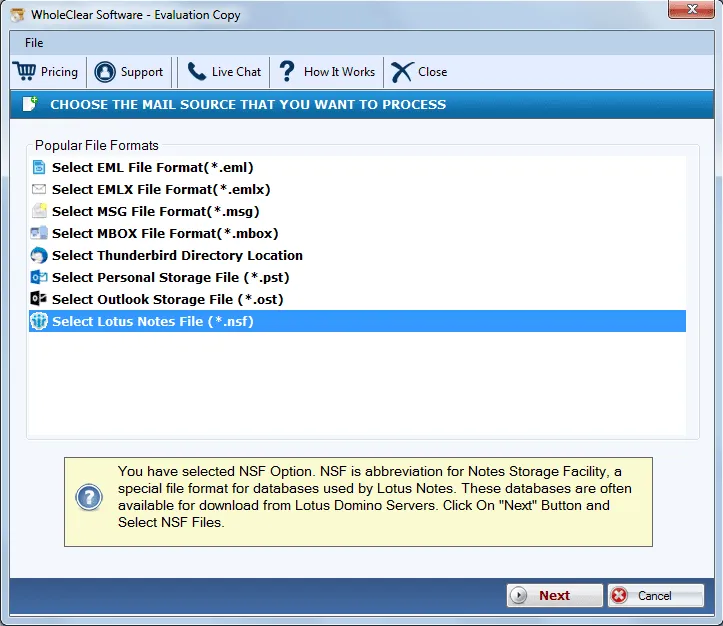
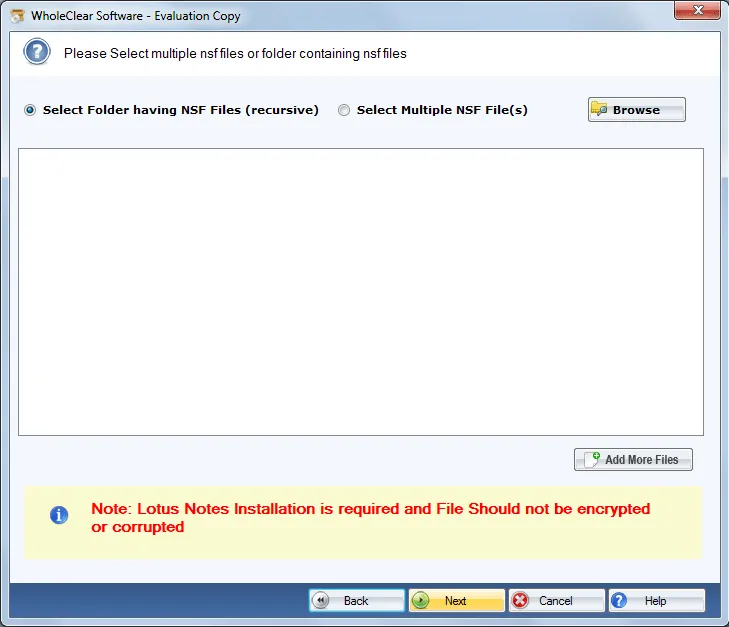
Step 3. Pick Browse files... or Browse folder... and add NSF files through Browse button. Then click Continue to Destination.
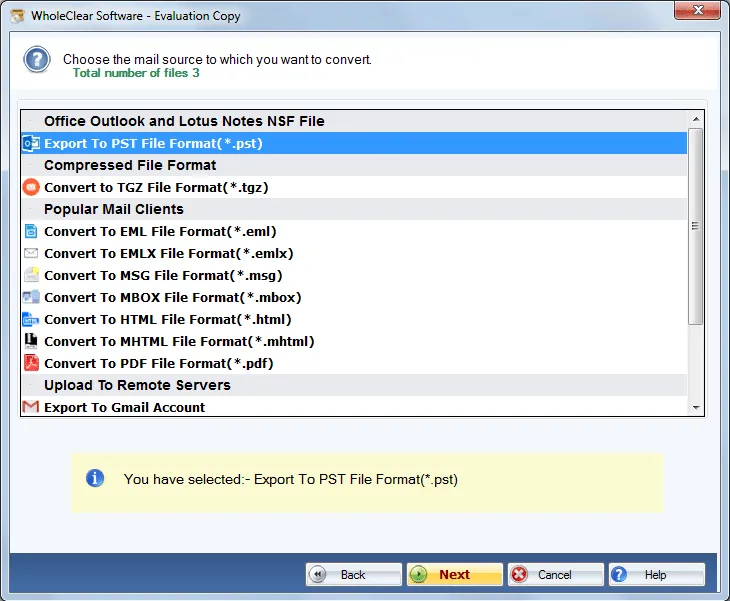
Step 4. Choose Export to PST format and hit Next button.
Step 5. use the Browse output folder button and mention output destination to save PST files.
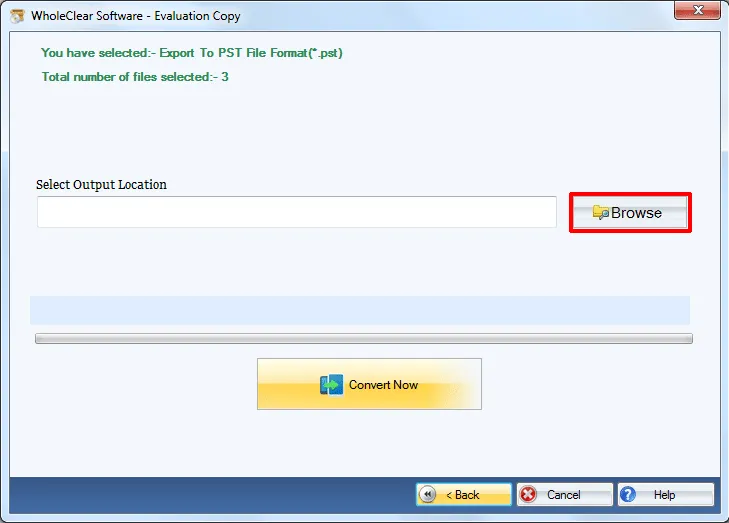
Step 6. Press the Convert selected button to start the conversion task.
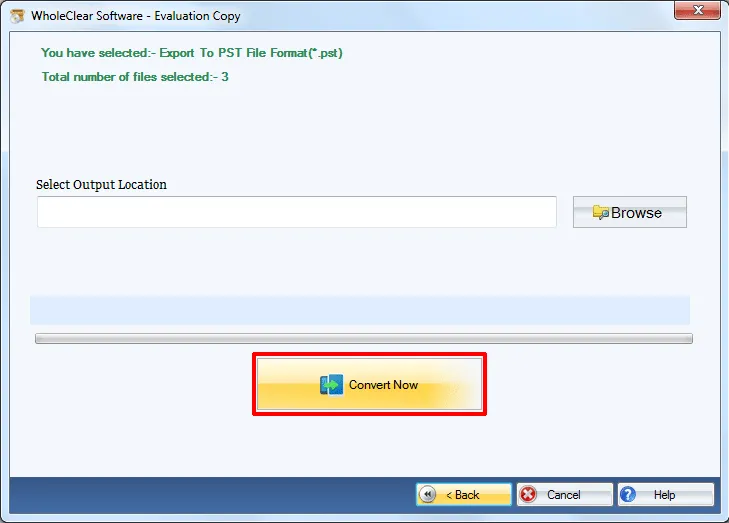
This is how, one can convert IBM Lotus Notes to Outlook pst file format. The exported PST file format can be simply imported to Outlook 2021, 2019, 2016, 2013, 2010, 2007, etc.
Note: Installation of Lotus Notes is compulsory to perform the conversion.
Note: The wizard is Source → Explorer → Destination → Convert. After choosing the source, click Next: Data Explorer. Add data with Browse files... or Browse folder..., then Continue to Destination. On Convert, use Browse output folder and start with Convert selected when Ready Check is green. The demo processes up to 25 items.
Wrapping Up
The software performs safe and sound conversion of Lotus Notes mailboxes to MS Outlook. With full accuracy, the conversion task gets completed. The utility can be utilized both by home and business users. To evaluate the performance of this application, download demo version and export only 25 items. For unlimited migration, purchase the licensed edition.

