How to export Zimbra emails to Mac Mail EMLX file format?
Available on Windows, macOS, and Linux.
Need an effective solution to export Zimbra emails to Mac Mail EMLX file format? If yes, then find out a professional solution which offers instant and direct export of Zimbra emails to Apple Mail EMLX file format. So, let us know the solution without wasting much time.
No straight-forward solution is available that export Zimbra emails to Apple Mail EMLX file format. Therefore, we offer you a smart solution that can be downloaded from the above link. To use this software, no third-party tool requirement is there. The program is safe to use and can be installable on all versions of Windows OS.
DownloadBuy NowReasons behind choosing this third-party solution to export Zimbra emails to Mac Mail EMLX
- Instant export without any data losses
- Include attachments and email attributes
- Safe and bulk export of Zimbra TGZ files
- Installable on all versions of Windows OS
- Grant any large size Zimbra TGZ file
- Independent application to use
- Demo version to test for all users
Step by step process to batch export Zimbra emails to Apple Mail EMLX
Step 1.Download and Install WholeClear TGZ to EMLX Converter on your system.
Step 2. Select TGZ in the mail source. Click Next: Data Explorer.
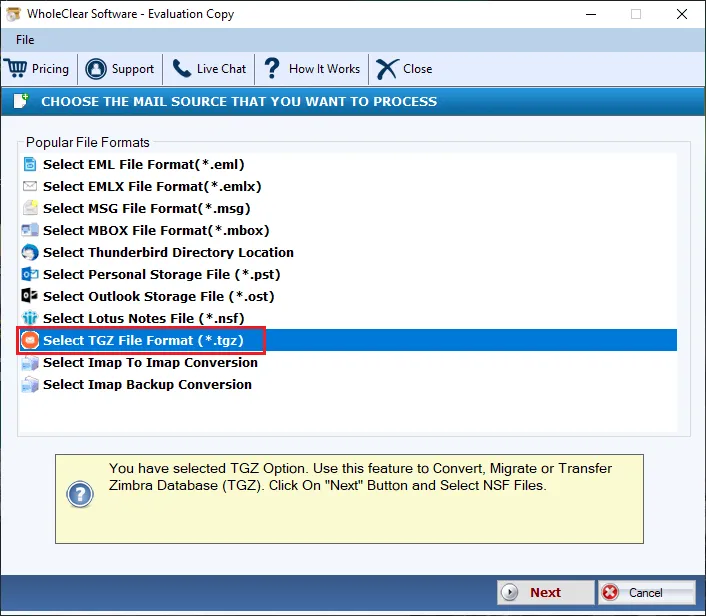
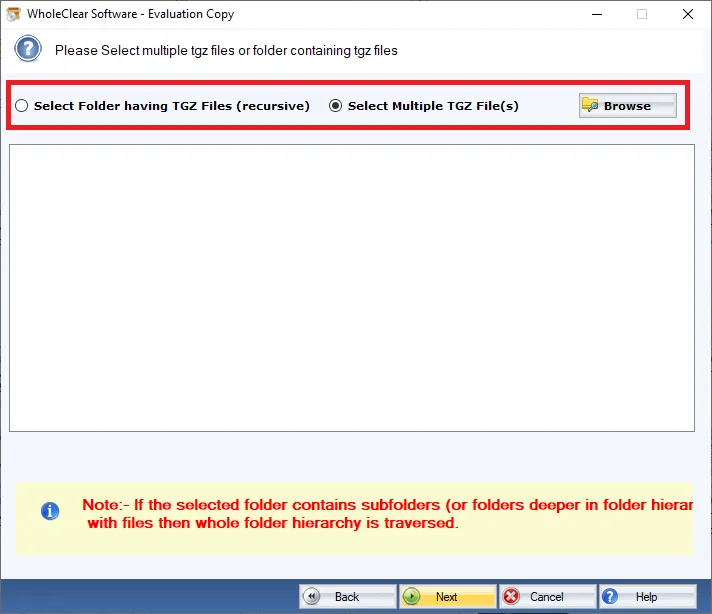
Step 3. Choose Browse files... or Browse folder... and select TGZ files that you want to export. Then click Continue to Destination.
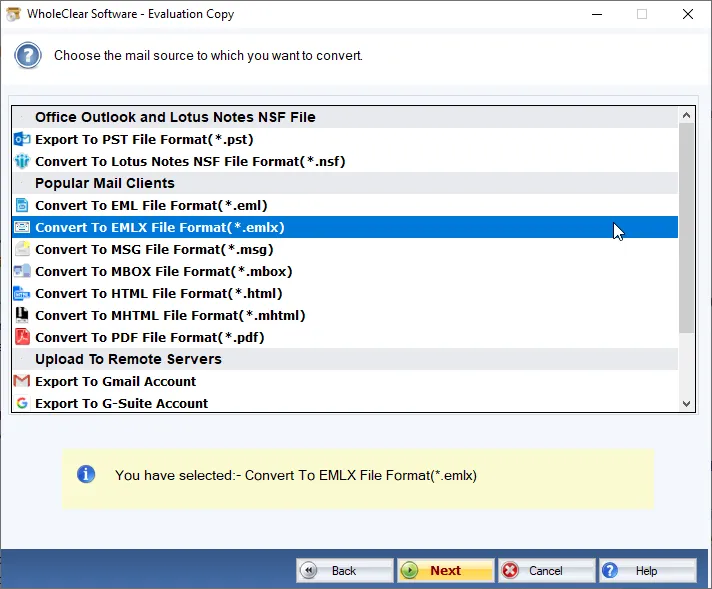
Step 4. Choose ‘Convert to EMLX File format (.emlx)’
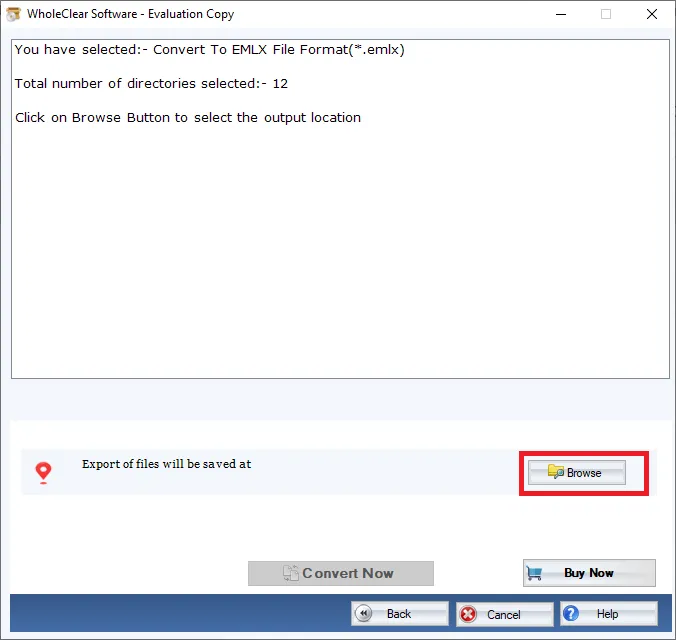
Step 5. Use the Browse button and choose location for output EMLX files.
Step 6. Hit the ‘Convert selected’ button which starts the conversion task.
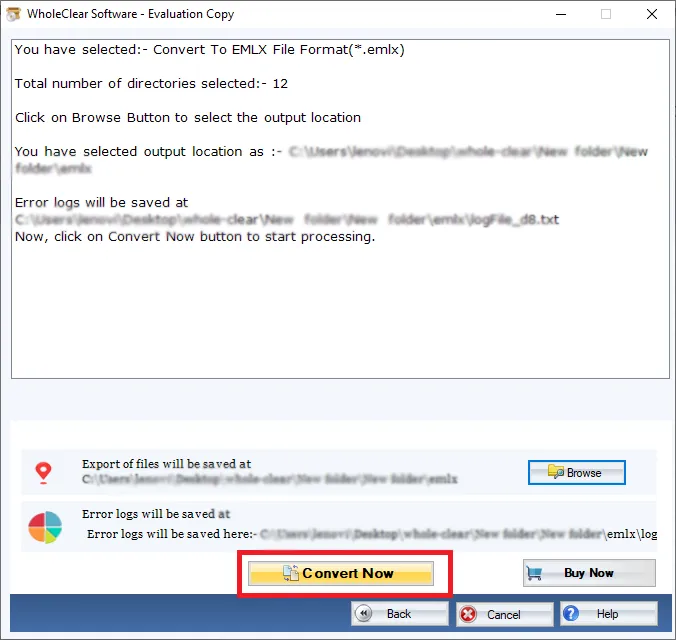
After clicking on the Convert selected button, users can get all Zimbra TGZ files into Apple Mail EMLX file format.
Note: The wizard is Source → Explorer → Destination → Convert. After choosing the source, click Next: Data Explorer. Add data with Browse files... or Browse folder..., then Continue to Destination. On Convert, use Browse output folder and start with Convert selected when Ready Check is green. The demo processes up to 25 items.
Ending Up
With the above mentioned process, users can bulk export Zimbra mailboxes to Mac Mail EMLX file format. The software assures safe and smart import of Zimbra email items to EMLX file format. To self-evaluate the program, users can export first 25 items per folder. For any doubts, users can ask our support staff 24*7.

