How to Import EML emails to Zimbra Desktop? – Detailed Solution
Available on Windows, macOS, and Linux.
If you are planning to import EML emails to Zimbra desktop, then this post will be most helpful for you where you can get a detailed solution to transfer EML emails to Zimbra application while keeping original data. But before it, let us get some basic information.
When users find need to move EML database to Zimbra, there is no direct solution that could be easy and effective for users. In that case, we hereby provide a software solution to users which is easy to apply and provide positive results with no harm to any file during the import process. The link of that software is provided above.
DownloadBuy NowWhy recommend this software to import EML database to Zimbra?
- Import EML emails in batch mode
- Export EML files of Windows Live Mail, Thunderbird, eM Client, & others
- Maintain all email attributes like email headers, email body, etc.
- Preserve folder structure while converting emails to Zimbra TGZ
- Free demo availability to get familiar with the tool before you buy it
- accurate conversion with no file misplacement
- Fast and trouble-free import
Easy steps to import EML emails to Zimbra desktop
Step 1. Install and Run WholeClear EML to TGZ Converter.
Step 2.Select EML format as the source. Click Next: Data Explorer.
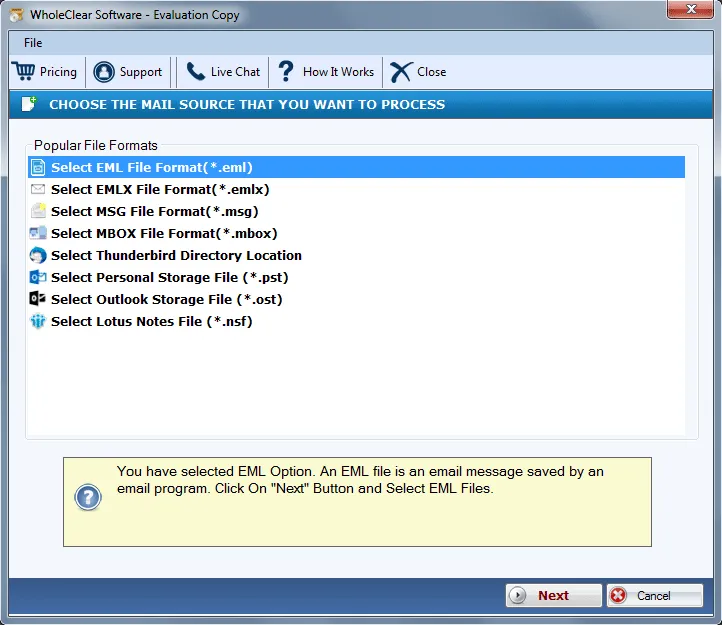
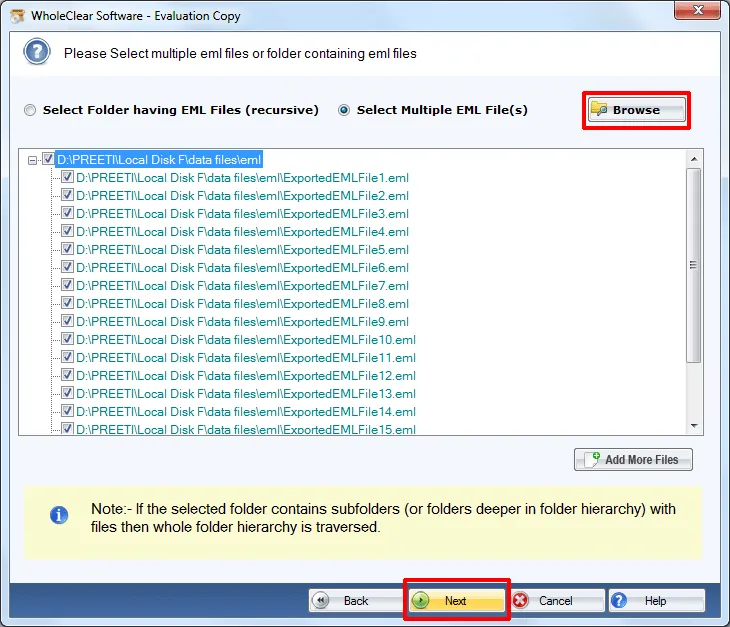
Step 3. Pick Browse files... or Browse folder... and upload EML files. Then click Continue to Destination.
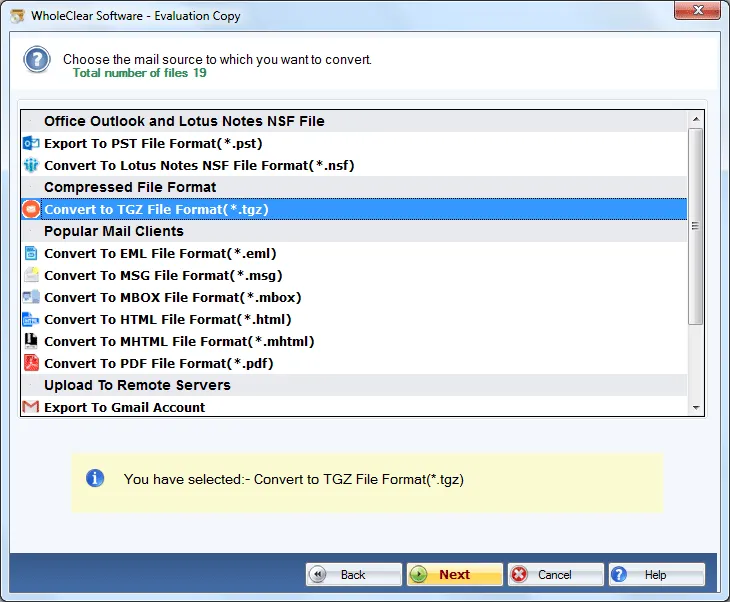
Step 4. Select Convert to TGZ File Format (.tgz)
Step 5. Click Browse output folder and choose a destination path to save the files.
Step 6. Finally, click on the Convert selected button.
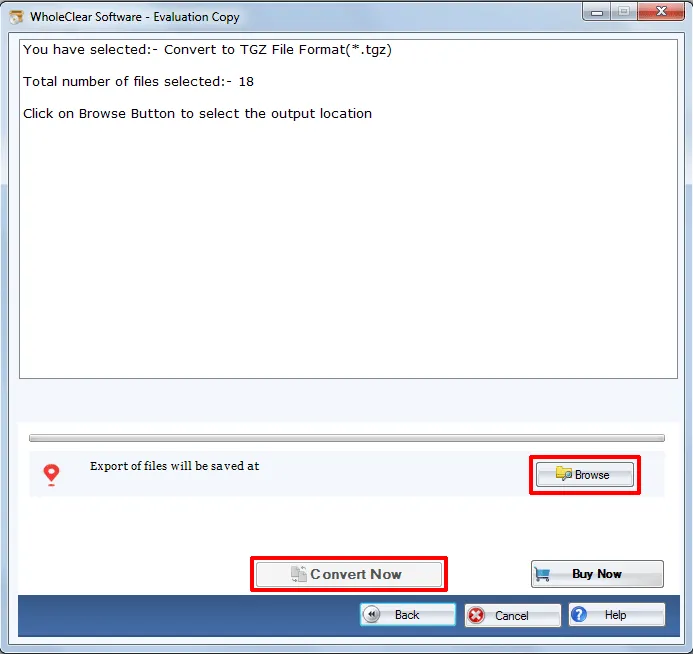
Once you follow the above steps, you can easily get TGZ file whom you can easily accessed in Zimbra desktop. This software is one of the fastest solutions to complete the import process without any issues.
Note: The wizard is Source → Explorer → Destination → Convert. After choosing the source, click Next: Data Explorer. Add data with Browse files... or Browse folder..., then Continue to Destination. On Convert, use Browse output folder and start with Convert selected when Ready Check is green. The demo processes up to 25 items.
The Last Words
This software is a promising solution to directly import the database to Zimbra from EML. You can get a free demo so that you can evaluate the software. And, after getting complete satisfaction with its processing, you can purchase the license key.

