How to import Outlook PST data into IMAP account?
Available on Windows, macOS, and Linux.
Need an effective solution to import Outlook PST data into IMAP account? Then, get a step by step process to directly import PST data items into IMAP account. Thousands of users have the exact query so they can get the solution in this post.
No manual way is there that can upload Outlook PST data files to IMAP account hence we suggest users to go with a professional solution whose download link is provided above. With this link, the software can be installed on any Windows OS. Without getting any technical training, users can operate the software due to its friendly interface. safe and quick import of Outlook files to IMAP account is done by the software.
DownloadBuy NowReasons to pick the software to import PST data into IMAP account?
- Safe and smart way to import Outlook PST file
- Batch import PST files without any hassles
- No requirement for Outlook installation in the system
- Preserve attachments and meta key elements
- Support all MS Outlook versions
- Generate log report of the migration
- Direct import without any delays
Step by step working of the software to upload PST data files to IMAP account
Step 1. Install and launch WholeClear PST to IMAP Converter Tool.
Step 2. Choose PST file format and then browse PST file/folder.
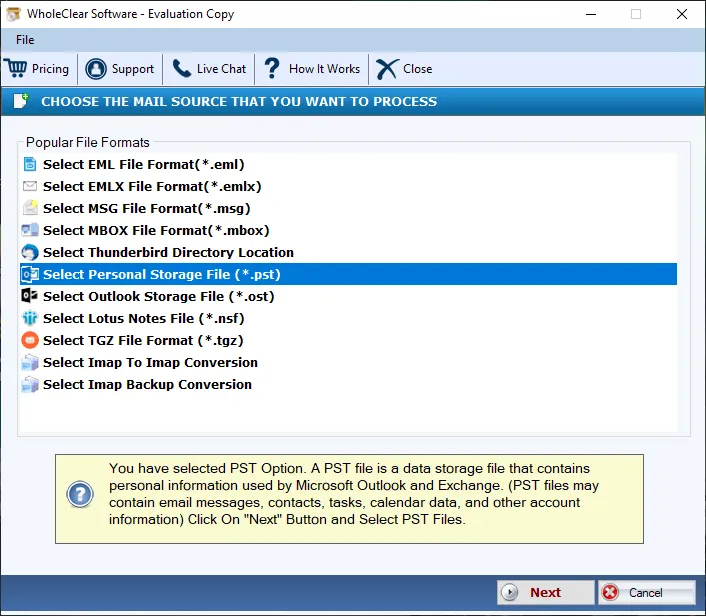
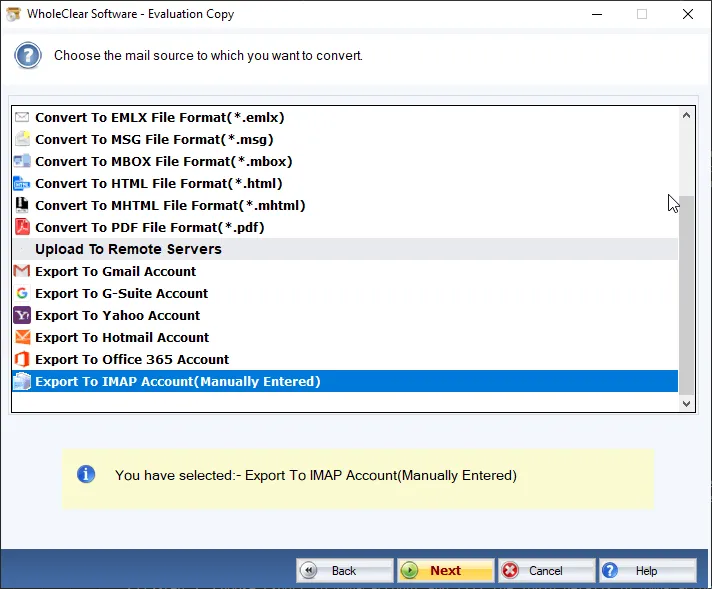
Step 3. Select Export to IMAP account option.
Step 4. Provide host address, username and password. Then, click on Authenticate button.
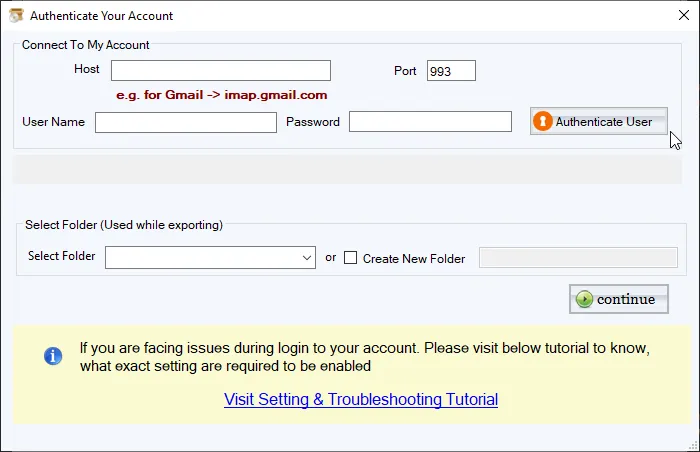
Step 5. Select an existing folder or create new folder in IMAP account to import PST files. Hit Continue button.
Step 6. Now, authenticate your IMAP settings and then hit Migrate all button. This will complete the migration and generate a report of the migration process.
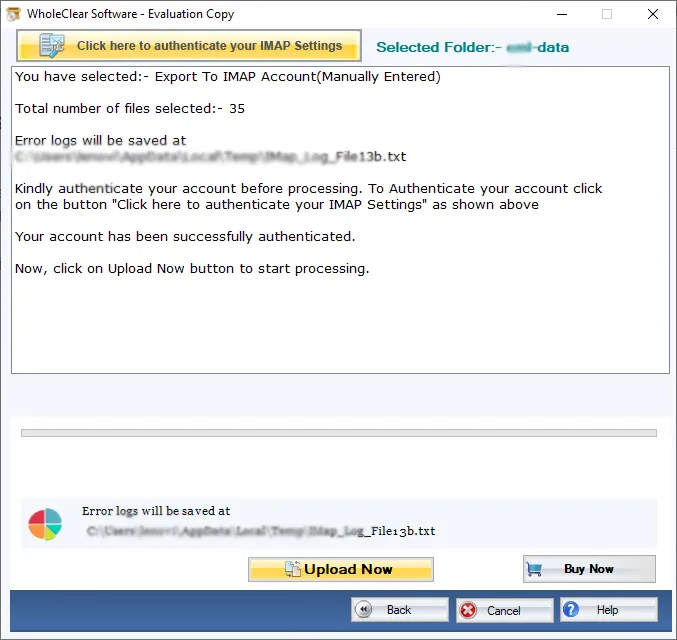
After that, you can login to your IMAP account and find PST files that you have imported by following the above steps.
Note: For Gmail, Yahoo, Outlook.com/Hotmail and similar IMAP targets, enter the provider IMAP host and an App Password (not the normal login password), then click Authenticate. The default folder is wholeclear migration. Use Migrate all after Destination Connected is ready. The demo processes up to 25 items.
Final Words
Without any hindrances, users can import PST data items into IMAP account. The software went under several tests so there is while keeping original data and corruption. Users can effectively import PST data to IMAP account without installing Outlook with this software. If you want to clear your doubts regarding this software, just download the demo version that imports 25 items from each folder of PST. For unlimited items import from PST, apply for the license keys.

