How to make MSG files readable by Lotus Notes? – Step by step instructions
Available on Windows, macOS, and Linux.
MSG file is a single message file of MS Outlook which is not directly readable by Lotus Notes. If you have a similar query then this post will be more helpful for you. Here, you will get a step by step instructions. So, let us go ahead and start this migration process.
There is no direct method by which MSG files can be readable by Lotus Notes. For this, users need to export MSG database to NSF file format. To perform this migration, we offer you a professional tool. You can get the link of this software from the above download link. This application is useful for all users and can be effortlessly handled by all without any troubles.
DownloadBuy NowReasons to pick the software to make MSG files readable by Lotus Notes
- High-speed conversion of MSG files
- Hold key elements and email formatting
- Transfer complete MSG files without any modifications
- Free from size restrictions
- Retain complete folder structure
- Include attachments of MSG file
- 100% data safety assurance e
Working procedure of the tool to export MSG database to NSF
Step 1. Download and launch WholeClear MSG to NSF Converter.
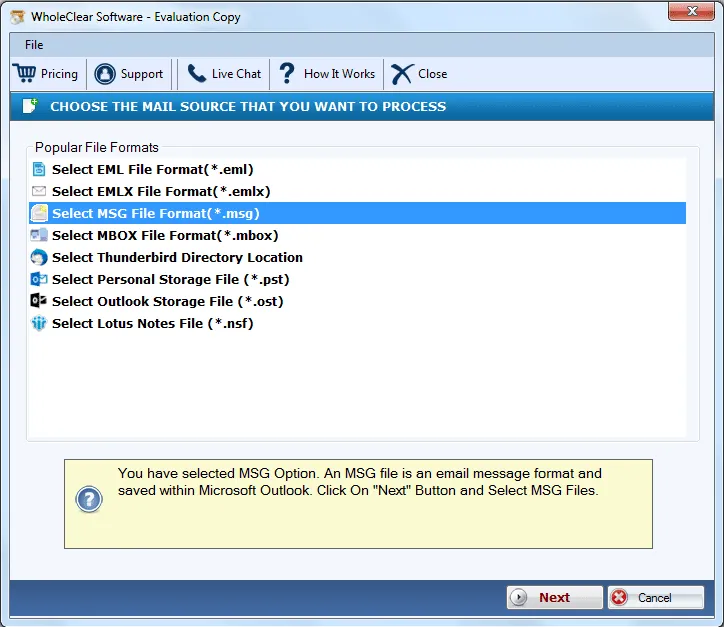
Step 2.Select MSG file format in the email source. Click Next: Data Explorer.
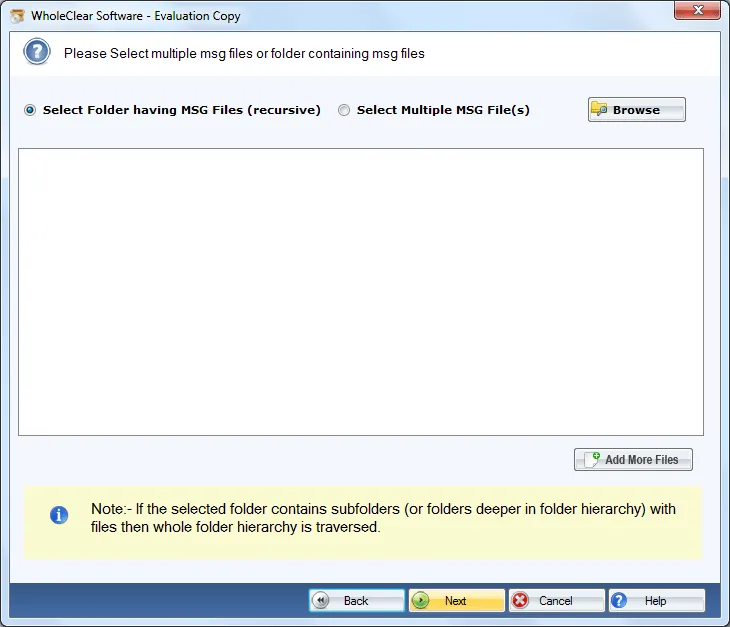
Step 3. Choose Browse files... or Browse folder... and add MSG files that you want to export. Then click Continue to Destination.
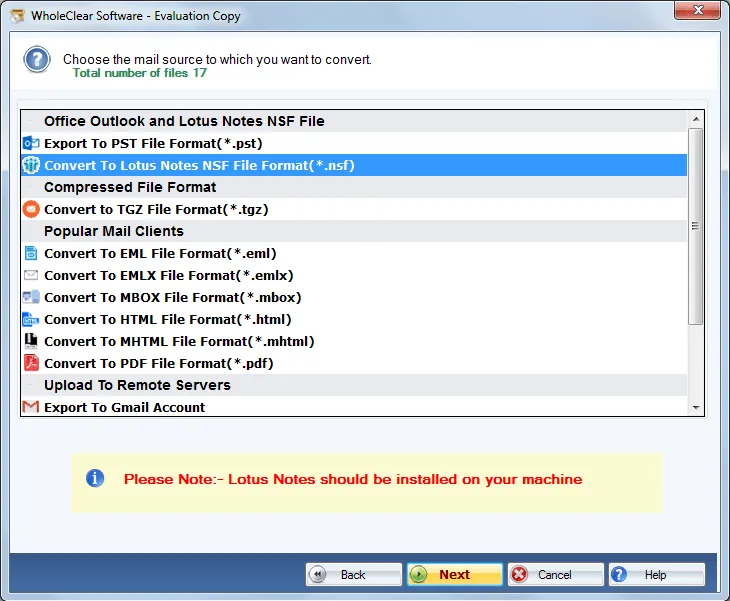
Step 4.Select Export to NSF file format.
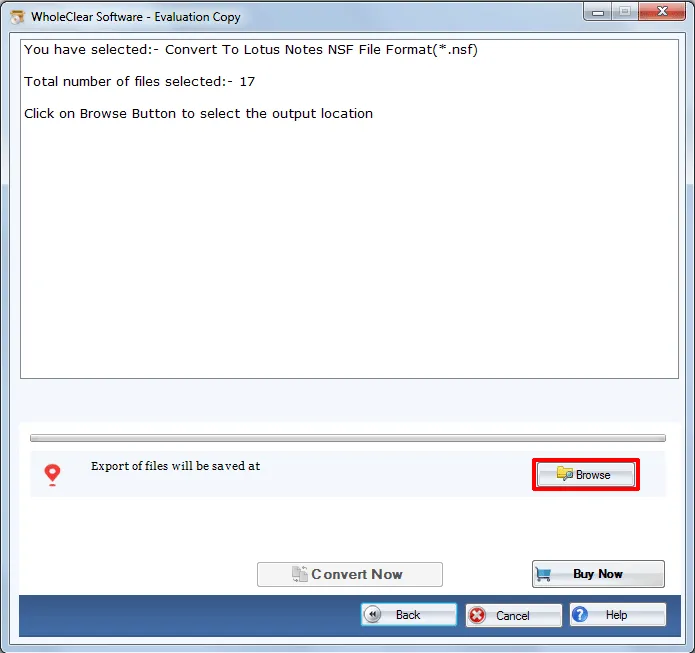
Step 5.Choose an output destination using the Browse button to save NSF files.
Step 6. Hit the Convert selected button to start the migration.
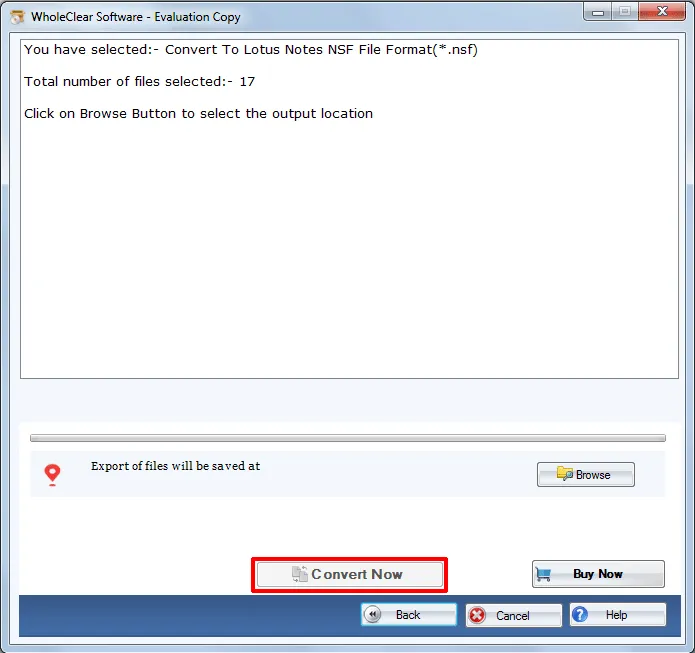
Once you follow the above steps, you will get MSG folders exported to NSF file format in a few minutes. After that, NSF file can be simply imported to Lotus Notes email client using File> Import menu. This solution works with every Outlook edition MSG file without any issues.
Note: The wizard is Source → Explorer → Destination → Convert. After choosing the source, click Next: Data Explorer. Add data with Browse files... or Browse folder..., then Continue to Destination. On Convert, use Browse output folder and start with Convert selected when Ready Check is green. The demo processes up to 25 items.
Closing Lines
The software offers a direct solution by which one can effortlessly export MSG folders to NSF file format with full accuracy. Not a single file misplacement is there with this amazing tool. Plus, there is no restriction on file size. To know the application deeply, download the trial edition.

