How to migrate emails to Zimbra desktop from Thunderbird?
Available on Windows, macOS, and Linux.
Most of the times, users face problems in migrating emails to Zimbra from Thunderbird application. To resolve this issue, we are here with a professional solution which is very easy to use and offers smart migration of Thunderbird mailbox items to Zimbra desktop. Let us know the step by step process for the migration.
No official method is available for migrating emails to Zimbra desktop from Thunderbird application. Therefore, we recommend users to go with third-party solution that can be downloaded from the above link. Users can easily handle this program without any hassles. In a few minutes, Thunderbird email items are migrated to Zimbra TGZ file format by the software.
DownloadBuy NowWhy pick the solution to migrate emails to Zimbra desktop from Thunderbird?
- Retain email attributes and folder hierarchy
- No requirement of additional program
- Allow unlimited email items conversion at once
- Render accurate and secure conversion
- Support all versions of Zimbra desktop
- Automatic loading of Thunderbird mailbox items
- Free evaluation copy for all users
Step by step guide to migrate Thunderbird email items to Zimbra TGZ
Step 1.Install and start WholeClear Thunderbird to TGZ Converter .
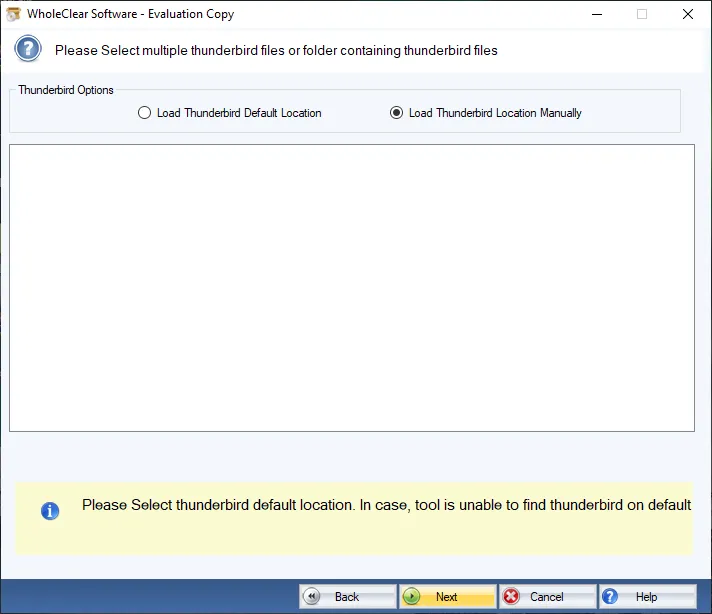
Step 2.Select Thunderbird default location and Hit Next.
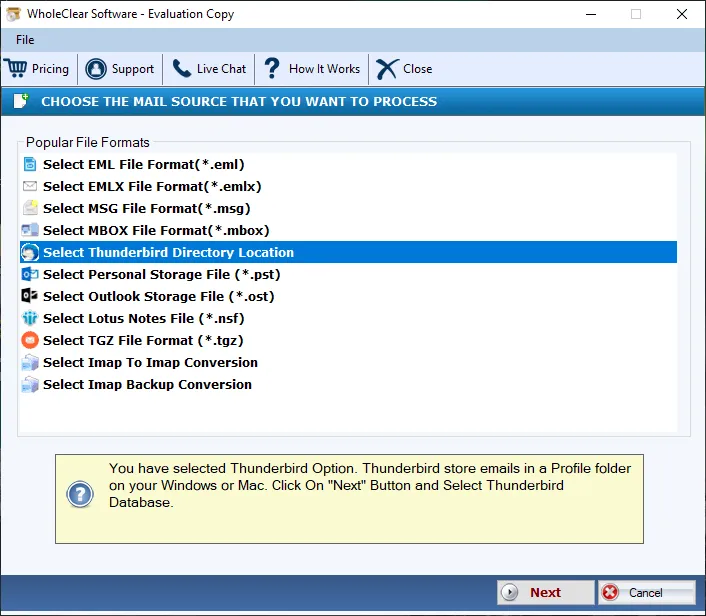
Step 3. Choose Thunderbird options and add Thunderbird mailboxes.
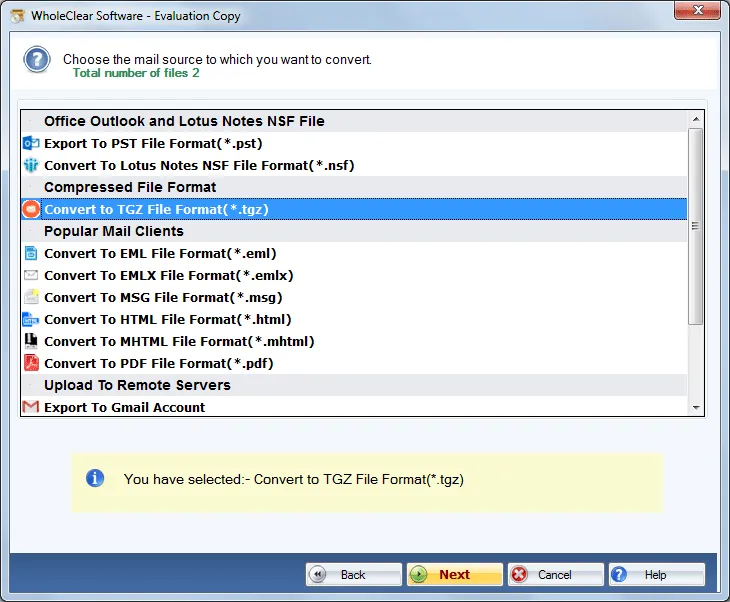
Step 4. Select Convert to TGZ file format for Zimbra.
Step 5. Use the Browse button and mention a location for output TGZ file.
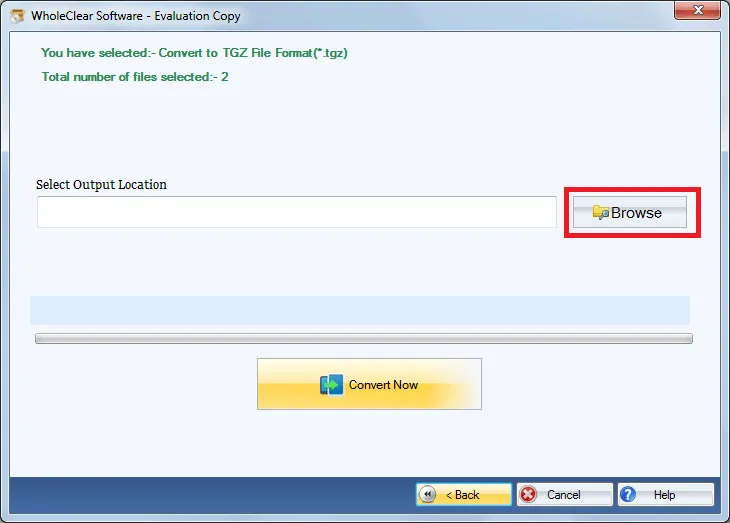
Step 6. Hit the Convert selected button and this will migrate all emails from Thunderbird application to Zimbra TGZ file format.
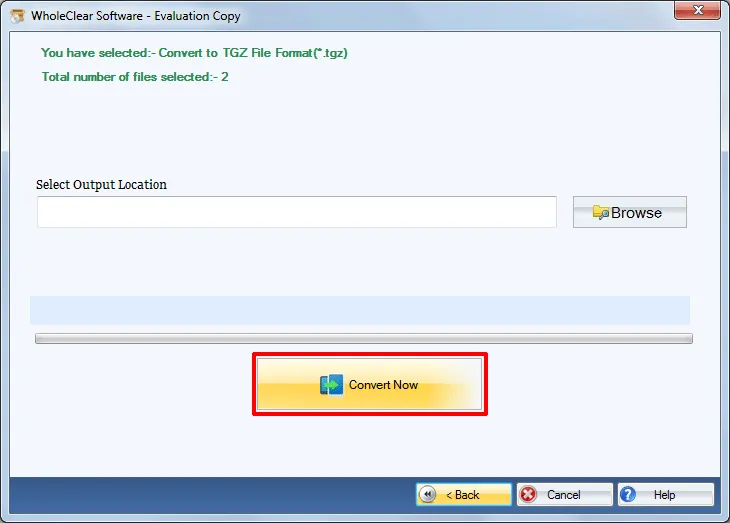
Once users get TGZ files as result of conversion with the software, users can easily read TGZ file on all versions of Zimbra desktop such as 1.0.4, 2.0.0, 7.0.1, 7.2.8, etc.
Note: The wizard is Source → Explorer → Destination → Convert. After choosing the source, click Next: Data Explorer. Add data with Browse files... or Browse folder..., then Continue to Destination. On Convert, use Browse output folder and start with Convert selected when Ready Check is green. The demo processes up to 25 items.
Final Words
The software is completely independent and safe to use. Users can perform the migration without any complications with this professional tool. Users can go for the free version and clear all their doubts with it. This demo version allows migration of first 25 items per folder to Zimbra desktop from Thunderbird. In case of any doubt or problems, users can get in touch with our support staff 24*7.

