How to migrate Lotus Notes database into Outlook single file?
Available on Windows, macOS, and Linux.
Migrating database of Lotus Notes into Outlook single file i.e. MSG file format can be performed in a quick manner having a reliable solution. Various users are searching for the solution to create MSG file from Lotus Notes NSF file format. Get a complete solution here.
Due to the unavailability of a direct solution in Lotus Notes application to export NSF data files into Outlook MSG file format. We have offered an alternate solution in the form of a third-party tool. Get the software from the above download link. This software can be conveniently managed by both technical and non-technical users.
DownloadBuy NowWhy choose third-party tool to create MSG file from Lotus Notes NSF?
- Instant conversion of Lotus Notes NSF files
- Hold email formatting and meta properties
- No limit of file size, export huge size NSF files
- Retain original folder hierarchy
- 100% secure and smooth conversion
- Unlimited database conversion
- Bulk migration of Lotus Notes NSF files
Step by step guide to migrate Lotus Notes database into Outlook single file
Step 1. Launch WholeClear NSF to MSG Converter on your system.
Step 2.Select Lotus Notes File (.nsf) in the email source. Click Next: Data Explorer.
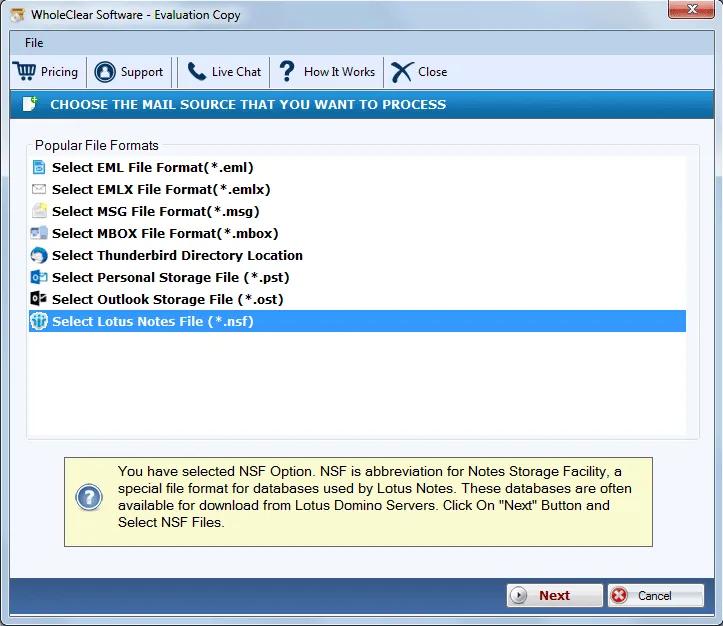
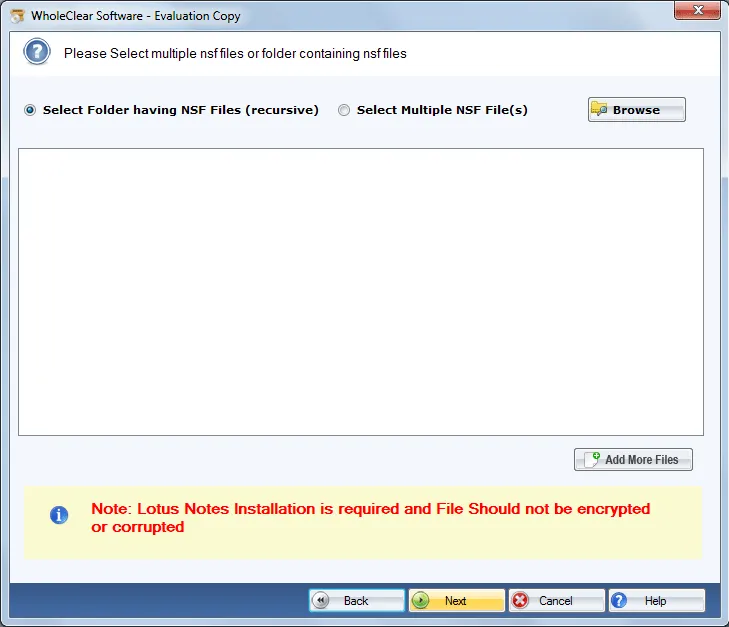
Step 3.Select Browse files... or Browse folder... and then add NSF files using the Browse button. Then click Continue to Destination.
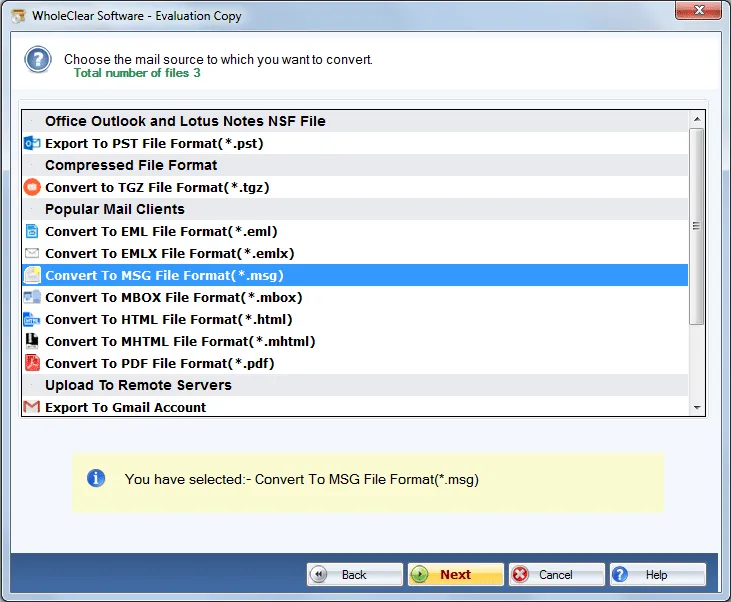
Step 4. Select Export to MSG file format and Click Next.
Step 5. use the Browse output folder button and mention an output destination to save MSG files.
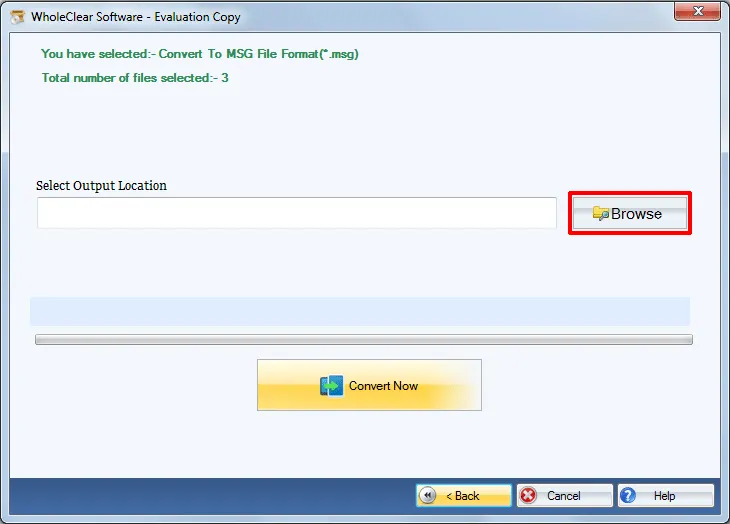
Step 6.Click on the Convert selected button. This will begin the conversion process.
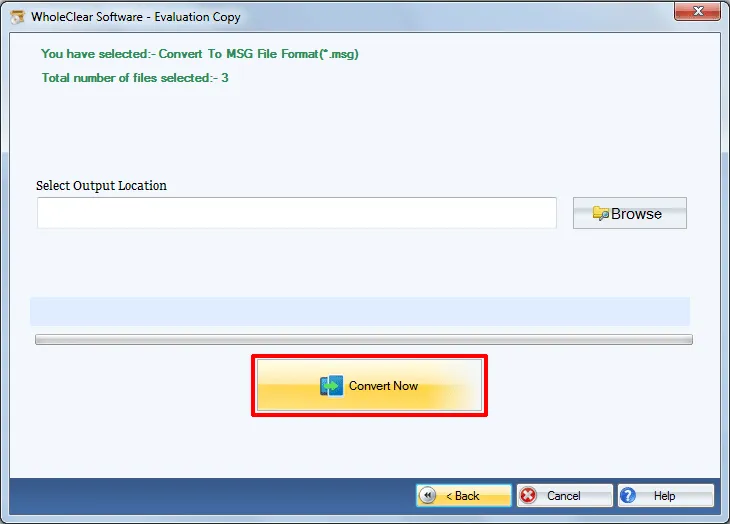
This is how one can export complete mailbox items to MS Outlook MSG from Lotus Notes NSF file format. After that, the converted MSG file can be imported to any edition of MS Outlook.
Note: Lotus Notes installation is compulsory to complete the conversion.
Note: The wizard is Source → Explorer → Destination → Convert. After choosing the source, click Next: Data Explorer. Add data with Browse files... or Browse folder..., then Continue to Destination. On Convert, use Browse output folder and start with Convert selected when Ready Check is green. The demo processes up to 25 items.
Final Words
The software offers complete and safe conversion of Lotus Notes database into Outlook MSG format. The best part is any size Lotus Notes NSF file can be simply converted into MSG file format. To deeply understand the application, download free version which exports only 25 items. For unlimited conversion, take the license version.

