How to migrate Outlook to single Mail of Mac Mail?
Available on Windows, macOS, and Linux.
Migrating Outlook data files to single Mail of Mac Mail i.e. EMLX is discussed in this post. If you have the same query then continue reading this post where we have come up a software solution to complete the migration. Let us find the solution without wasting much time.
There is no official solution available to migrate Outlook data items to EMLX file format. Here, we have provided an alternate solution which you can get from the above download link. The application performs safe and easy conversion of Outlook data items to single mail of Mac Mail. No difficulty is faced by both technical and non-technical users.
DownloadBuy NowWhy choose this software to migrate Outlook to single mail of Mac Mail?
- Instant and smart data conversion
- Folder hierarchy completely maintained
- Hold key elements and attachments
- Unlimited database conversion
- No size limitations
- Comfortably export all Outlook edition data file
- Compatible with all versions of Windows OS
Working procedure to migrate Outlook data items to EMLX
Step 1. Run WholeClear PST to EMLX Converter on your system.
Step 2.Select PST file format as the source. Click Next: Data Explorer.
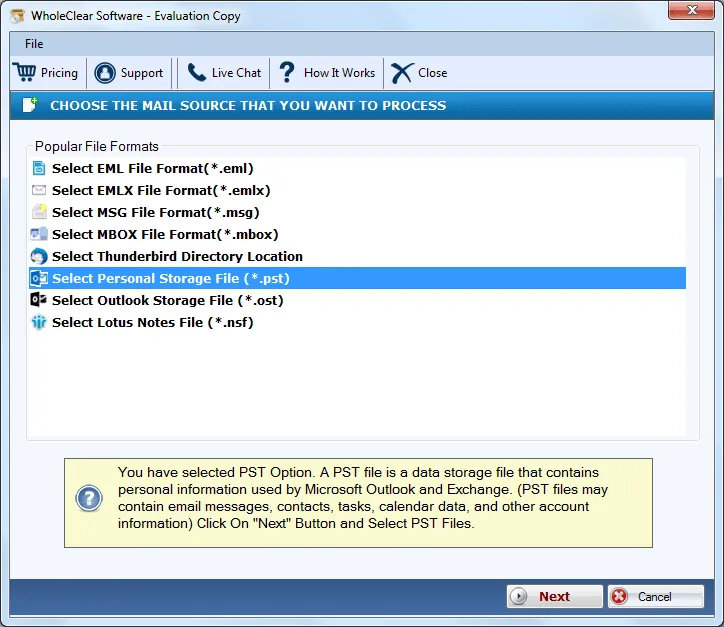
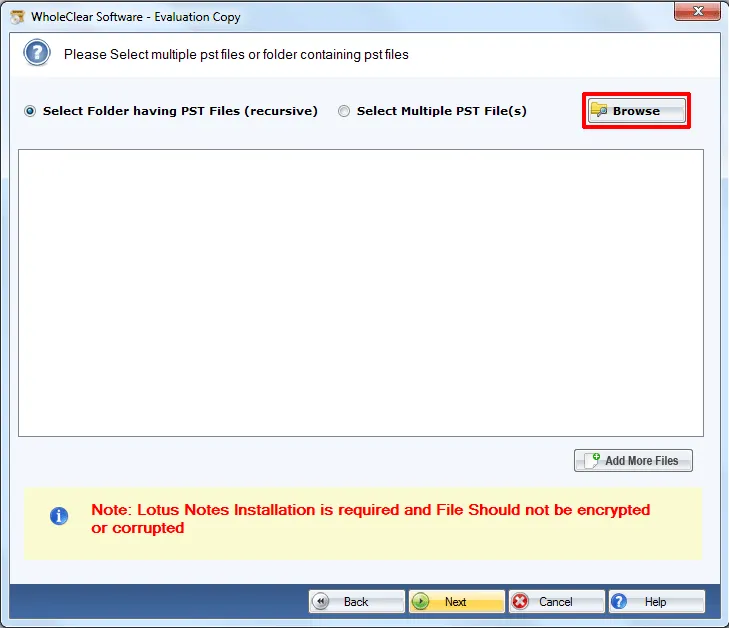
Step 3. Choose Browse files... or Browse folder... and upload PST files. Then click Continue to Destination.
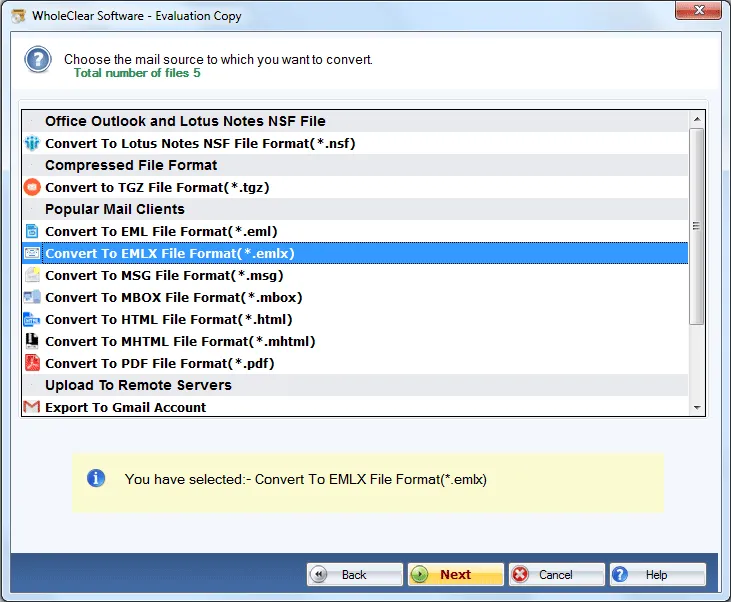
Step 4.Select Export to EMLX file format.
Step 5.Mention an output destination using the Browse button.
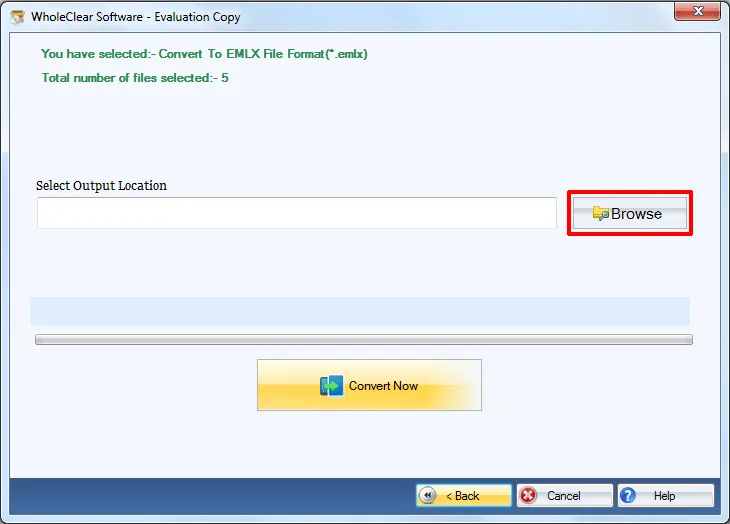
Step 6. Click on the Convert selected. This will start the migration task. .
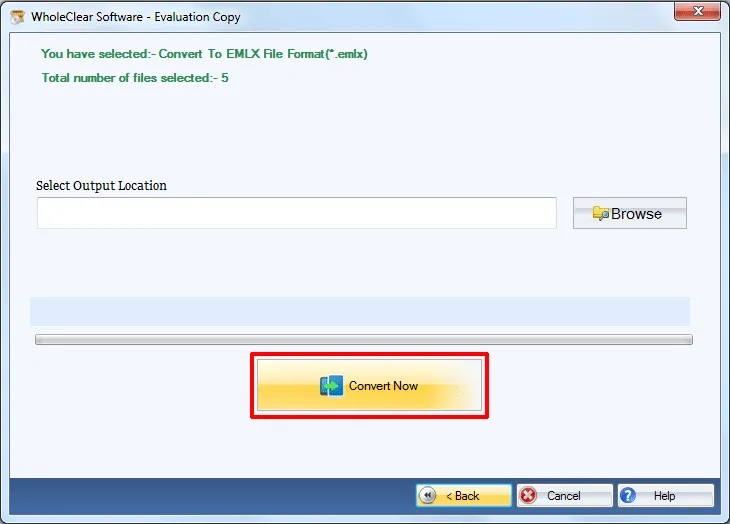
By these steps, one can export Outlook database to EMLX file format. You can move these EMLX files to Mac system using pen drive and then you can simply import the files to Mac Mail email client.
Note: The wizard is Source → Explorer → Destination → Convert. After choosing the source, click Next: Data Explorer. Add data with Browse files... or Browse folder..., then Continue to Destination. On Convert, use Browse output folder and start with Convert selected when Ready Check is green. The demo processes up to 25 items.
Wrapping Up
Using this software, you can easily perform the conversion without facing any kind of difficulties. File size does not matter when you perform the migration and this is the best part of this application. To understand the utility before you invest in it, download the trial edition and export first 25 emails of Outlook. To perform unlimited data conversion, upgrade to the license edition.

