How to read NSF emails to Adobe PDF format? – Complete Solution
Available on Windows, macOS, and Linux.
Want to export NSF emails to PDF format? Then, get a complete guide here by which one can easily migrate Lotus Notes mailbox folders into PDF format. The solution can be effortlessly handled by all users without facing any kind of issues. So, let us find the solution.
No direct solution is available in Lotus Notes to export the emails into PDF file format. Therefore, we have mentioned an alternate solution by which one can directly migrate Lotus Notes mailbox folders into PDF format. Moreover, no technical expertise is required to handle the application. The entire conversion task gets completed without any errors.
DownloadBuy NowWhy pick the software to read NSF emails to Adobe PDF format?
- Export Lotus Notes database instantly
- Hold complete email formatting and meta data
- Protect complete folder series as it is after the conversion
- Export huge size NSF files without any errors
- Unlimited data conversion facility
- Support all versions of Lotus Notes and Adobe versions
- safe conversion without damaging any file
Step by step guide to transfer NSF email folders to PDF format are as follows;
Step 1. Launch WholeClear NSF to PDF Converter on your Windows OS.
Step 2.Select Lotus Notes File (.nsf) in the email source. Click Next: Data Explorer.
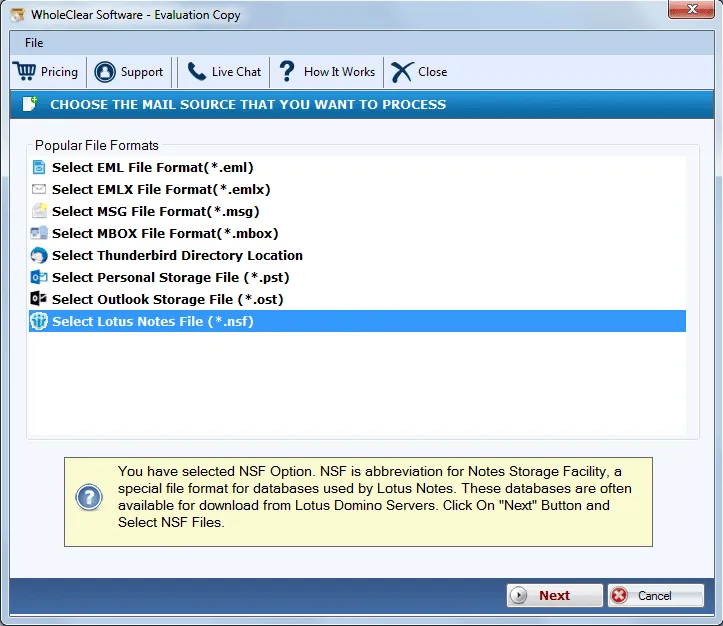
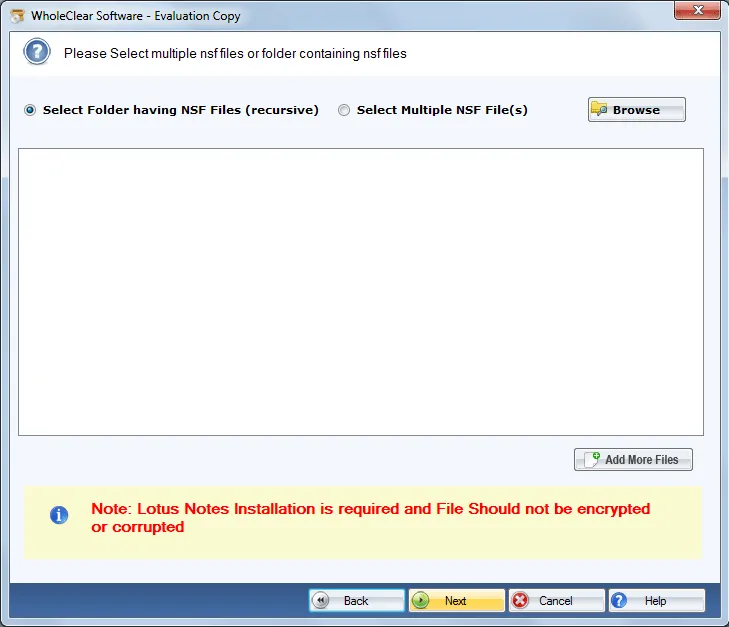
Step 3. Choose Browse files... or Browse folder... and select NSF files that you want to convert. Then click Continue to Destination.
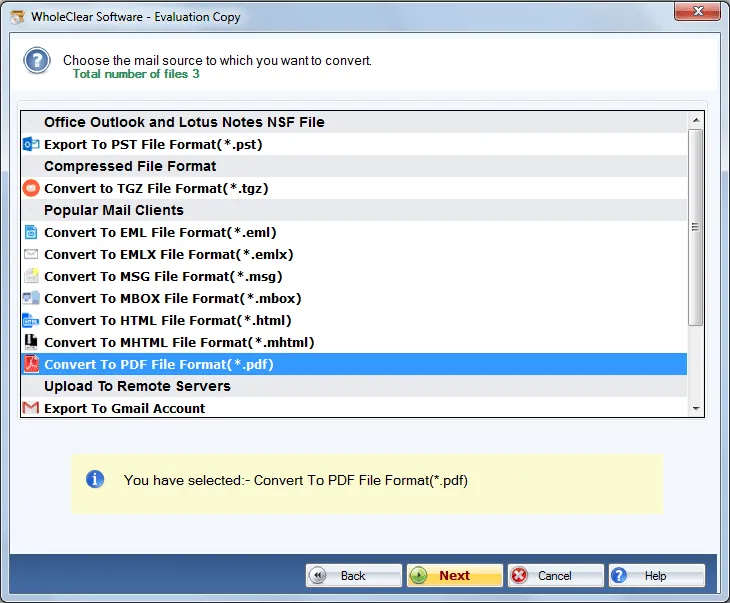
Step 4.Select Convert to PDF file format and click Next.
Step 5. Click on the Browse button and provide an output destination to save PDF files. Click ‘Save attachments’ to export attachments.
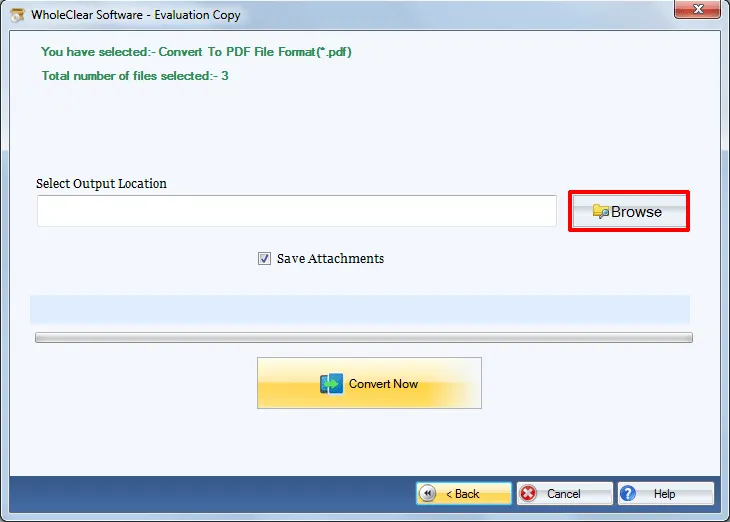
Step 6.Click on the Convert selected button to start the conversion task.
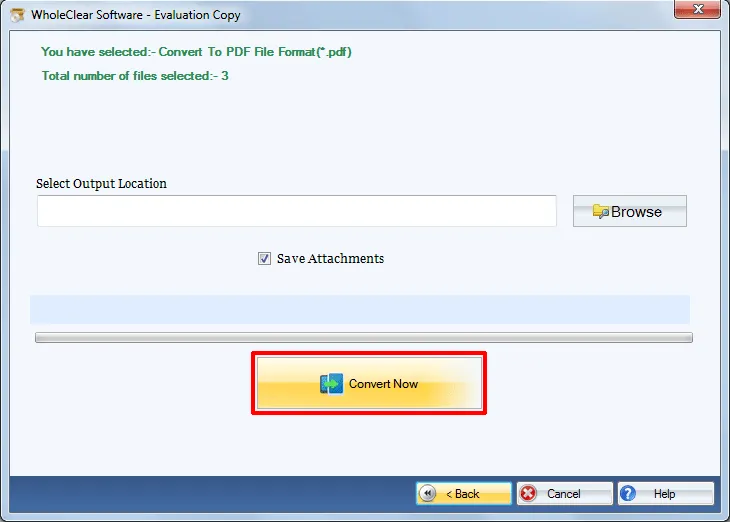
This is how one can transfer NSF email folders to PDF format without facing any kind of trouble. The software comes in various licenses – personal, home, business and enterprise license. Users can take the licenses as per their requirements.
Note: Make sure Lotus Notes installation is must in your system to perform the conversion.
Note: The wizard is Source → Explorer → Destination → Convert. After choosing the source, click Next: Data Explorer. Add data with Browse files... or Browse folder..., then Continue to Destination. On Convert, use Browse output folder and start with Convert selected when Ready Check is green. The demo processes up to 25 items.
Wrapping Up
The software performs sound conversion of NSF emails into Adobe PDF format. The utility is designed in a manner that every user can comfortably manage it. Moreover, accurate results are achieved using this application. Download free version of the utility and export maximum 25 items with it. Once you have the license keys, perform unlimited data conversion.

