How to transfer IBM Notes emails into HTML for opening in web browser?
Available on Windows, macOS, and Linux.
Want to open IBM Notes emails on web browser? No direct solution is available for the same. For this, first you need to export Lotus Notes mails to HTML format. To perform the conversion, we have mentioned a step by step solution. Every user can easily export emails into HTML from Lotus Notes with this solution.
Due to the unavailability of a direct solution to export Lotus Notes mails to HTML file format. We have defined an alternate solution that you can download from the above link. You can simply install the software from link and perform the conversion easily. The software can be utilized both by home and corporate users.
DownloadBuy NowWhy pick the software to transfer IBM Notes emails into HTML?
- Speedily export Lotus Notes data
- Error-free conversion of Lotus Notes files
- Bulk conversion of Lotus Notes files
- Do not disturb the original folder structure
- Hold email properties and rich-text formatting
- Support all editions of Lotus Notes
- No restrictions on file size
Working guide to export Lotus Notes data to HTML for opening in web browser
Step 1. First of all, download and install WholeClear NSF to HTML Converter on your system.
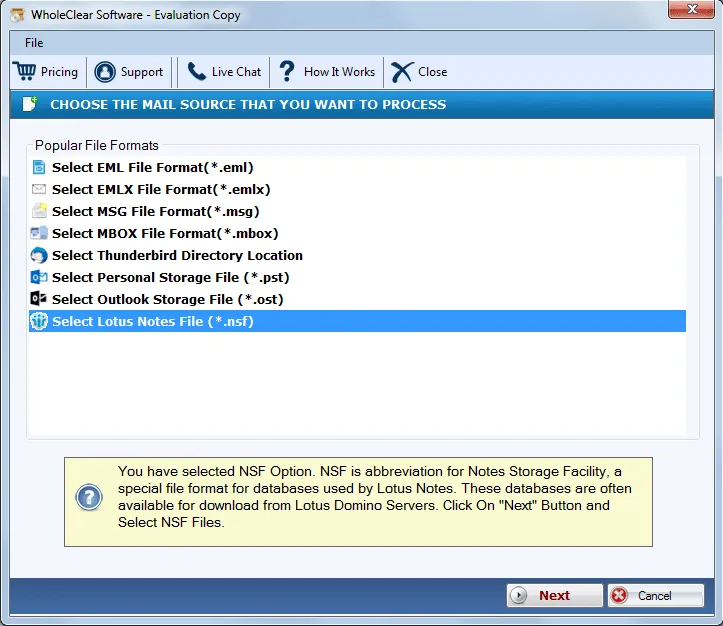
Step 2.Select Lotus Notes File(.nsf) and Click Next. Click Next: Data Explorer.
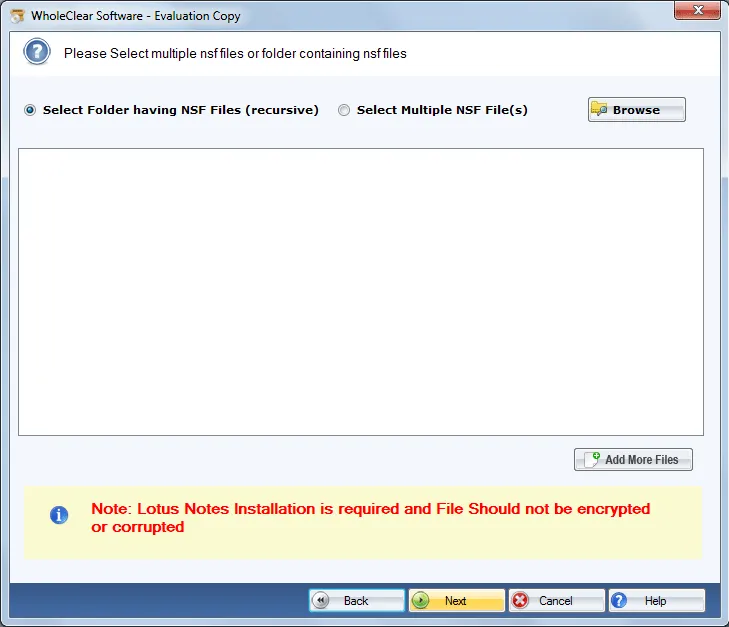
Step 3.Choose Browse files... or Browse folder... and add NSF files. Then click Continue to Destination.
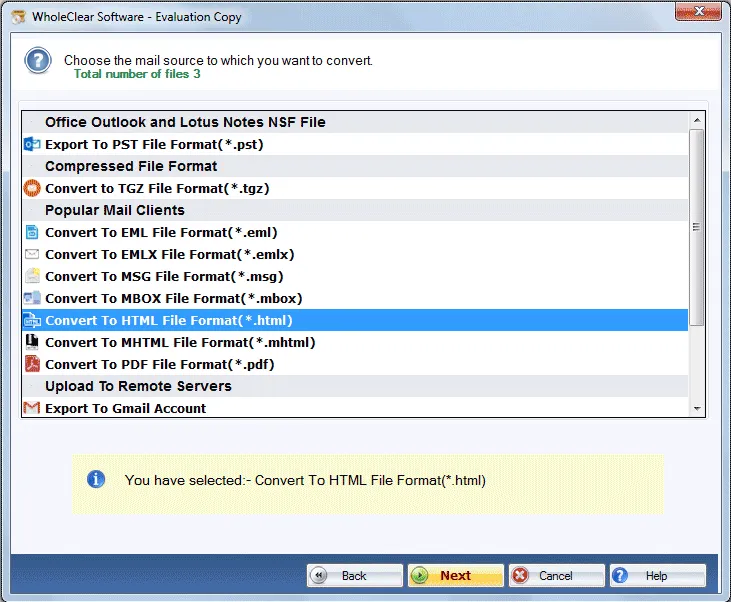
Step 4.Choose Convert to HTML File format in Export options and click Next.
Step 5. Hit the Browse button and specify a location to save HTML files. Click on Save attachments if you want to save the attachments as well.
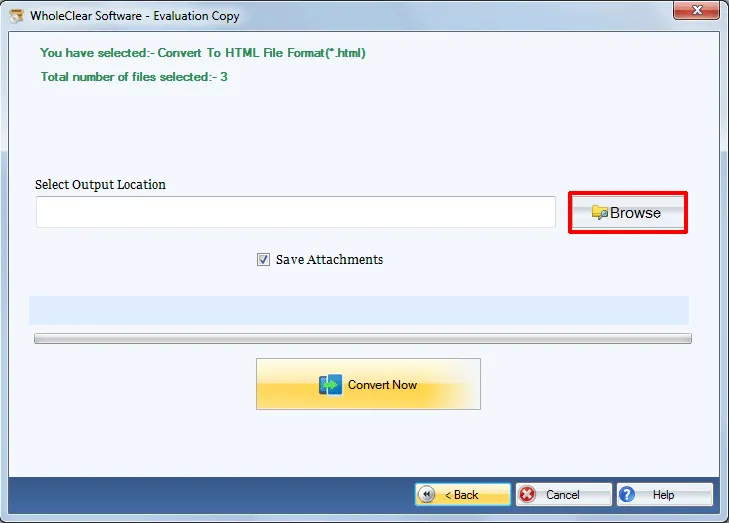
Step 6.Hit the Convert selected button to start the conversion task.
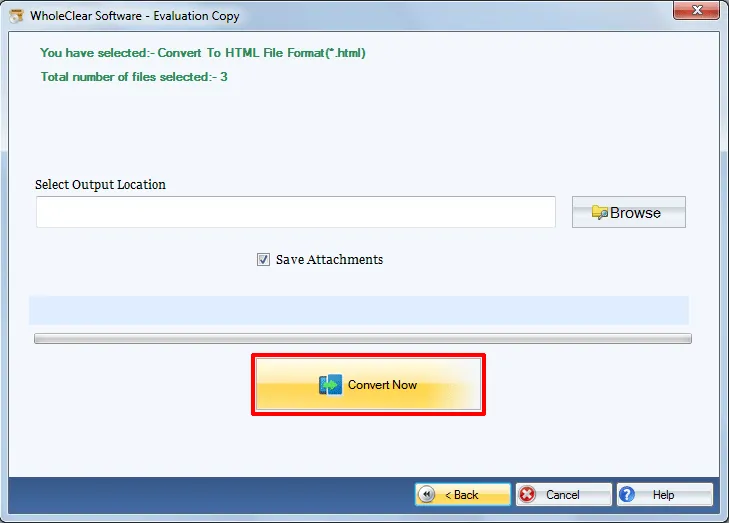
Following the above steps, one can easily get emails into HTML from Lotus Notes NSF file format. Both technical and non-technical users can easily manage the conversion task.
Note: Installation of Lotus Notes email client is must to perform the conversion.
Note: The wizard is Source → Explorer → Destination → Convert. After choosing the source, click Next: Data Explorer. Add data with Browse files... or Browse folder..., then Continue to Destination. On Convert, use Browse output folder and start with Convert selected when Ready Check is green. The demo processes up to 25 items.
Conclusion
The software offers smooth conversion of Lotus Notes emails into HTML format taking a few minutes. while keeping original data and file misplacement is there with this amazing tool. Download free version of the software to completely know its features before purchasing it. With the free version, you are allowed to process only 25 items. Get the license keys and export unlimited database.

