How to transform MBOX folders into HTML web files – Complete Guidance
Available on Windows, macOS, and Linux.
Do you want to transform MBOX folders to HTML? If you want a speedy solution then you have landed to the correct post. We provide you a convenient and simple approach that helps users to transform MBOX folders to Web files (.html). Let us find the solution.
There is no straight-forward solution available that can transform MBOX mailboxes to HTML web files, hence we refer a software solution whom you can check with the above download link. The software is designed so that every person without technical knowledge can handle this and face no troubles while handling this utility.
DownloadBuy NowWhy pick the software to transform MBOX folders into HTML web files?
- Quick and safe data transformation
- Hold originality of MBOX folders
- Export MBOX folders in one cycle of conversion
- No limit for conversion and no size restrictions
- Every MBOX supported platform files transformation
- original data preserved, 100% data safety
- Easily work with latest Windows versions
Working steps to move MBOX folders into Web files (.html) are as follows;
Step 1. Start WholeClear MBOX to HTML Converter.
Step 2.Select MBOX file in mail source. Click Next: Data Explorer.
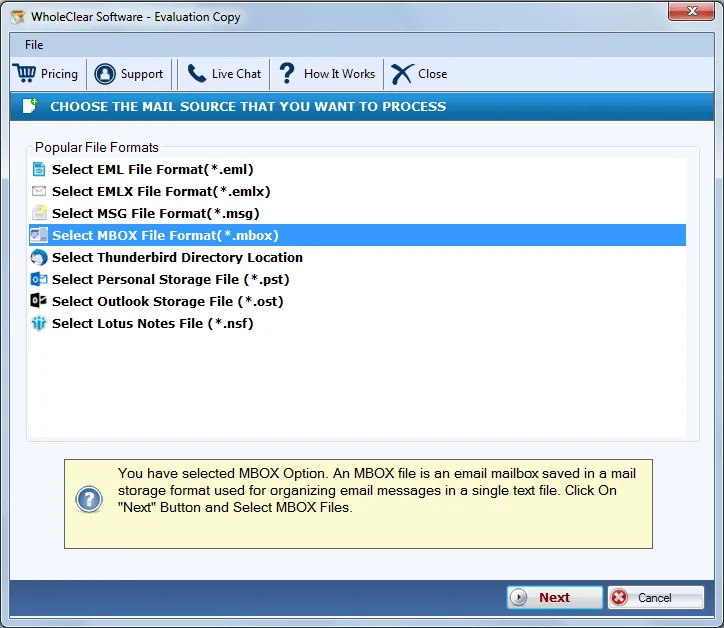
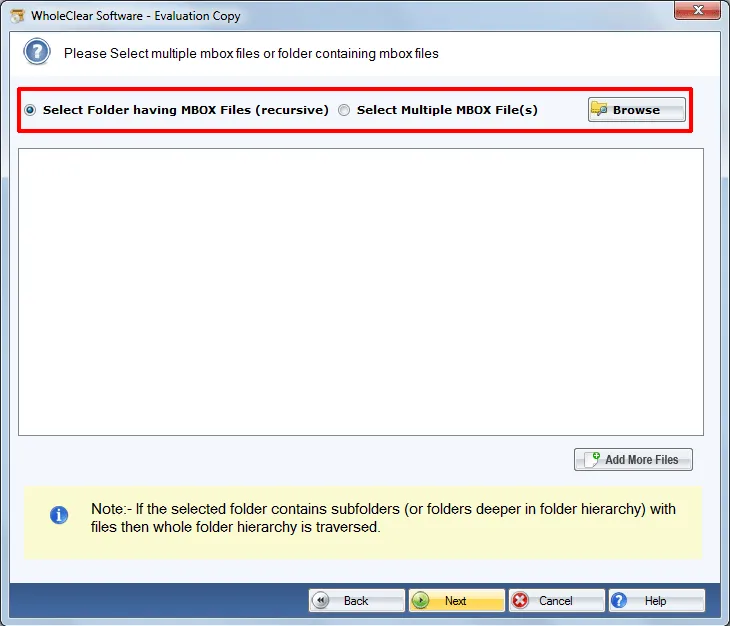
Step 3. Select Browse files... or Browse folder... and Browse MBOX files. Then click Continue to Destination.
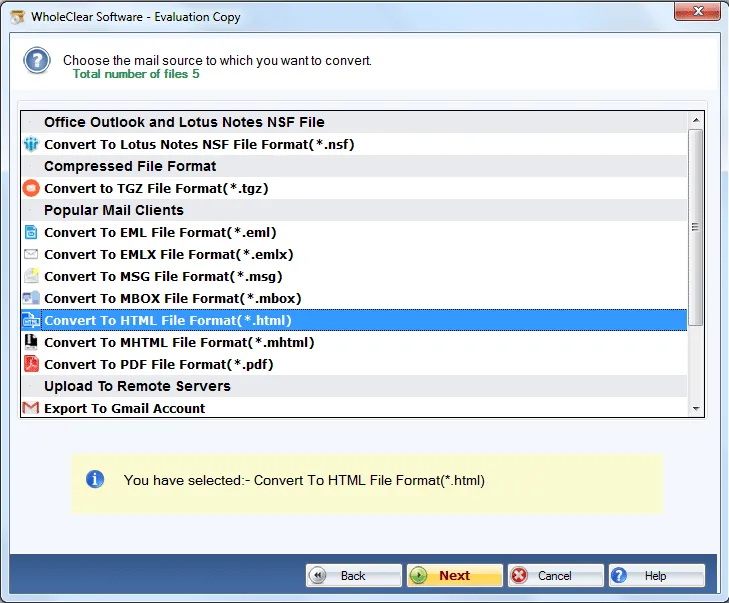
Step 4. Select Convert to HTML file format (.html)
Step 5. Click on the Browse button and select a path to save HTML files.
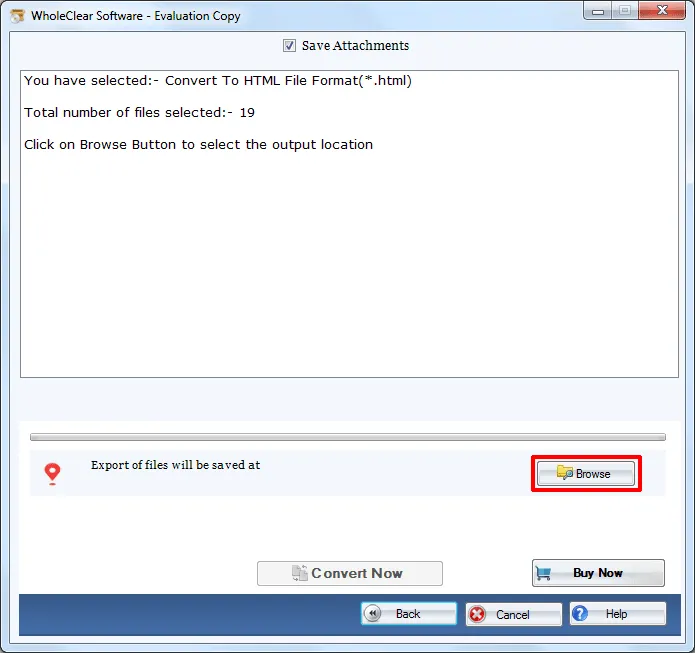
Step 6. Move the mouse cursor to Convert selected button.
Once, these steps are carried out successfully by the users, wait for a few minutes and you will get the desired results. Now, you can easily open the HTML pages with the help of web browsers.
Note: The wizard is Source → Explorer → Destination → Convert. After choosing the source, click Next: Data Explorer. Add data with Browse files... or Browse folder..., then Continue to Destination. On Convert, use Browse output folder and start with Convert selected when Ready Check is green. The demo processes up to 25 items.
Closing Remarks
The software is one of the refined solutions to accomplish the conversion. Without installation of any email client and without size limits, one can easily transform MBOX folders into HTML. To clear your doubts regarding this tool, try the free version first before you purchase the license edition.

