VCF to CSV Converter to export VCF files into CSV format
- Export VCF contacts to CSV file format in a smooth manner
- Owns Friendly interface for simple handling by novice users
- Convert vCard files to CSV without Outlook or other app installation
- Bulk loading VCF files to export into CSV files
- View complete VCF contact details prior their conversion
- No barriers are imposed on file size & quantity
- Exclude empty columns while exporting contacts
- Export CSV files at any location of your choice
- Installable on Windows 64-bit and 32-bit versions
- Retain contact properties and export them safely
- Demo edition of vCard to CSV Conversion is available
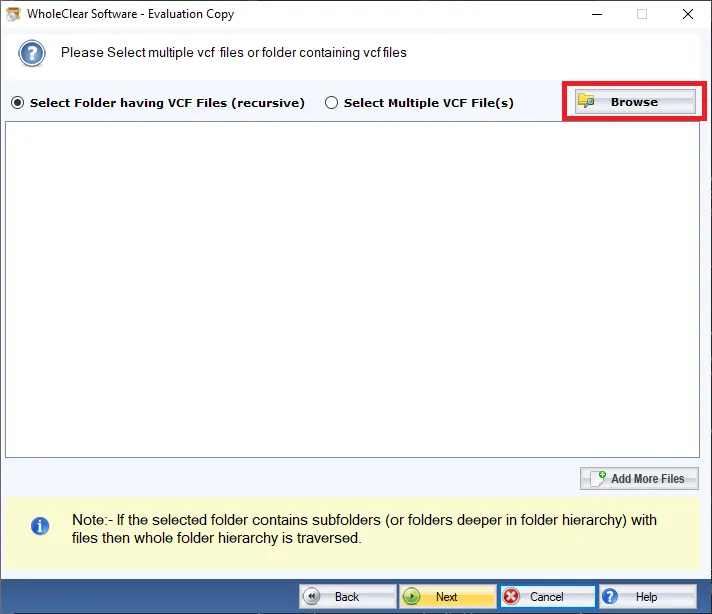
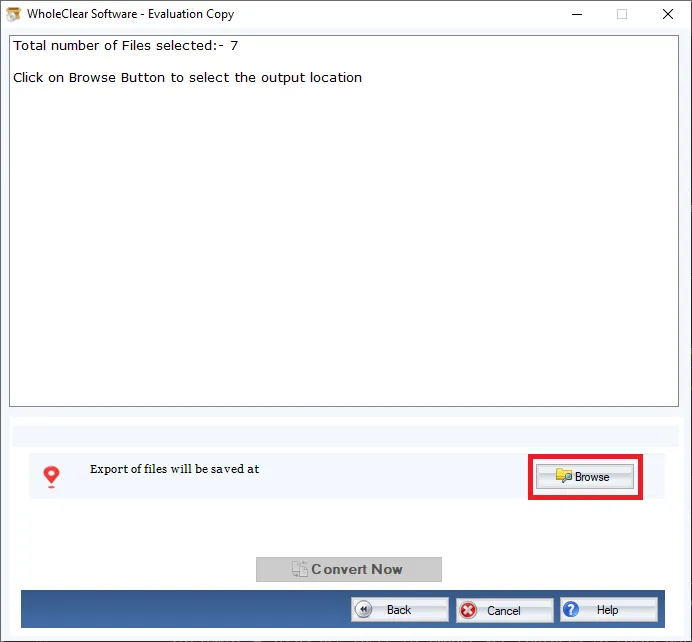
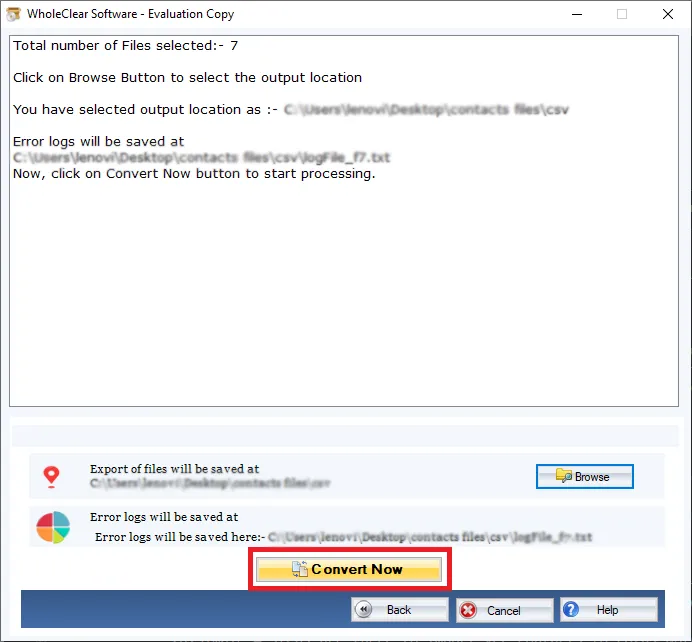
- Picked VCF files conversion to CSV format
- Picked VCF files conversion to CSV format
Know the features of vCard to CSV Converter
Get detailed features to export VCF files to CSV file
Flawlessly export vCard to CSV format
To perfectly convert vCard contacts to CSV format, this is one of the smart solutions which is very simple to understand without possessing technical skills. It has been developed so that no user faces trouble in understanding the steps of this conversion process. You can swiftly export all VCF contacts details into CSV file format with this professional and tested program.
Unlimited VCF files to CSV conversion
It is totally the users’ call how many VCF files they have & they want to export into CSV files. Our software is capable to convert thousands of VCF files into CSV format. It does not limit the size and quantity of VCF files to export into CSV format. Users have the full freedom to export as many VCF files as they want into CSV file format. All contacts are transferred efficiently by this tool.
Entire scan & preview in table format
Once VCF files are browsed on the software interface, they are automatically scanned by the software and are previewed in a tabular format. Users can check all VCF contact details on the software interface before exporting them to CSV file format. Also, users can mark ‘ignore empty columns’ option and this will skip all empty columns before exporting them to CSV format.
Free VCF to CSV Converter
We offer a trial version of the application by which users can evaluate the program features & working functions before investing in the license version. All the features of both versions are similar but using the demo version, users can export only first 25 vCard files into CSV format. To export unlimited VCF files into CSV format, it is compulsory to buy the license keys.
Speedy and accurate conversion
To export vCard contacts into CSV format, only 4-5 simple steps are involved that takes a few minutes to complete the conversion. Also, the program is verified by developers on multiple parameters and is found to be safe to use. All contact properties like name, contact number, address, images, links, etc. are completely exported from VCF to CSV format in a secure manner by the tool.
All platform and version VCF files are supported
VCF files exported from any platform, any device, and any email client are supported by software such as Microsoft Outlook, Mozilla Thunderbird, Lotus Notes, Skype, iCloud, Gmail, Apple Mail, Mac Outlook, WhatsApp, mobile devices, and others. Also, VCF files of all versions like 2.1, 3.0, & 4.0 are supported by the tool to export smoothly into CSV format.
Independent and trusted application
The software needs no Outlook or other app installation in the system for the conversion of VCF contacts to CSV file format. It is completely standalone and performs the conversion smoothly. Also, users can blindly test the tool. However, we still suggest users download the trial version first to avoid purchase return issues. This application always offers you satisfied results.
Operable on all versions of Windows
WholeClear vCard to CSV Conversion Tool is designed to work with Windows platforms. You can install this app on all the older and latest versions of Windows OS like Windows 10, Windows 11, macOS 12+, and Linux x64. In addition to this, all Outlook versions are supported by the software such as Outlook 2019, 2016, 2013, 2010, 2007, 2003, and others without any hassles.