Exchange Migration Software to migrate Exchange mailboxes
- Migrate Exchange all items –emails, contacts, notes, calendars, etc.
- Migrate Exchange data to multiple file formats like PST, EML, MSG, HTML, RTF, vCard, etc.
- Migrate Exchange mailboxes directly to Office 365 and Live Exchange Server
- User-friendly and guided interface
- Provide automatic and manual mapping options of source mailboxes with destination
- Free Exchange Server Migration Software to evaluate
- Save data to new or existing PST file
- Smoothly migrate archive mailboxes from Exchange
- Facility to filter items using Message Class and Item Date Filter
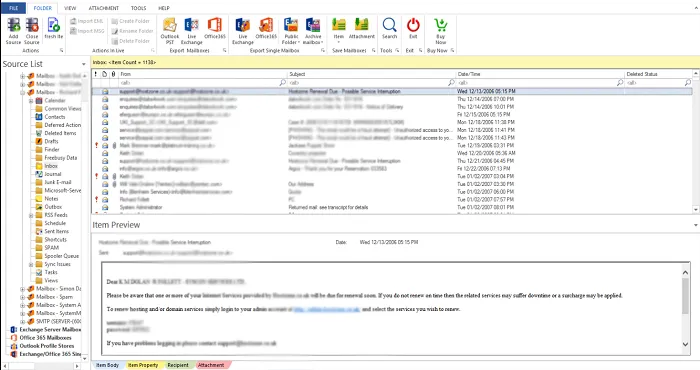
- Quick searching of desired items with Search Option
- Support MS Outlook latest & older versions
- Keep Folder Hierarchy undisturbed throughout the migration
- Swiftly add large source mailboxes for migration
Features offered by WholeClear Exchange Migration Software
Features of the tool to migrate Exchange data items
Allow Large Mailboxes migration
WholeClear Exchange Migration Software is designed in a perfect way that it can permit any large size Exchange file to migrate into multiple targets. There is no restriction imposed for file size on multiple mailboxes at once to migrate from Exchange to any targeted platform. This is a highly advanced program with simplified interface to smoothly migrate all mailboxes of Exchange Server.
Migrate source mailboxes to Outlook PST file
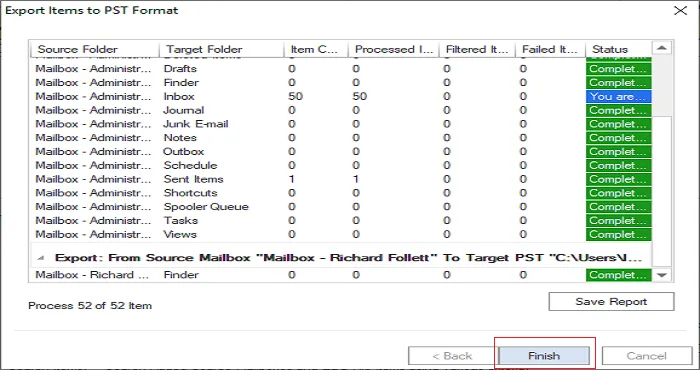
Users can add source mailboxes and migrate them to PST file of MS Outlook. Without any interruptions, Exchange mailboxes are migrates to PST format to open easily by Outlook 2019, 2016, 2013, 2010, 2007, etc. Also, the resultant PST file can be split into small PST files. Users can set size and split oversized PST file with this software. The selection of location for output PST file is also done by users.
Source mailboxes to Live Exchange Migration
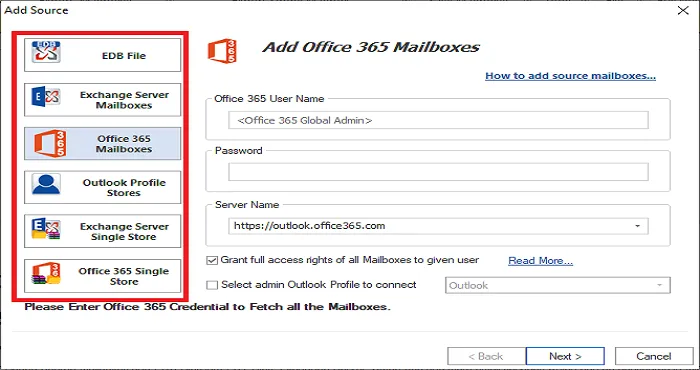
The program facilitates to migrate source mailboxes to multiple targets. The target can be Live Exchange, Office 365, and Live Exchange Server. The program also provides automatic and manual mapping of source mailboxes with destination mailboxes. The utility allows direct migration from Exchange to Exchange such as from Exchange 2013 to 2016, Exchange 2010 to 2016, and others.
Migrate Exchange to Office 365
If you are willing to work on cloud then you can migrate your Exchange mailboxes into cloud Office 365. The program ensures safe migration of single as well as multiple mailboxes. Users can migrate mailboxes from any Exchange version to Office 365 account. With this professional solution, users can conveniently perform Exchange migration to Office 365 account.
Public and archive mailboxes migration
Along with many features, the program allows to migrate user mailboxes, public folder and archive mailboxes from source to destination address. All folders are smoothly migrated from any source to targeted mailboxes. There is no change in the folder hierarchy, email formatting and attachment type while migrating Exchange Server data items.
Advanced Filters & Search Options
The program is loaded with multiple advanced features and one of them is advanced filters. To migrate specific data items from Exchange or from any source, users can simply make use of Message Class and Item Date filters. By this, users can perform Exchange migration in customized manner. Apart from this, search option is provided to quickly search data based on multiple parameters.
Free Exchange Server Migration Tool
To get a practical examination of the software before purchasing it, users can download free version of Exchange Migration Software and can migrate 50 items per folder with it. Professionals also recommend trying demo version to avoid any purchase-return issues. For any kind of query regarding purchase & post purchase, always connect with our support staff 24*7.
Supportive to all Exchange & Windows editions
You are free to migrate mailboxes from any Exchange version like 2019, 2016, 2013, 2010, 2007, etc. to Office 365, Live Exchange, and Outlook Profile. There is no compatibility problem with Exchange versions. The program smoothly migrate data of any Exchange version. To use this software, one can install it comfortably on any Windows version such as 10, 8.1, 8, 7, XP, Vista, and others.