How to access Thunderbird mailboxes to other applications?
Available on Windows, macOS, and Linux.
Exporting mailboxes from Thunderbird application to other file formats and cloud accounts is not so easy. After analyzing the needs of users, we are here with a professional solution that helps users to easily export Thunderbird mailboxes so that they can be accessed to other applications like Outlook, Gmail, Office 366, etc. Let us move to the solution without wasting much time.
No official method is available to export Thunderbird mailboxes to other applications but users can get a professional tool from the above link. It can be installed easily on any Windows system. The program is designed in a way that all users can handle it effortlessly. It offers direct and safe migration of Thunderbird mailboxes to various applications in a hassle-free manner.
DownloadBuy NowWhy pick the software solution to export Thunderbird mailboxes to other applications?
- Bulk export of Thunderbird mailboxes with attachments
- Automatic or manual loading of Thunderbird mailboxes
- Provide a log report of the migration
- Export Thunderbird mailboxes to 10+ file formats & cloud applications
- No supportive program installation is required
- Free from file size barriers for migrating Thunderbird mailbox items
- Allow a demo version for all before buying the tool
Working guide to access Thunderbird mailbox items to other applications
Step 1.Run WholeClear Thunderbird Converter on your Windows system.
Step 2. Select Thunderbird Directory Location as the source and click Next.
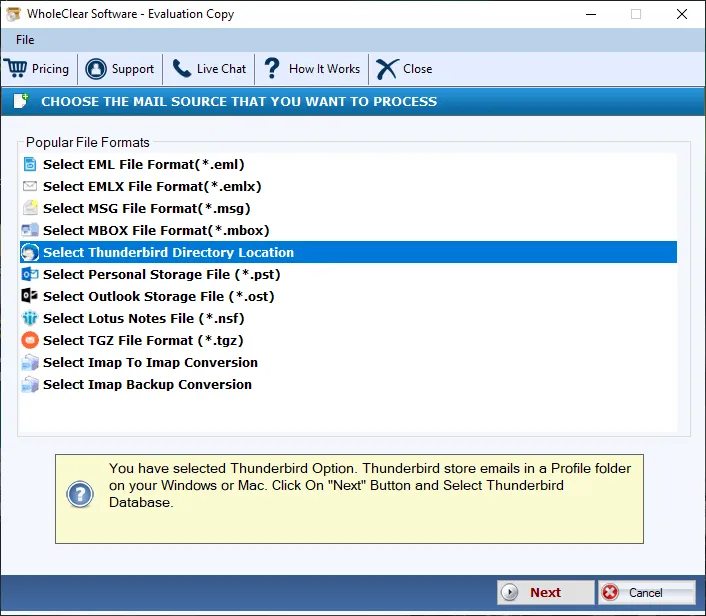
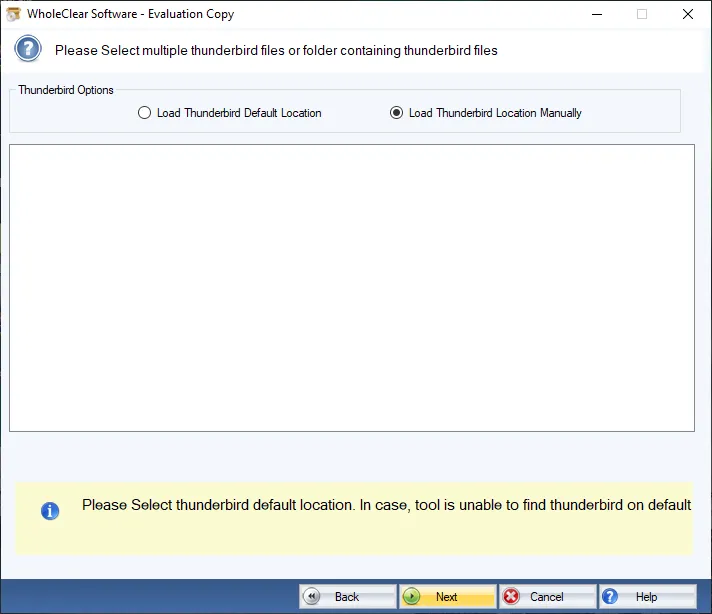
Step 2.Select Thunderbird options – from default location or load manually.
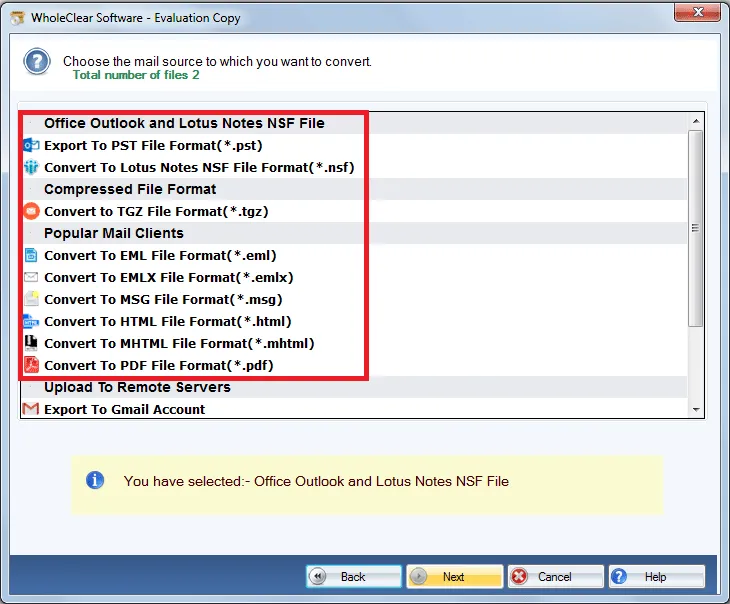
Step 4. Select a file format, desktop email client, or remote server in which you want to export Thunderbird files.
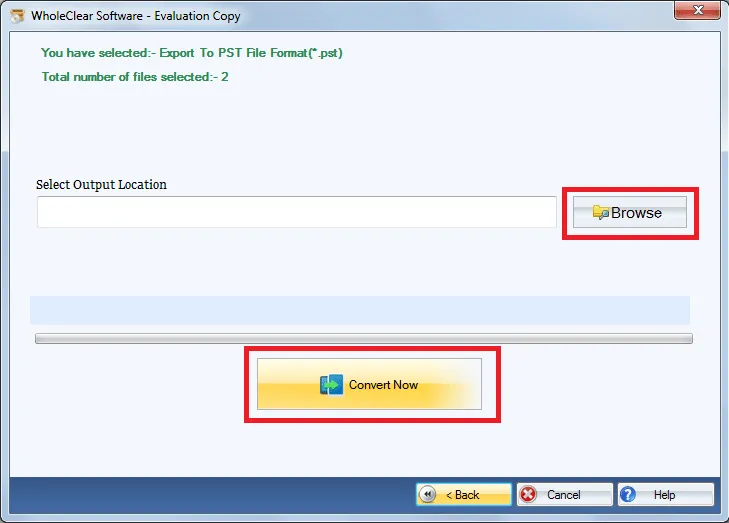
Step 5. Select a destination path for the output file. Click Convert selected.
Step 6.Enter login details and choose a folder to save Thunderbird files. Finally, Hit the Migrate all option. (in case of remote server migration)
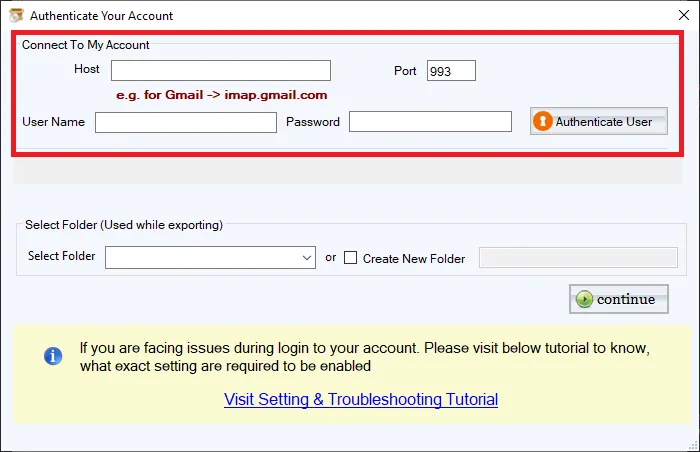
This is how one can access Thunderbird mailbox items to any desktop and cloud applications. Within a few minutes, the migration task is performed by the tool.
Note: For Gmail, Yahoo, Outlook.com/Hotmail and similar IMAP targets, enter the provider IMAP host and an App Password (not the normal login password), then click Authenticate. The default folder is wholeclear migration. Use Migrate all after Destination Connected is ready. The demo processes up to 25 items.
Wrapping Up
With this single conversion tool, one can easily export Thunderbird mailbox items to multiple desktop and cloud applications. If you want to test the working functions of the software, apply for the demo version that allows first 25 items per folder migration from Thunderbird profile to desired file format or application. To ask any doubt, contact our technical staff 24*7.

