How to export NSF files for Thunderbird & Apple Mail? – Learn It
Available on Windows, macOS, and Linux.
If you want to read NSF files in Thunderbird and Apple Mail then first you need to migrate NSF file into Thunderbird supported file format i.e. MBOX. To complete the migration, here we are discussing a step by guide.
Lotus Notes does not provide a solution to export its files into MBOX file format. However, other solutions are available and one of them is discussed here whose download link is mentioned above. You can simply download and install the software instantly. Having a comfortable interface, one can handle the application without getting any kind of trouble.
DownloadBuy NowWhy choose the software to export NSF files for Thunderbird & Apple Mail?
- Smart and safe conversion process
- Export every large size NSF file effortlessly
- Unlimited database conversion facility
- Hold entire email formatting and meta properties
- No alterations to the original folder structure
- Supportive to all editions of IBM Notes
- Export NSF file to multiple email clients that support MBOX
Step wise solution to migrate to MBOX from Lotus Notes NSF file
Step 1. Download and Start WholeClear NSF to MBOX Converter on your system.
Step 2.Select Lotus Notes File (.nsf) in the email source. Click Next: Data Explorer.
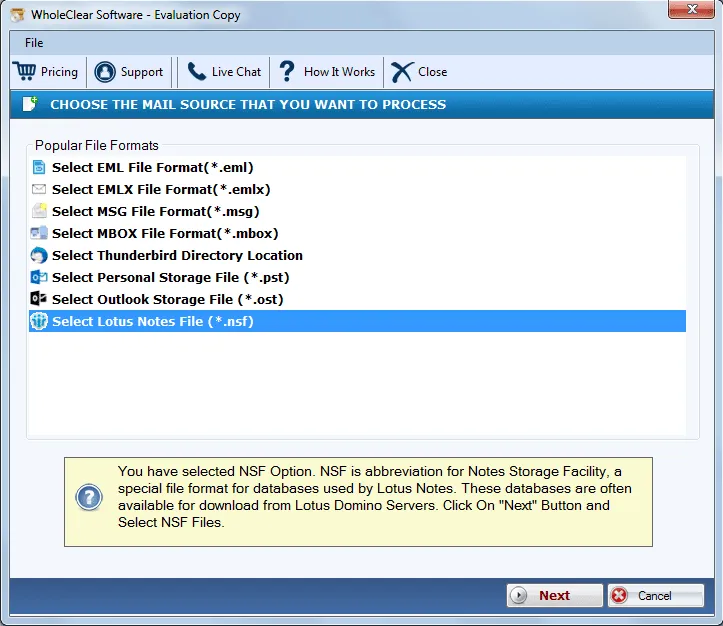
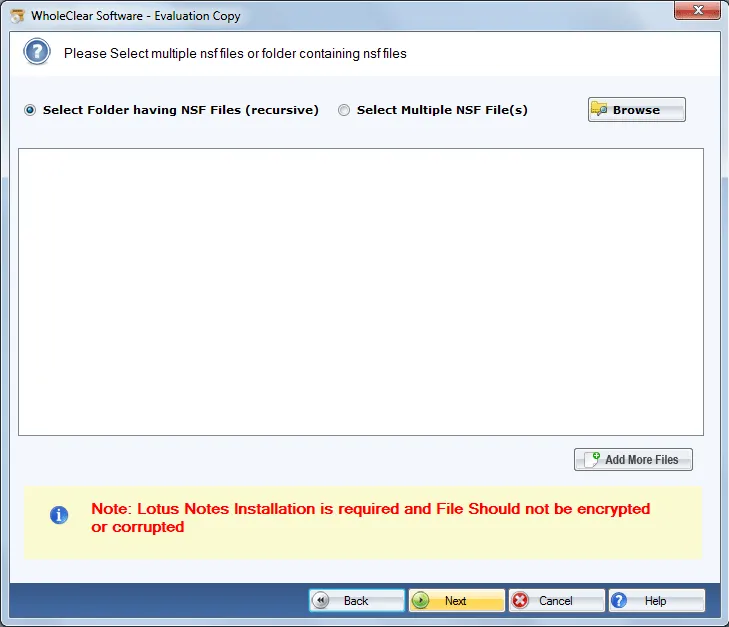
Step 3.Select Browse files... or Browse folder... and add Lotus Notes NSF files. Then click Continue to Destination.
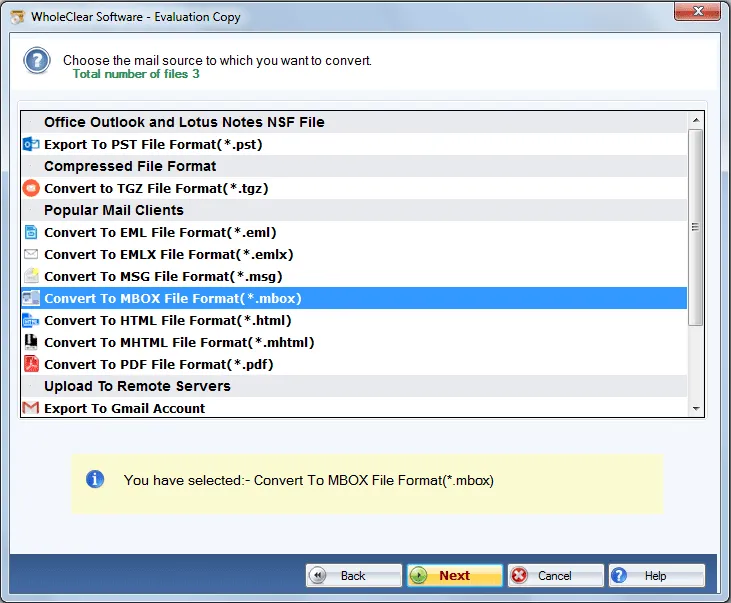
Step 4. Choose Convert to MBOX file format and Click Next.
Step 5.In MBOX type, select single or multiple MBOX file.
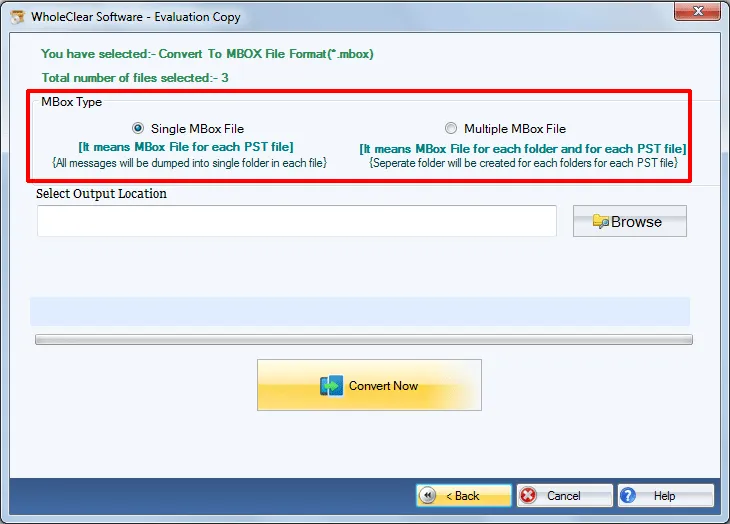
Step 6.Hit the Browse button and mention output directory to save MBOX files.
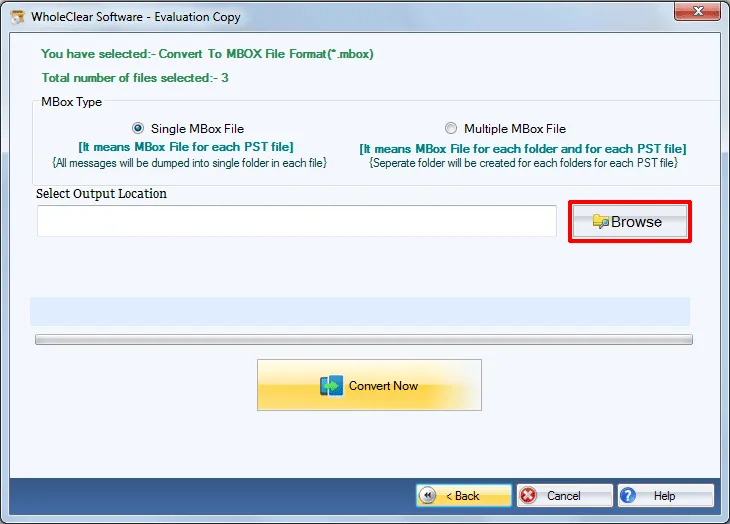
Step 7.Press Convert selected button and this will start the conversion task.
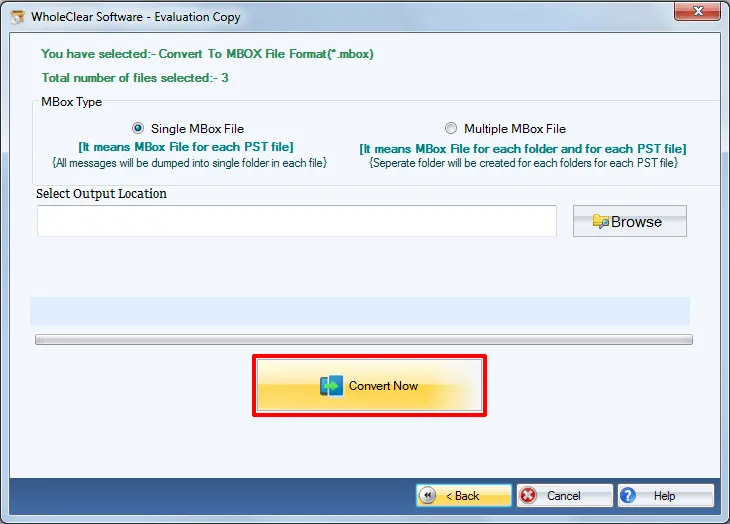
This is how one can migrate to MBOX from Lotus Notes NSF file. Now, the exported MBOX file can be simply imported to Thunderbird, Apple Mail, SpiceBird, The Bat, NetScape and others.
Note: Make sure Lotus Notes is installed in the system before performing this conversion.
Note: The wizard is Source → Explorer → Destination → Convert. After choosing the source, click Next: Data Explorer. Add data with Browse files... or Browse folder..., then Continue to Destination. On Convert, use Browse output folder and start with Convert selected when Ready Check is green. The demo processes up to 25 items.
Winding Up
Having this software solution, Lotus Notes NSF files are quickly exported to MBOX file format without damaging a single element. No data losses issues are there with this tool as it is well tested by experts on several parameters. Download free edition of the software and understand it well prior purchasing it.

