How to Extract Contacts From VCF file and Save into MSG file?
Available on Windows, macOS, and Linux.
Need a powerful solution to extract contacts from VCF and save into MSG file format then we are here with a direct solution by which all contacts can be extracted smartly to MSG file from VCF files. Thousands of users are struggling to extract contacts from vCard & save them to MSG file format. We hereby offer an instant solution for the same. So, let us start.
There is no official method that can export VCF contact items to MSG file format. But by downloading the professional approach from the above link, users can effortlessly extract contacts to MSG file from VCF files. Any user with or without technical skills can comfortably handle the program. No third-party tool installation is needed to perform the conversion.
DownloadBuy NowReasons to use the software to extract contacts from VCF file & save to MSG file
- Friendly interface and self-introductory steps
- Perform bulk conversion of VCF contacts
- Maintenance of contact properties
- No additional program installation required
- safe and precise conversion
- All versions of Outlook and vCard are supported
- Fast and error-free extraction of VCF contacts
Guide to use the software to extract contacts to MSG from VCF files
Step 1. Install and Start WholeClear vCard to MSG Converter Tool.
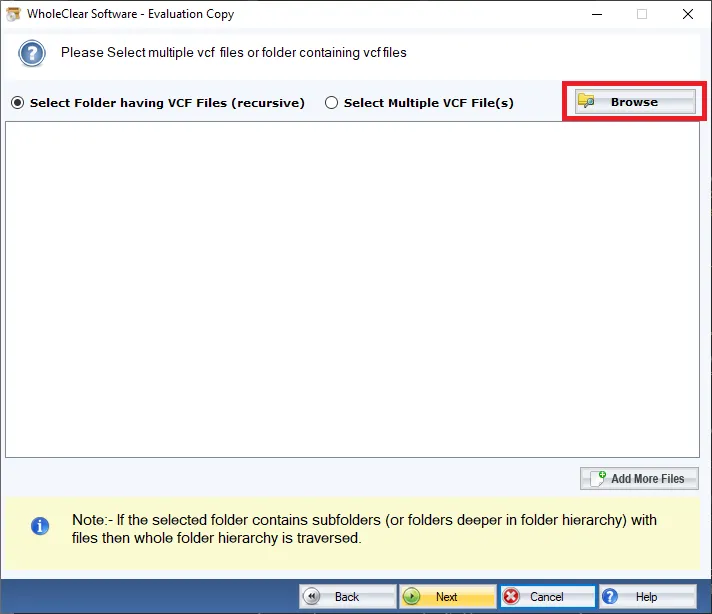
Step 2. Browse and add VCF using the Browse button.
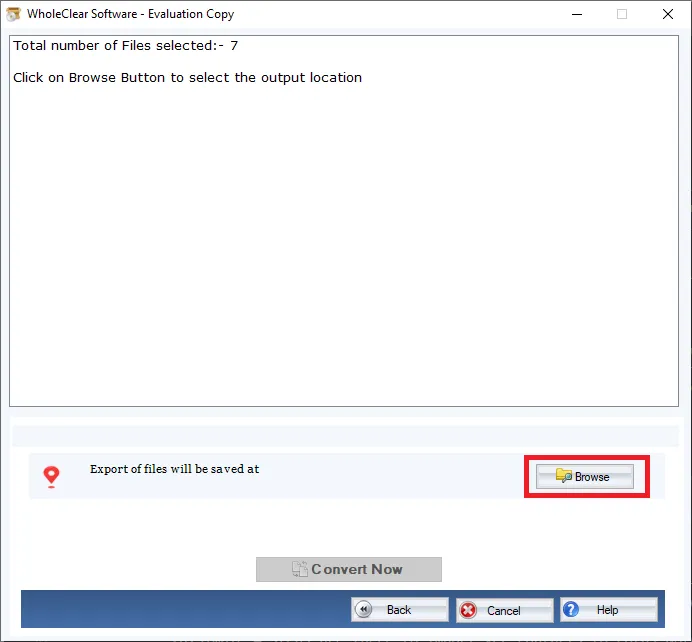
Step 3. Select location for output MSG file.
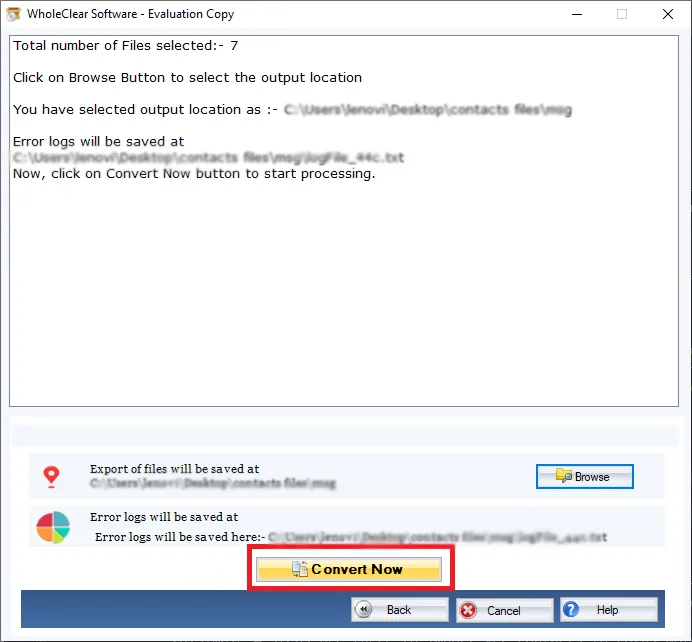
Step 4. Hit the Convert selected button and this will extract contacts to MSG from vCard files.
With these steps, you can get MSG files from VCF files in a few minutes. Without any interruptions, the conversion task gets completed.
Note: The wizard is Source → Explorer → Destination → Convert. After choosing the source, click Next: Data Explorer. Add data with Browse files... or Browse folder..., then Continue to Destination. On Convert, use Browse output folder and start with Convert selected when Ready Check is green. The demo processes up to 25 items.
Wrapping Up
With this software, users will not face any obstacles in the conversion procedure. It is very simple to use this program via this professional tool. To assure the working of the software, one can simply download the trial version that allows extraction of initial 25 contacts. For unlimited conversion, users should pay for the license version.

