How to open Mac Mail .emlx files on Windows Outlook?
Available on Windows, macOS, and Linux.
Opening Mac Mail EMLX files directly on Outlook is not possible. Therefore, we have disclosed a swift solution here by which one can easily access Mac Mail files on Windows Outlook. Outlook supports MSG and PST file formats so you need to export your Mac Mail .emlx files either into PST or MSG formats. Here we have explained the solution by exporting Mac Mail .emlx files on MSG format.
As there is no official method in Mac Mail to export its files into MSG format. Hence, we are providing an alternate solution by which the conversion can be simply performed. You can check the download link to get the software on your Windows system. The software interface is designed in a manner that it seems friendly to all users.
DownloadBuy NowReasons to pick the software to export Mac Mail files on Windows Outlook MSG format
- Smooth and instant migration process
- Protect complete email layout meta properties
- Unlimited data files migration without size restrictions
- Batch export of Apple Mail EMLX files
- Fine and accurate conversion without any losses
- Retain quality of original files
- Works without depending on any email client
Step by step process to open Mac Mail .emlx files on Windows Outlook
Step 1. Initially, download and install WholeClear EMLX to MSG Converter software.
Step 2. In the mail source, select EMLX File format (.emlx) and press Next button. Click Next: Data Explorer.
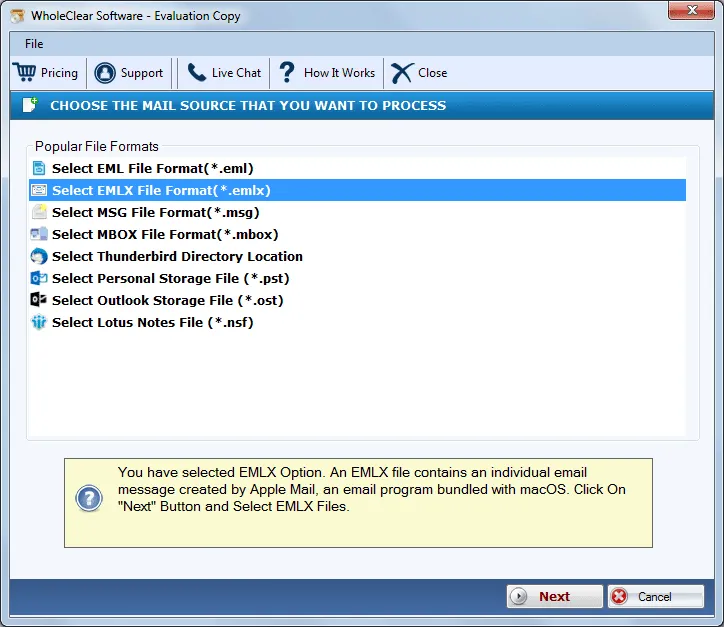
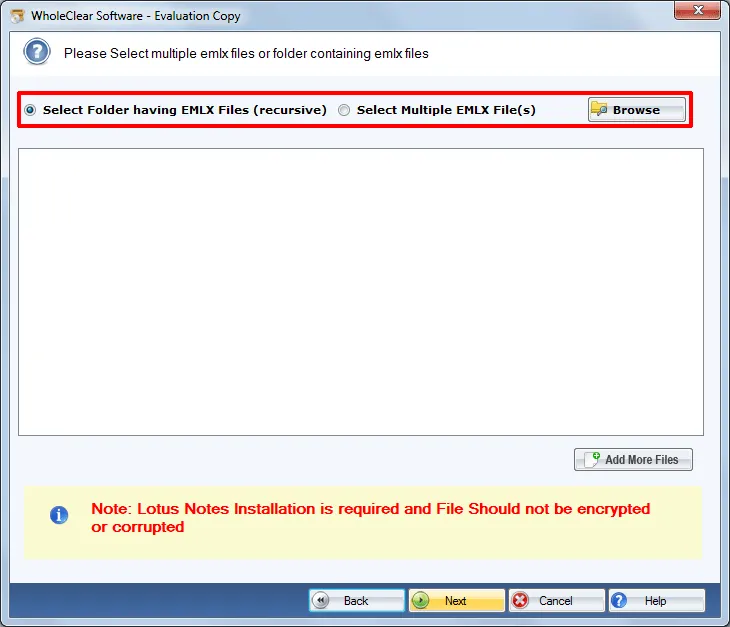
Step 3.Choose Browse files... or Browse folder... and then add Mac Mail EMLX files. Click on Next button. Then click Continue to Destination.
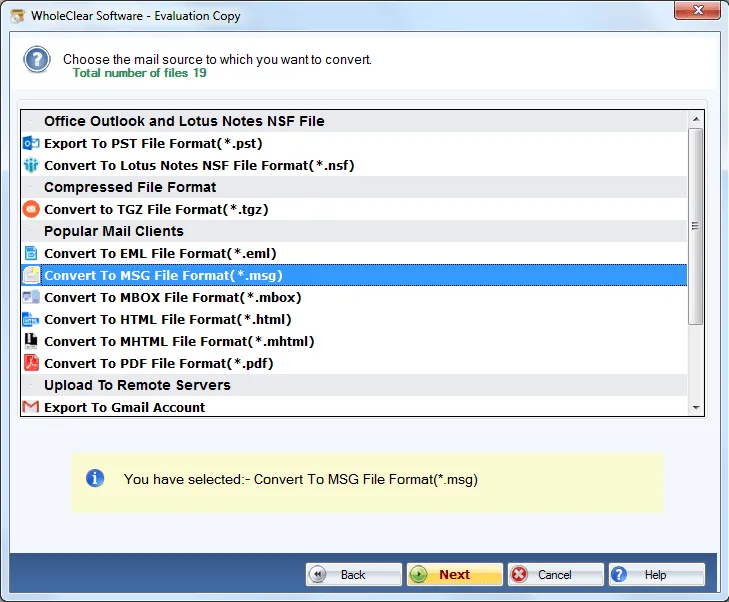
Step 4. Select Convert to MSG File format (.msg) and press Next button.
Step 5.Hit the Browse button and provide an output location to save MSG files.
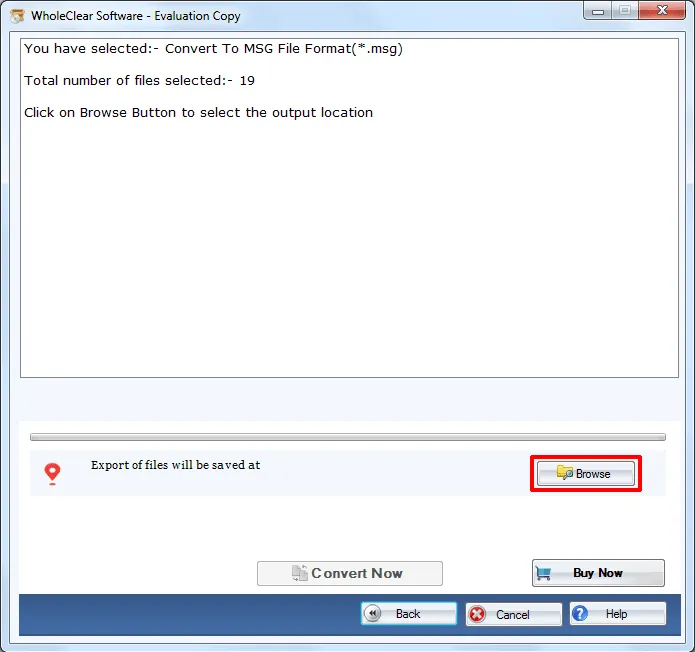
Step 6.Finally, place the mouse cursor to the Convert selected button.
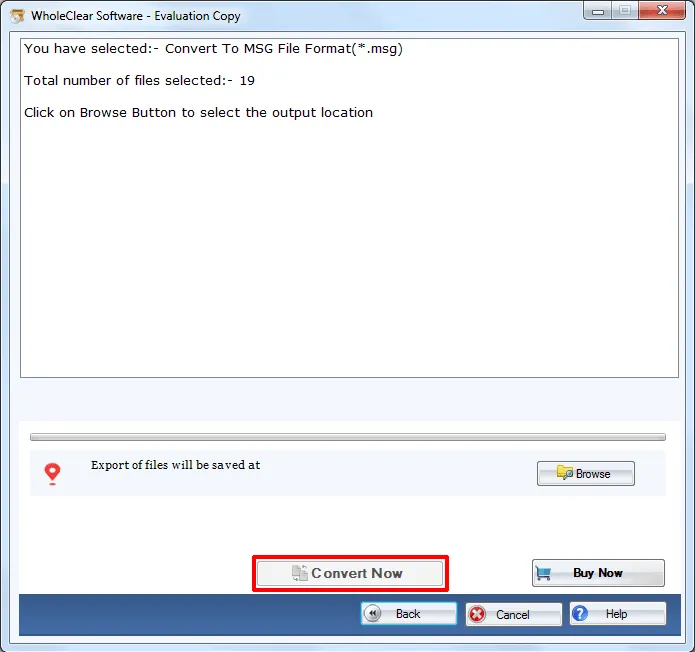
Once you go through the above steps, you can easily get MSG files from EMLX files. Now, you can easily read MSG files on MS Outlook 2019, 2016, 2013, 2010, 2007, 2003, etc.
Note: The wizard is Source → Explorer → Destination → Convert. After choosing the source, click Next: Data Explorer. Add data with Browse files... or Browse folder..., then Continue to Destination. On Convert, use Browse output folder and start with Convert selected when Ready Check is green. The demo processes up to 25 items.
End Note
The software is really helpful for both professional and non-professional users to get MSG files from EMLX files. Without altering the actual files, the conversion task gets completed in no time. To make users familiar with the software before purchasing it, download the demo edition which offers processing 25 files. For unlimited conversion facility, take the license of the software.

