How to transfer Outlook single message to Yahoo cloud service for free?
Available on Windows, macOS, and Linux.
Looking to move Outlook single file to Yahoo cloud? You need to get an effective solution which you can get here with a step by step working. We have provided a professionally tested solution so that every user can effortlessly transfer Outlook single file i.e. MSG file to a Yahoo cloud service.
Effective transfer of Outlook MSG file to cloud service, Yahoo for free can be possible through the third-party solution which you can get from the above-provided download link. Every user can operate the tool in an easy manner without disturbing the original files. 100% of data safety assurance is there with this application.
DownloadBuy NowWhy pick the third-party solution to transfer Outlook single message to Yahoo cloud service?
- Instant conversion of complete database
- Hold meta properties of MSG files
- Unlimited data conversion facility
- No limitation of file size
- Retain layout & originality of the files
- Outlook installation is not necessary
- Compatible to older and latest Windows editions
Step by step guide to transfer Outlook single file to Yahoo cloud
Step 1. Download and Run WholeClear MSG to Yahoo Converter.
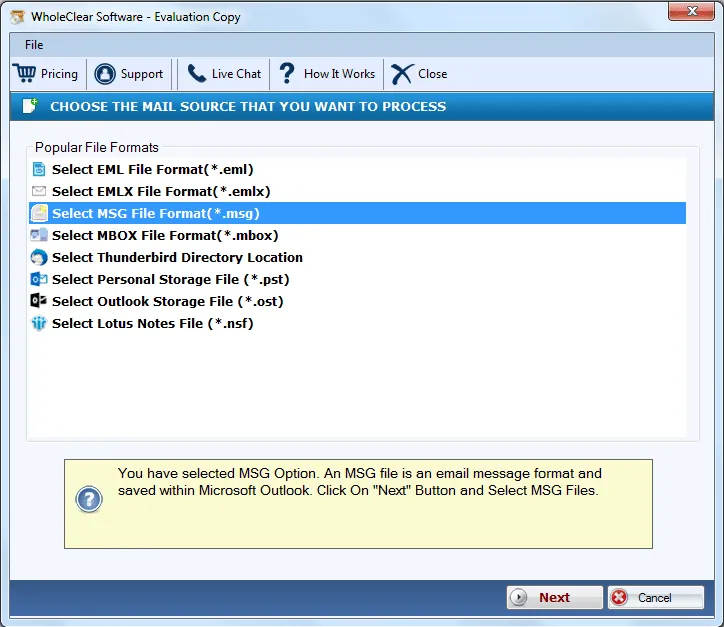
Step 2.Select MSG file format as the source. Click Next: Data Explorer.
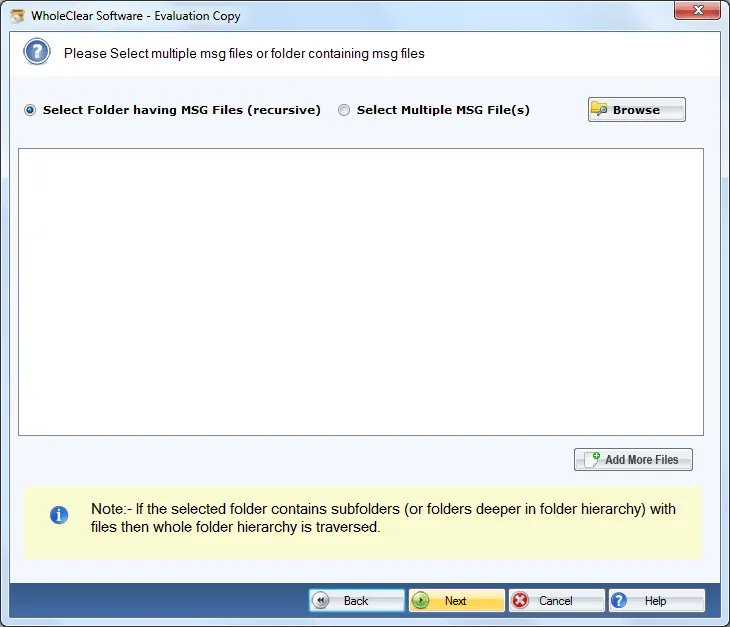
Step 3. Choose Browse files... or Browse folder... and add MSG files. Then click Continue to Destination.
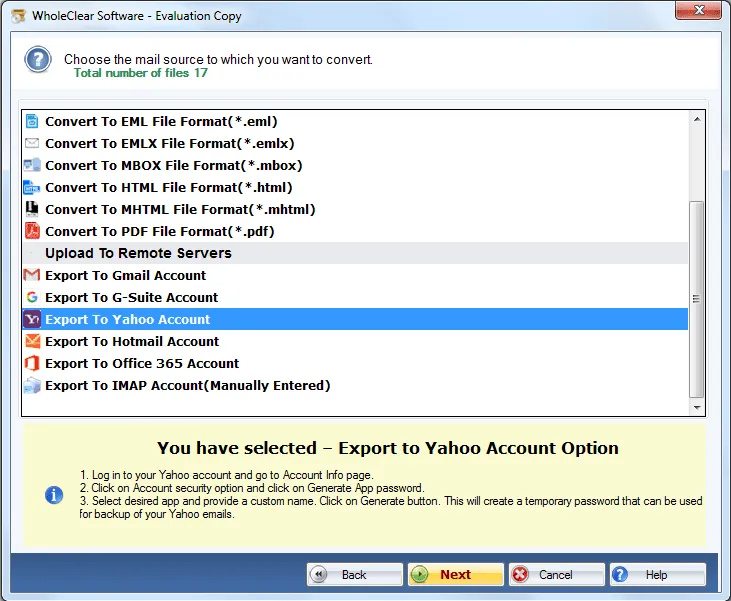
Step 4.Select Export to Yahoo account.
Step 5.Insert Yahoo login credentials.
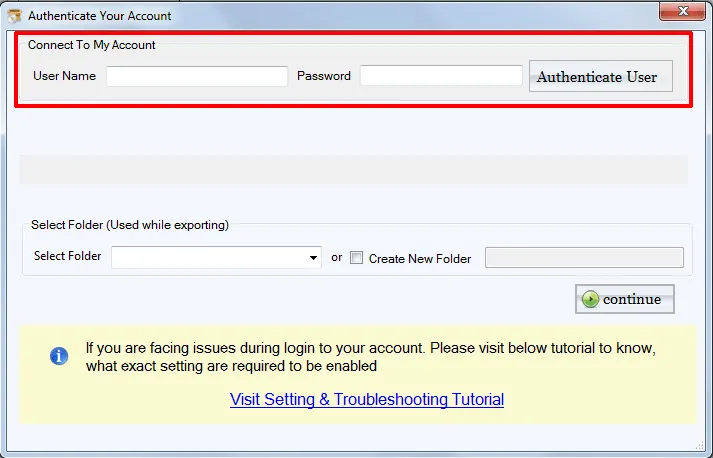
Step 6. Select new folder or existing folder of Yahoo account for exporting MSG files.
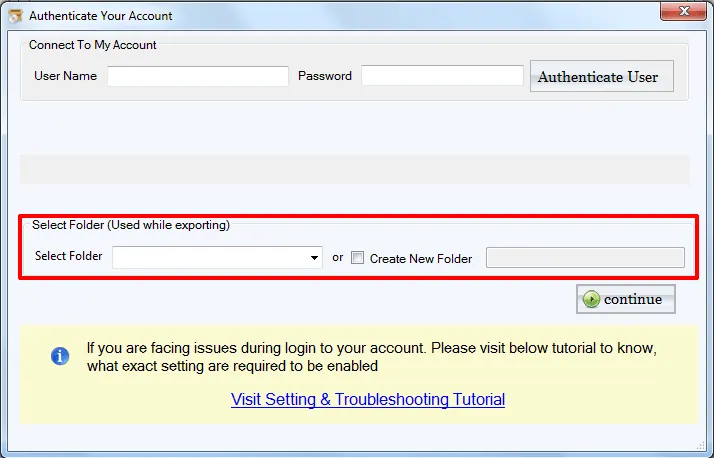
Step 7. Click on the Migrate all button to commence the conversion.
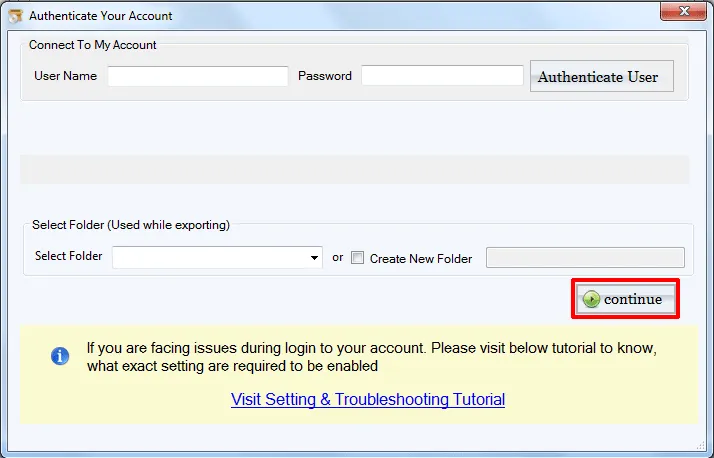
With these simple steps, one can get MSG files in Yahoo cloud environment. When you open your Yahoo Mail account, you can find MSG files to the specified folder.
Note: For Gmail, Yahoo, Outlook.com/Hotmail and similar IMAP targets, enter the provider IMAP host and an App Password (not the normal login password), then click Authenticate. The default folder is wholeclear migration. Use Migrate all after Destination Connected is ready. The demo processes up to 25 items.
Summation
Using this smart software, one can open MSG files in Yahoo cloud environment without wastage of time and efforts. You can try this application with a demo version. Plus, all your queries have been resolved by our expert team which is available 24*7.

