How Zimbra export emails to MSG file to open in Outlook?
Available on Windows, macOS, and Linux.
Sometimes, users need to export emails from Zimbra desktop to MSG file format to open in Outlook. Hence, we offer a direct professional solution to export Zimbra mailboxes to Outlook MSG file format. Many users want this solution so they can take the help of this professional approach.
Manual solutions are not available to export Zimbra mailboxes to MSG file format. Hence, we suggest users pick a professional solution that you can get from the above download link. It is completely safe to use and offers accurate results. No complexity is there in accomplishing the migration task by the tool.
DownloadBuy NowReasons to choose the software to export Zimbra desktop mailboxes to MSG file
- Fast and smooth migration without any risk
- Batch migration of Zimbra TGZ files at once
- accurate and exact migration
- Include attachments and email components
- No constraints on file size and number
- Export TGZ data items to MSG without Zimbra desktop installation
- Free trial version for testing the software
Step by step guide for Zimbra export emails to MSG to open in Outlook are as follows;
Step 1.Launch WholeClear TGZ to MSG Converter .
Step 2.Select TGZ file as the source. Click Next: Data Explorer.
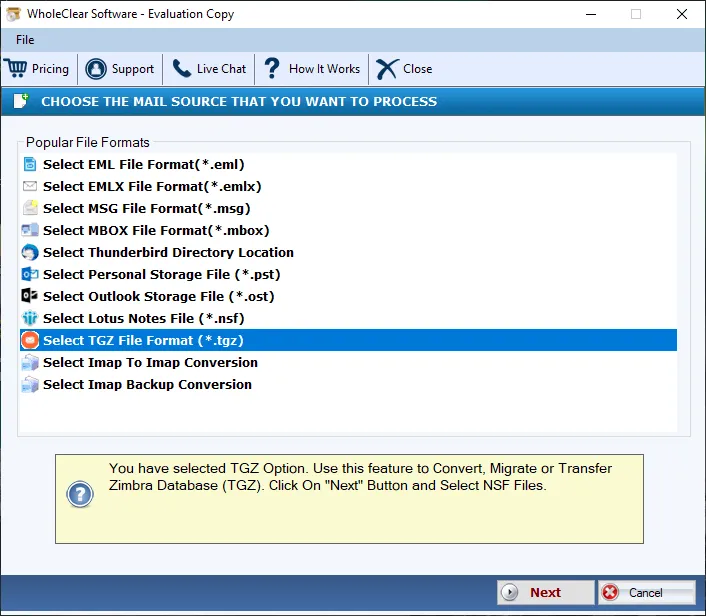
Step 3.Mark Browse files... or Browse folder... and then add Zimbra TGZ files. Then click Continue to Destination.
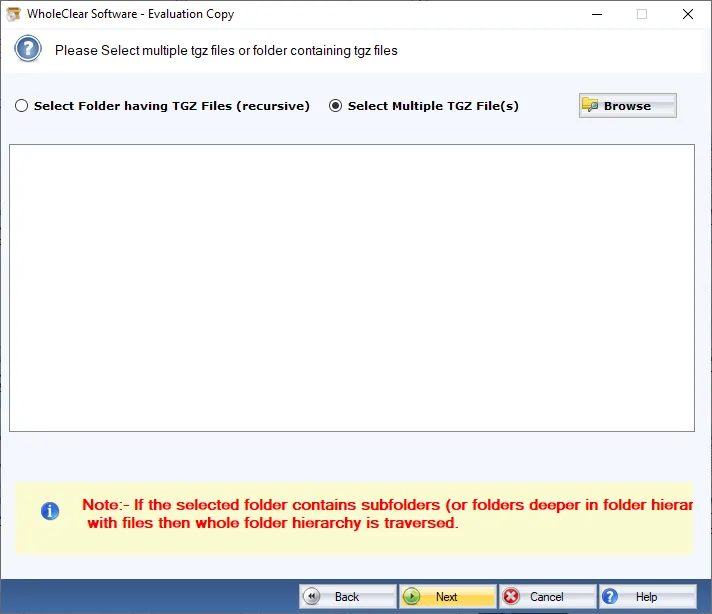
Step 4. Select MSG File format and hit the Next button.
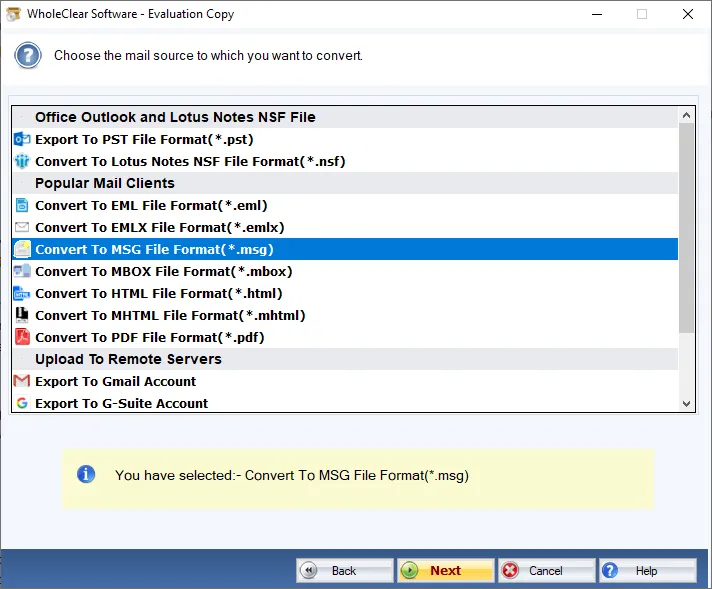
Step 5.Specify a location for MSG file by click on the Browse button.
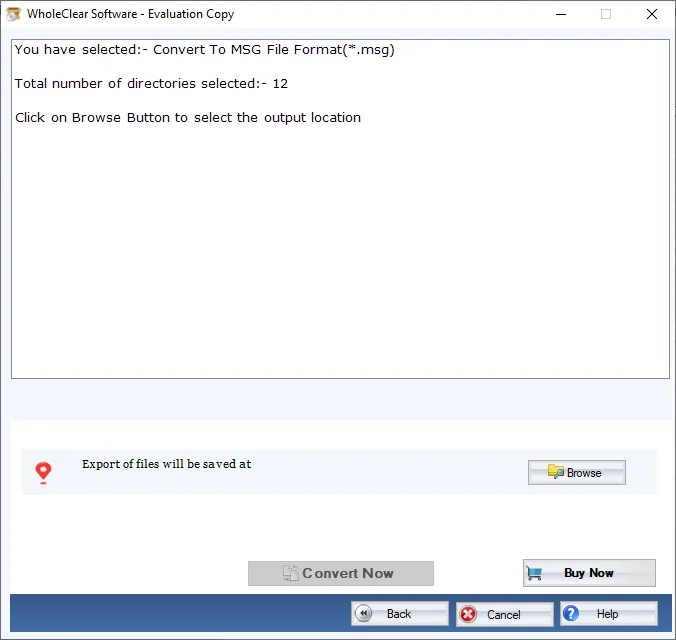
Step 6. Click on the Convert selected button & this will export Zimbra mailboxes to MSG file.
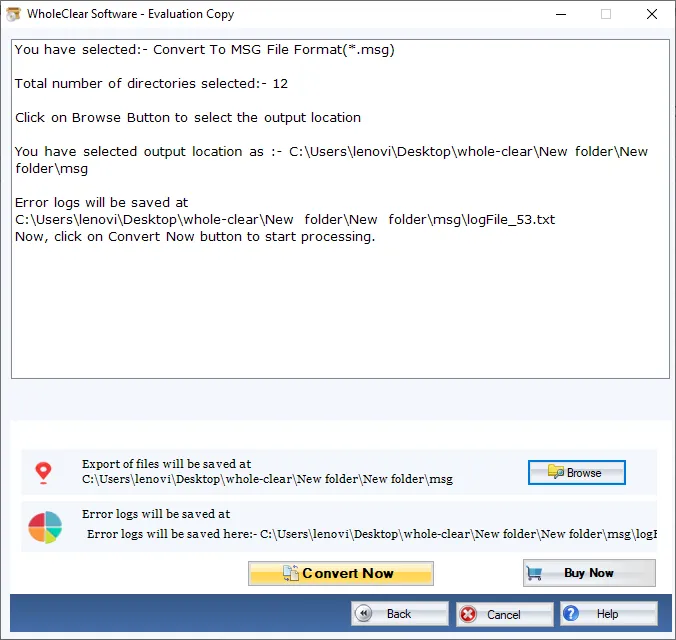
After following the above steps, users can open MSG files in any version of MS Outlook like 2019, 2016, 2013, 2010, 2007, etc.
Note: The wizard is Source → Explorer → Destination → Convert. After choosing the source, click Next: Data Explorer. Add data with Browse files... or Browse folder..., then Continue to Destination. On Convert, use Browse output folder and start with Convert selected when Ready Check is green. The demo processes up to 25 items.
Time to end up
This professional software is 100% reliable to use and there are no hassles faced by users in handling the program. Without hampering the data integrity & originality, data is exported by the tool. For clearing all your doubts, go for the demo version by which only first 25 items per folder are exported. Once you have the license keys with you, unlimited data items are exported from Zimbra desktop to MSG files.

