MBOX to TGZ Converter to convert MBOX files to Zimbra
- High-speed and safe conversion results all the time
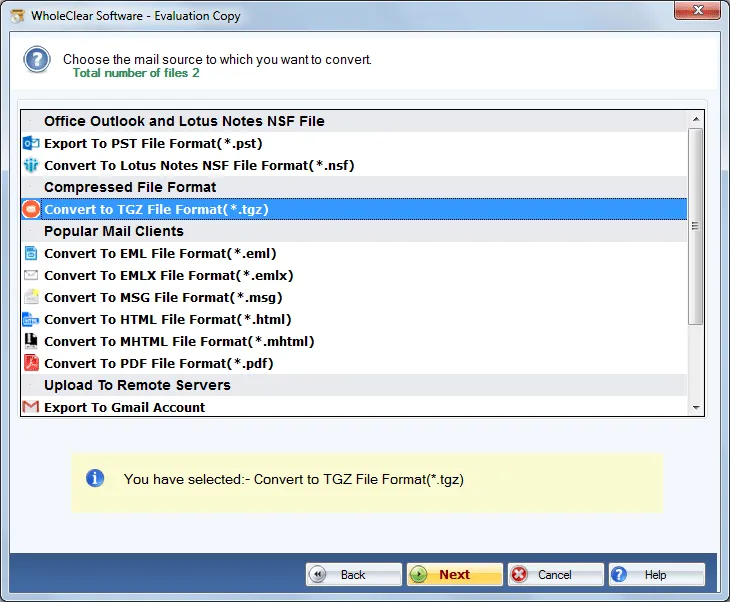
- Convert MBOX emails and attachments to TGZ
- Supportive to all Zimbra client versions
- Convert MBOX to Zimbra TGZ free of cost
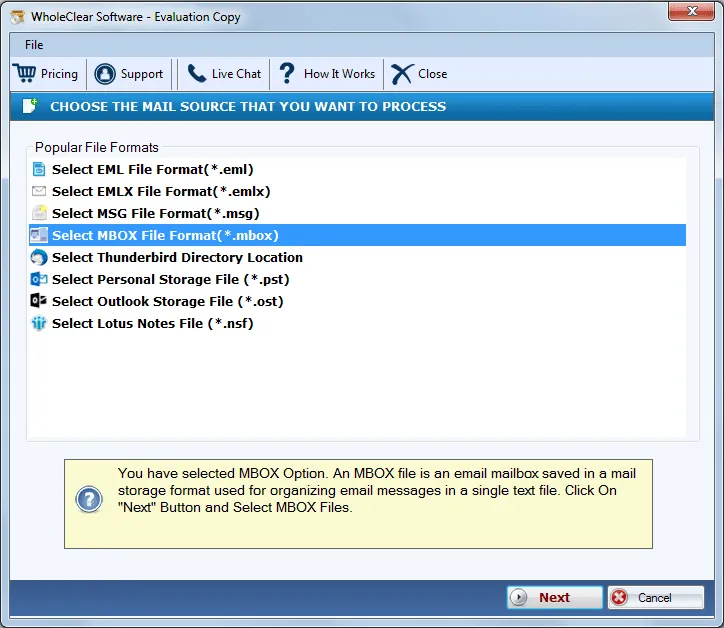
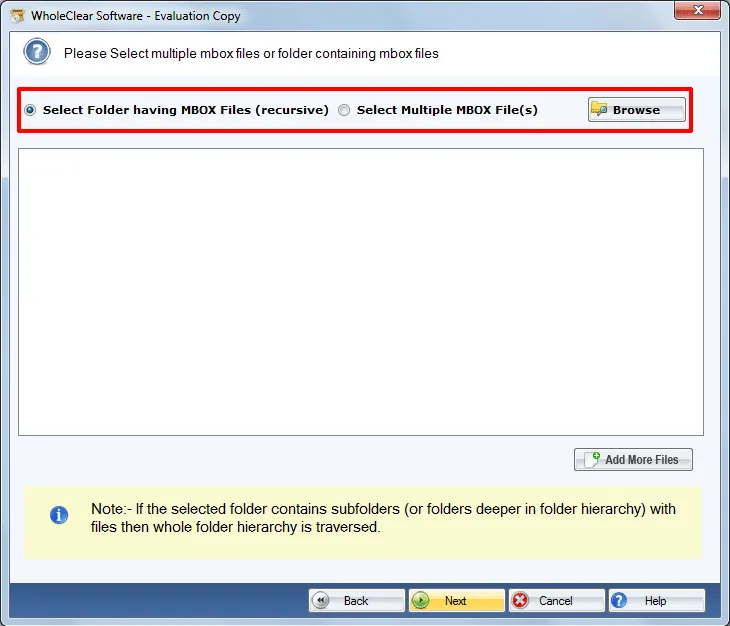
- Load MBOX files via File or Folder Mode as per your choice
- Completely self-reliant application, no email client installation is needed
- Sustain complete email components and rich-text formatting
- Export MBOX files into TGZ in batches
- Export all email application MBOX files
- Exactly maintain the structure of all folders and hierarchy of emails
- Easy installation on every Windows operating systems
- No limitation on MBOX file size offered to convert MBOX files to TGZ
- 24*7 support team availability for assisting users
Get all features of MBOX to Zimbra Converter Tool
Features of the tool to migrate MBOX emails into Zimbra
Batch import MBOX 2 tgz
Using WholeClear MBOX to TGZ Converter, one can save a lot of time and efforts. The application is instilled with a Folder mode by which multiple MBOX files from a folder are safely exported to TGZ format. There is no limit decided by the application to export MBOX files to Zimbra TGZ format. So, users can export the unlimited database.
Friendly application for all
The software is available both for technical and non-technical users. Without facing any issues, a novice user can simply complete the conversion task with the self-expressive wizard of this application. Users can simply utilize the software for their personal use and professional use. No professional person advice is needed to perform the conversion.
Standalone application
Thunderbird to Zimbra Converter simply works alone. There is no requirement to have any email client on your system to carry out the migration task. Users can effortlessly perform the conversion without any additional tool from outside. Just download the tool and start the conversion easily without any data misplacement.
Preserve MBOX emails metadata
All the email properties are safely migrated by the software. It takes care of all database during the conversion process. All the formatting to emails like hyperlinks, font, embedded images, etc. remains the same. The users need not worry about any data loss. The application does not affect the quality and originality of the files.
Compatible with all Windows
Easily download and install the software on all Windows platforms. There are no issues in performing the conversion with any Windows version like Windows 10, Windows 11, macOS 12+, and Linux x64. 64-bit and 32-bit both versions of Windows are supported by the application without any disturbances to the background running tasks.
All mailbox items converted
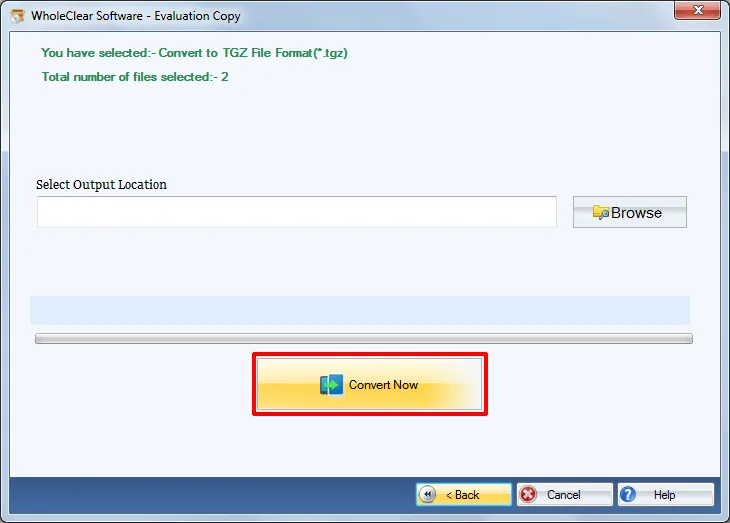
Any email client’s MBOX file is well supported by the software which includes Mozilla Thunderbird, Mac Mail, PocoMail, SpiceBird, NetScape, ClawsMail, Eudora, and various others. Users can easily extract MBOX files from any of the clients and convert it into TGZ with full accuracy and in 3-4 simple steps with this tool.
Try before you purchase
If you want to check the suitability of this application, you can simply download the free version and can get aware of the complete functioning of this tool. It allows to export limited MBOX files but once you apply for the license edition, you are authorized to perform the conversion as per your needs.
Contact Support for queries
In case, users face any trouble in handling the application or they have some queries before and after purchasing the application, they are totally free to contact our support members. They have experience of several years and are available all the time for user’s help through emailing, chat support or other modes.