MSG to EMLX Converter to convert MSG files to EMLX
- Complete export of MSG emails to EMLX with attachments
- Great Tool to export all Outlook MSG files
- Export MSG messages to EMLX without installing MS Outlook
- Suitable for Home User and Corporate User
- Bulk conversion of MSG files to Apple Mail EMLX
- Convenient solution for non-techy users
- Choose any target location to save EMLX files
- Preserve RTF structure and email attributes
- Easy downloading on all Windows versions
- safe conversion results without any data losses
- Maintain complete folder hierarchy throughout the conversion process
- Live Chat Technical Support Team to assist users
- Free MSG to Mac Mail Converter to test the efficiency
Excellent features of MSG 2 EMLX Converter
Features to export MSG messages to EMLX
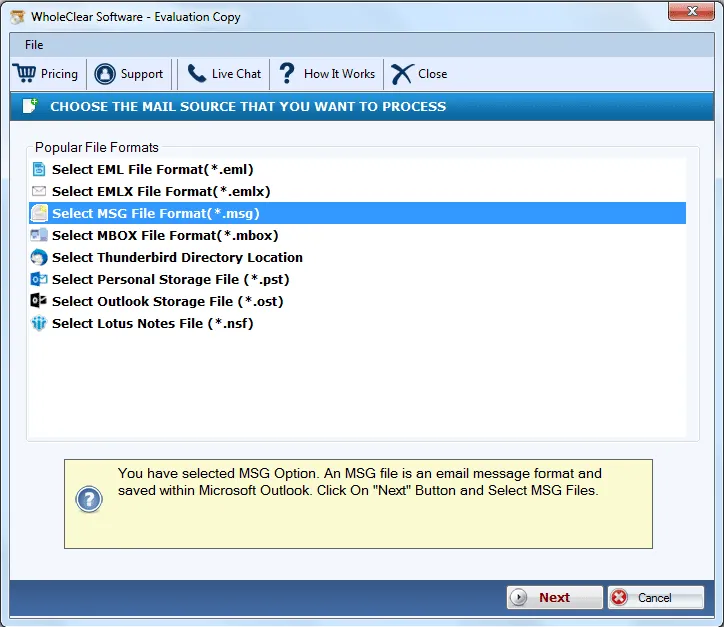
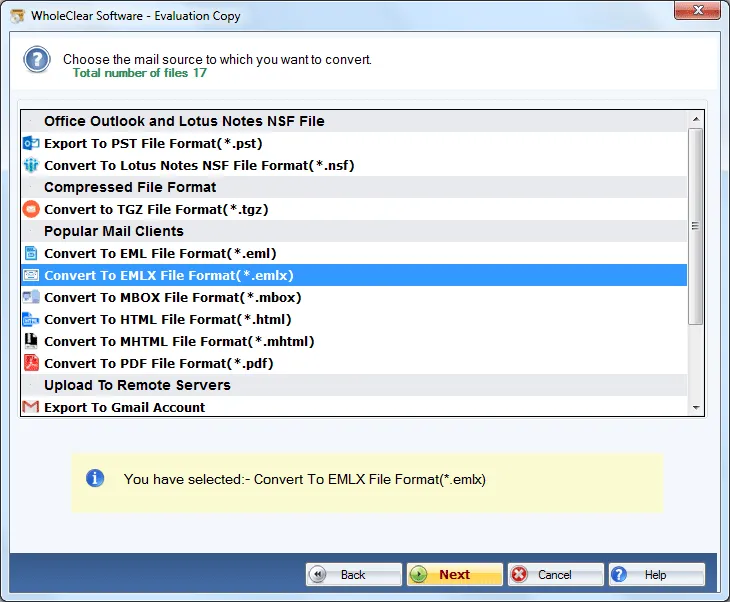
Convert MSG file to Apple Mail
MSG to EMLX Converter easily converts Outlook MSG data to EMLX with all emails and attachments. By this, users can access Outlook MSG files to Mac Mail application. Without possessing any technical skills, any user can effortlessly handle this application with full ease. safe conversion with full accuracy is achieved.
Bulk convert MSG to Mac Mail
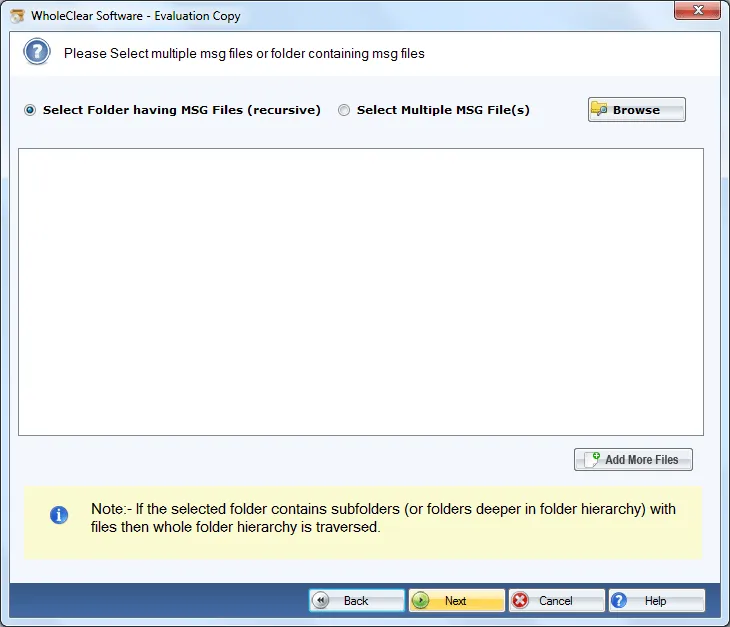
One can perform conversion of multiple MSG messages to EMLX format in one shot of conversion. This application is capable enough to export a complete folder at a time without any problems to any file. The complete database remains the same and safe after completing the conversion. This will save a lot of time and efforts.
Preserve email details
The software export Outlook MSG files to EMLX by preserving the email components like to, cc, bcc, from, sent, date & time, etc. Along with this, the email formatting of files like images, links, attachments, etc. are completely preserved throughout and after the conversion process is over. There is proper safety of every detail of MSG file.
Self-sufficient Utility
The program is sufficient enough to complete the conversion without depending on any third-party application. There is no need for MS Outlook and any other supportive tool to carry out the conversion task. Users only need the application and they need to fulfill the system requirements to start the conversion process.
Support Windows 32-bit & 64-bit OS
The software is fully compatible with all versions of Windows operating system from preview versions to the newly launched versions such as Windows 10, Windows 11, macOS 12+, and Linux x64. The tool is proficient with Windows 32-bit and 64-bit versions of Windows operating system as it is well-tested by the professionals on every edition.
No modifications to original layout
The original structure of MSG files remains the same after completion of the conversion task. The complete folders and subfolders structure will not be disturbed by the application at all during and even after the conversion. You will find MSG file as it is in Apple Mail client after their conversion to EMLX format.
Suitability for all
MSG 2 EMLX Conversion Tool is applicable for all whether he is using it for personal use or for corporate use. Without taking any technical training, one can simply carry out the migration task. In case, users face any issues while carrying out the conversion task, they can ask our customer handling team which is available all the time.
Selective Mail Conversion
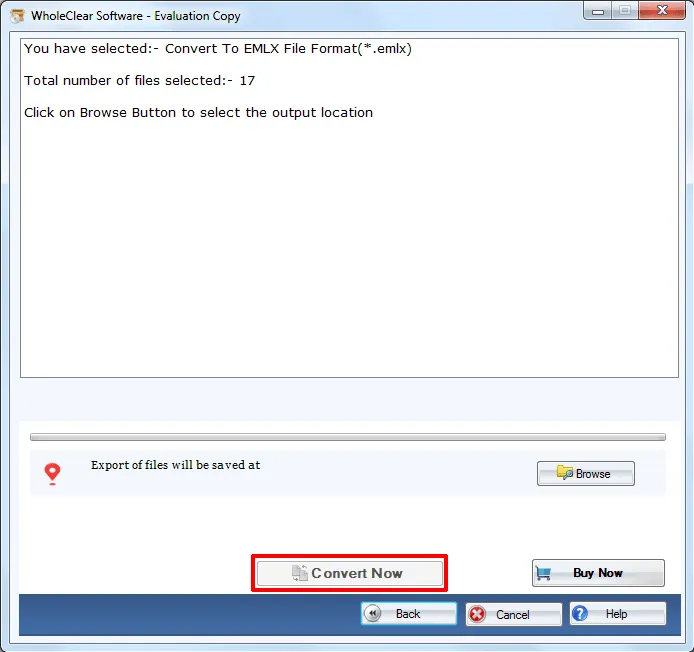
Users are fully free to select MSG files to convert into Mac Mail EMLX format. Any number of MSG files gets converted by this application without risk of data loss. Moreover, the decision to select an output destination is also taken by the user as per his/her requirements. The users can select any drive to save EMLX files.