MSG to MBOX Converter to import MSG into Thunderbird
- Mind-blowing conversion of MSG emails to MBOX with attachments
- Batch migration of MSG emails to MBOX file format
- Permit working on latest and older editions of Windows
- Desired MSG files export to MBOX with a preview before the conversion
- Export all version MS Outlook MSG files
- Advanced solution allows completing the export without MS Outlook
- Developed to export multiple MSG files in a single round of conversion
- Hold meta properties intact throughout the migration
- Free Outlook MSG 2 MBOX Converter to understand the tool before buying
- Converted MBOX file is easily opened in multiple email applications
- No restrictions of file size – export heavy MSG files easily
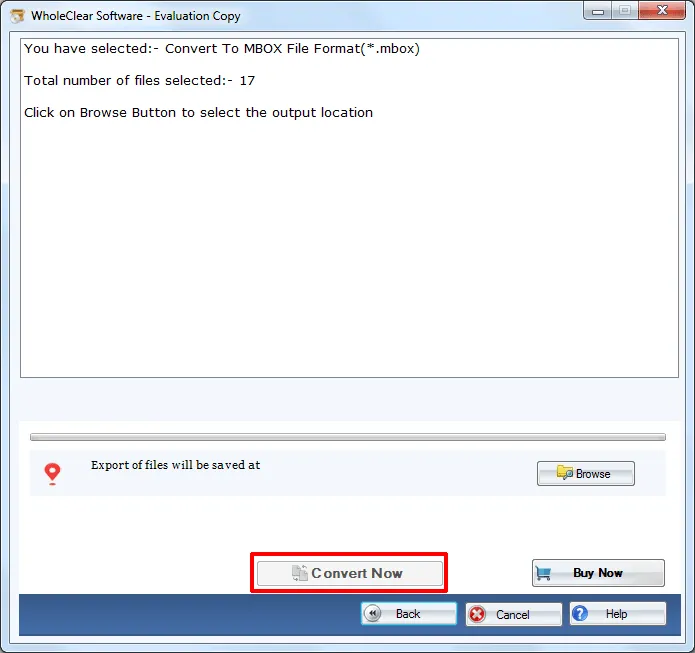
- Permit users to specify the output location of their choice
- Maintain the original structure of MSG database
- Online Support Team available 24*7 to assist users
Detailed features of Outlook MSG 2 MBOX Converter
Features to export Outlook MSG emails to MBOX
Export MSG messages with attachments
The software easily exports Outlook MSG emails to MBOX with attachments. Without any data loss and troubles, one can easily finish the conversion. Having a simplified interface, it becomes so easy for users to understand the working of the software. Without any harm to any file, one can complete the conversion task.
Batch Conversion mode available
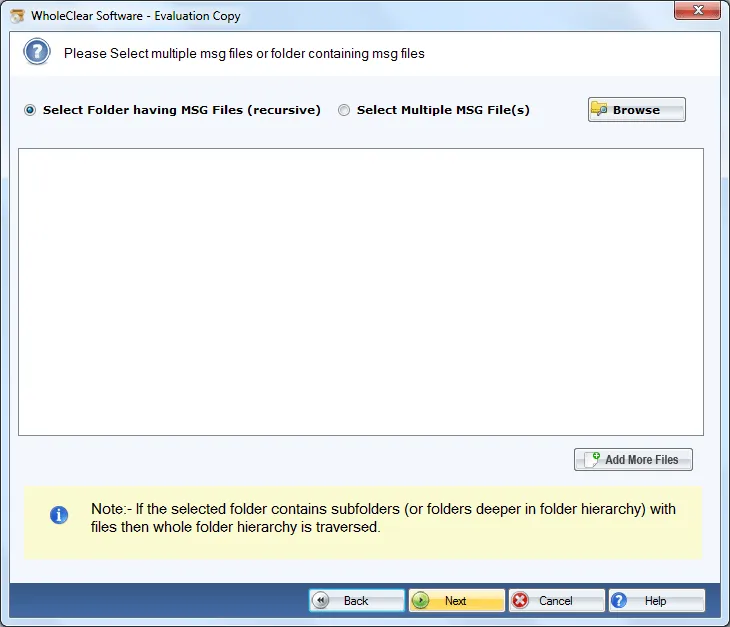
There is a folder mode available in the software by which users can export MSG file to MBOX files in bunches. It means various MSG files get converted to MBOX at the same time. There is no limit specified on the number of MSG files to export into MBOX format. During this conversion, no file gets missed and corrupted at all.
Save meta properties of emails
When migrating MS Outlook MSG file to MBOX format, the utility takes care of all meta properties of emails like to, cc, bcc, from, sent, etc. Along with this, the program sustains the email formatting like hyperlinks, inline images, font color, font size, etc. completely throughout the migration process. There will no changes to the original data.
Export without Outlook
There is no requirement of MS Outlook to complete the migration process. The software easily works in the unavailability of Outlook. Moreover, all Outlook edition MSG files are exported by the application like Outlook 2019, 2016, 2013, 2010, 2007, 2003, and others without any trouble and issues in the conversion process.
Windows supportive utility
MSG to MBOX Converter is fully Windows-based program that can be easily run on all Windows platforms which includes the latest and the older versions. The tool can be simply installed on Windows 10, Windows 11, macOS 12+, and Linux x64. XP, Vista, and others without affecting the performance of the application and the conversion procedure.
Renders filtered and safe results
It totally depends on users which MSG files they want to convert into MBOX format. They can select MSG files as per their needs. The utility is free from all viruses so there are no worries for data misplacement. The complete database is migrated safely without any data losses and corruption in the files. Only safe conversion is performed.
View files in all MBOX platforms
One can easily view the converted MBOX file to many MBOX email applications like Mozilla Thunderbird, PocoMail, OperaMail, Apple Mail, NetScape, Eudora, PostBox, and various others. Users once perform the conversion can easily access the converted MBOX file to any of these applications as per their requirements.
Migrate all MSG files
The software does not create any problem in handling any MSG files whether they are of big size or from any Outlook. The utility considers all MSG files of healthy nature. Corrupted MSG files are not supported by the application. Both ANSI & UNICODE type files are well supported by the application without any trouble.