OST to MBOX Converter to export from OST file to MBOX
- Hurriedly import Outlook OST emails to MBOX file with attachments
- Exchange Server environment & another supportive tool not required
- Export selective OST folders or items to MBOX file
- Import Outlook OST emails to multiple email applications
- Holds exact folder and subfolder structure in MBOX files
- Complete maintenance of email content, formatting, & attachments
- No bar for every large Outlook OST file
- Safe, instant and error-free conversion on all Windows OS
- Save the exported MBOX in a new folder
- Evaluate the application with free OST 2 MBOX Migration Tool
- Consider every Outlook version OST file
- Display complete OST file in an organized manner
- No technical expertise needed with user-friendly GUI
OST to MBOX Converter to import OST file into MBOX
Find out features to export Outlook offline data file to MBOX
Clean and simplified interface
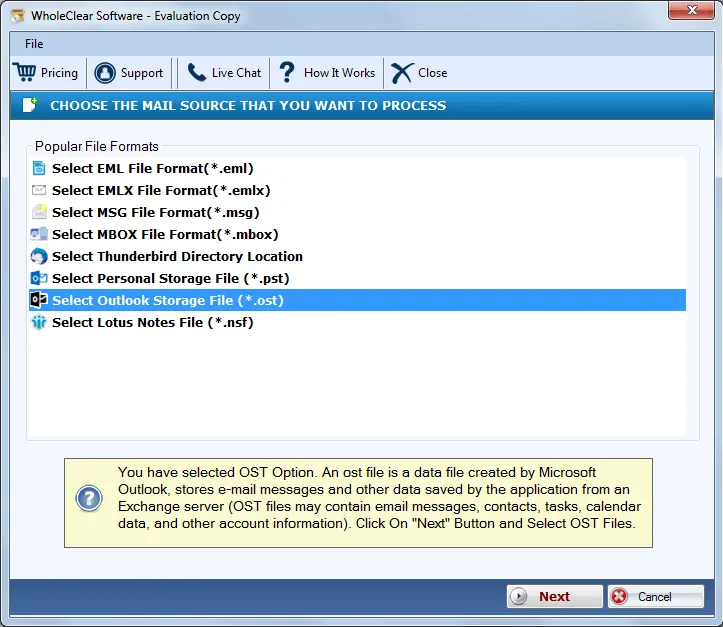
WholeClear OST 2 MBOX Converter offers a clean and self-describing interface where users can’t confuse how to import Outlook OST emails to MBOX file with attachment. The utility effectively exports emails from OST file to MBOX format with attached files to it. The application can be easily handled without taking any technical training.
No size bar for OST file
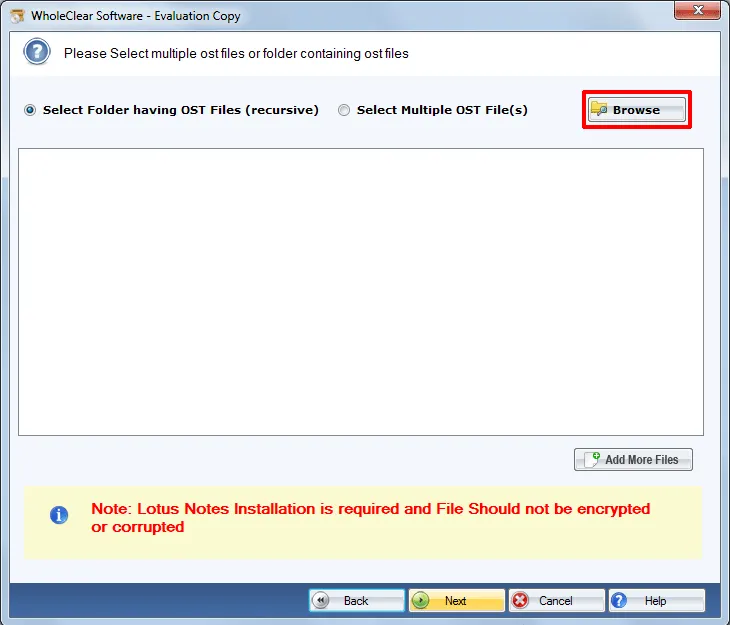
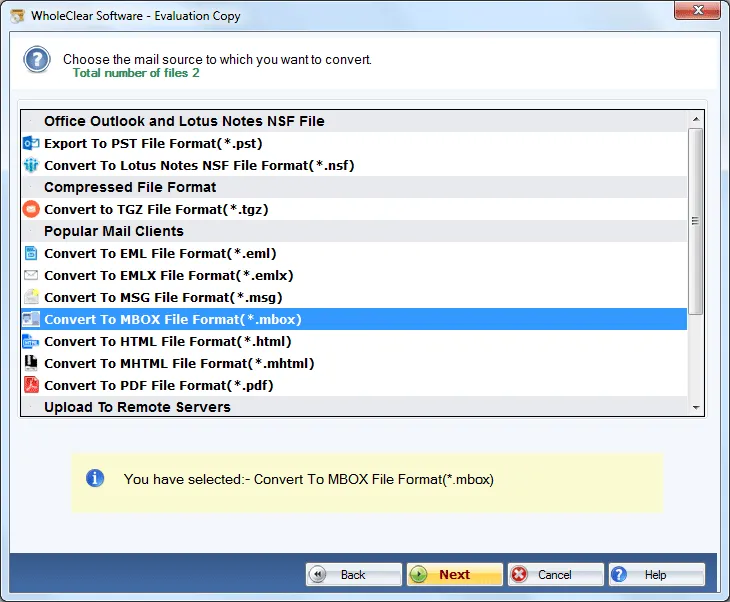
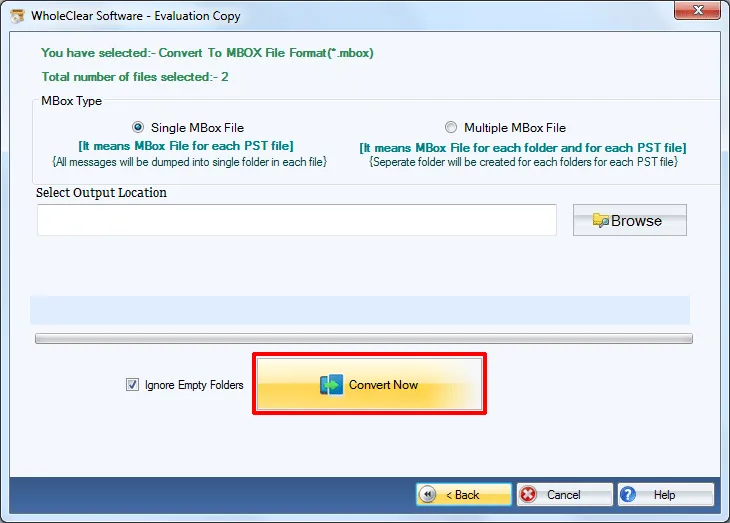
An effortless migration of OST file is performed by the application irrespective of file size. The utility has been tested on several size OST files and always render a smart and smooth conversion without any compromise to the file quality. One can take the help of screenshots to understand the working of the application.
Generate entire Preview
Prior to export Outlook offline data file to MBOX files, the application generates a full preview of the added Outlook OST file. This feature is really helpful for users in checking the files and getting an idea of how these files will look when they are exported to MBOX file format. It also helps in maintaining transparency in the conversion.
Import OST to various clients
Once you import inaccessible OST files into MBOX file format, you are eligible to access the MBOX files to a varied number of email clients which includes Windows and Mac OS applications like Mozilla Thunderbird, Mac Mail, Entourage, SpiceBird, OperaMail, PocoMail, Postbox, and other MBOX supported platforms.
No extra tool required
The software export emails from OST file to MBOX without taking support from any external application. The application works swiftly without Microsoft Outlook and Exchange Server connectivity. Plus, users always get an error-free and smart conversion results all the time. There is no limit on the number of emails to export from OST 2 MBOX format.
Hold complete OST data
The OST to MBOX Converter Tool completely holds all formatting applied on emails along with the email headers like to, cc, bcc, subject, from, etc. during and after the conversion. The utility ensures 100% accuracy in the conversion results without harming a single element of OST file. One by one, multiple OST files into MBOX conversion is performed.
Demo version to test
The utility is available in trial edition by which users can assure with the working capacity of the application prior to applying for the license version. The demo version allows exporting only 25 items from every folder of OST to MBOX format. Users once get satisfied with the demo version can take the personal or business license as per their needs.
Live Chat Support
To deal with the queries of users, we have a customer support team which is available 24*7. You can contact them at any time and they are ready to serve you all the time. They have a lot of years’ experience with them so they always guide you in the right direction. You can contact the team through email communication, Chat, or Call them directly.