PST to Google Apps Tool to import PST file to G Suite
- Straight-forward transfer of Outlook PST files to Google Apps account
- Successfully move emails, contacts & calendars from Outlook database
- Sustain entire email metadata after transferring emails from PST file to Google Apps
- Secure transfer of PST attachments when migrating PST file to Google Apps account
- No maximum file size limit for PST file to migrate into G Suite
- Import ANSI and UNICODE PST files effortlessly
- Simply Import Outlook file to G Suite Basic, G Suite for business, G Suite for Education, etc.
- Windows-supportive application needed
- Unlimited PST file import to Google Apps profile with the license edition
- Free Outlook to G Suite Migration to examine the program
- Desired PST file and items migration into G Suite account
- Full scanning and complete PST file display prior moving to G Suite account
Complete features of Outlook to Google Apps Converter
Detailed features to import PST file to Google Apps
Complete PST file export
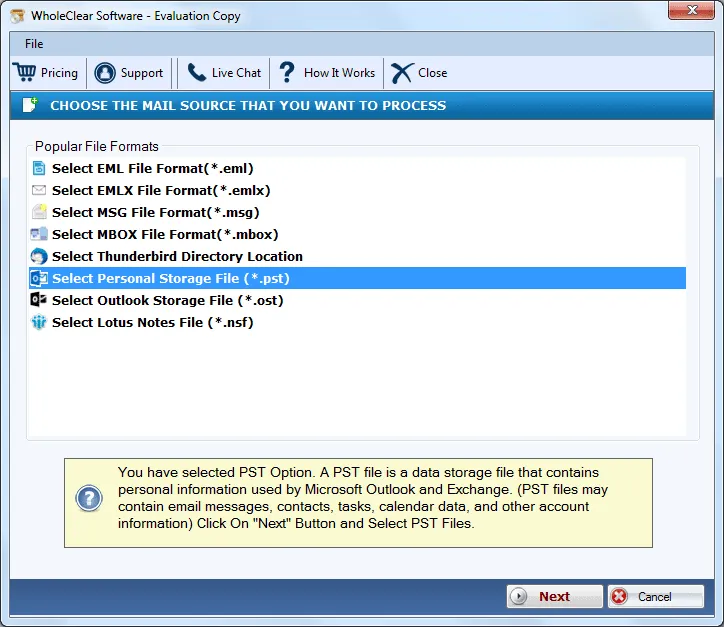
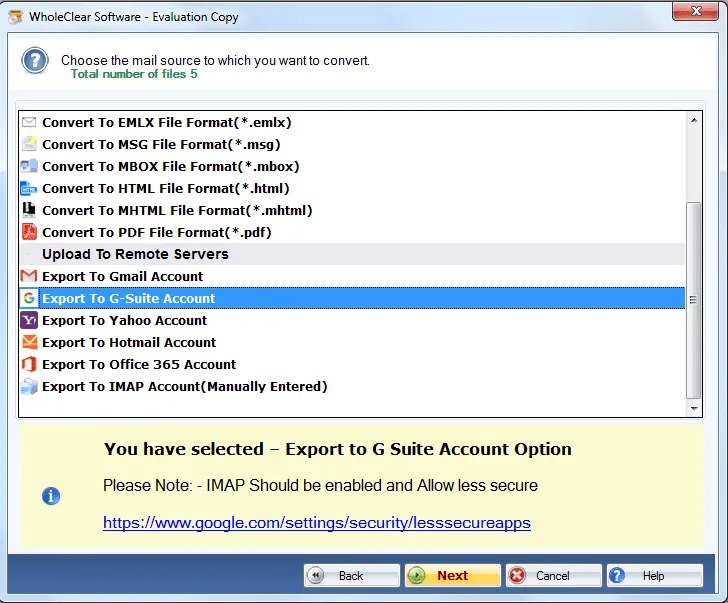
WholeClear PST to G Suite Converter offers complete PST mailbox conversion. The application migrates emails, contacts, calendars, notes, tasks, journals, etc. from Outlook data file and easily move it into Google Apps account with few simplified clicks. The utility is designed to handle easily by non-technical users.
Import different type PST
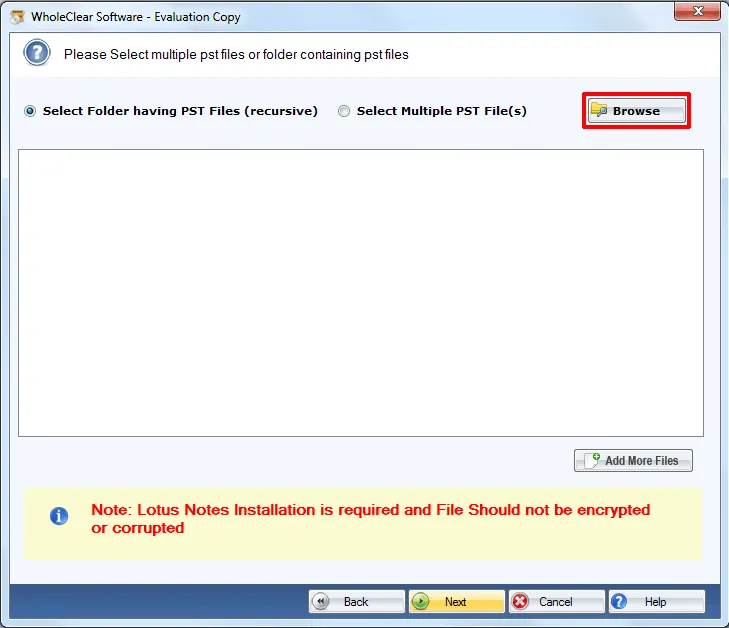
Using this application, it is easy to transfer database of password secured Outlook file. Moreover, users can simply export ANSI as well as UNICODE PST files to G Suite account. At a time, users can import a single PST file to a single Google Apps account. The utility supports the latest versions of Microsoft Outlook PST file.
No size bar for PST file
The utility does not impose any restrictions on the size of PST file. Every large and small-sized PST file are permitted to move to G Suite account with this software. Users can select desired PST files as per their choice to import into Google Apps account. Outlook 2019, 2016, 2013, 2010, 2003, and other version PST files are supported by the tool.
Easy setup
Outlook to Google Apps Migration Tool can be installed simply within a few minutes on all Windows platforms. There is no need for MS Outlook installation to complete the migration process. One can simply launch the tool without any difficulties and migrate unlimited PST files to their desired Google Apps account.
Retain folder structure
Metadata and folder structure are two important things of PST file and the software takes care of both the elements. During the migration process, the tool keeps these components intact. There will be no alterations done to the original files and users get the structure of folders and subfolders the same as before the conversion.
Windows installable application
Outlook to G Suite Importer Tool considers all versions of Windows operating system. No interruptions are faced by users in launching the application on various Windows platforms like Windows 10, Windows 11, macOS 12+, and Linux x64. Users can smoothly move PST file to G Suite Basic, G Suite for Business/Enterprise/Education.
Free testing facility
Download free trial of PST to Google Apps Migration Tool which is exactly same as the license version in working. It offers users the facility to practically get aware of the application prior to investing their funds in the license edition. By free version, users can move only 25 items from Outlook file to G Suite account.
safe software
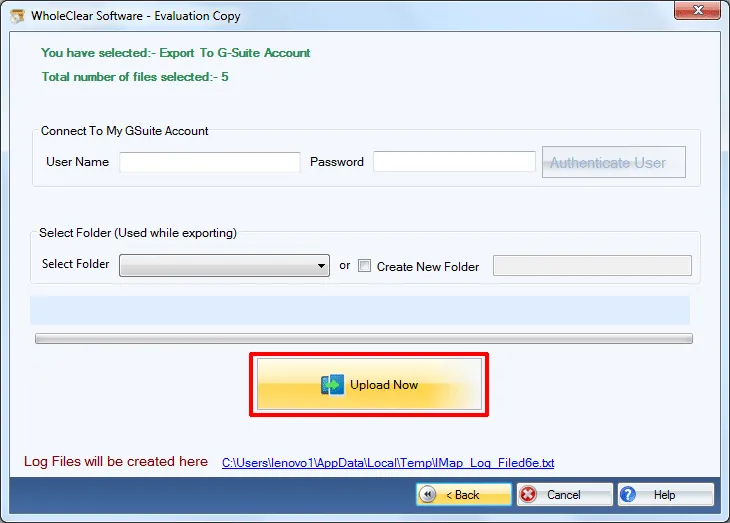
The application has been well examined by the professionals so there are no chances of any file corruption and data mismanagement by it. It safely exports Outlook data files to G Suite account with login information of G Suite account. Users can simply move PST file to any folder of G Suite account as per their choice.