EML to MHT Converter to export files to MHT/MHTML
- Rapid export of EML files to MHT/MHTML format
- Safe and unharmed export of EML emails and attachments
- Bulk migration of EML files into MHTML format
- Preserve the original formatting and folder structure
- Effortless and unlimited migration facility
- An easy graphical user interface to understand by all users
- Suitable for all EML based applications
- Quick running on all Windows operating systems
- Separate folder to save EML attachments during the conversion
- Tech support is available 24*7 hours
- No issue in dealing with large size EML files
- Conserve all key elements of EML file
EML 2 MHTML Converter benefits
Find features of the utility to export EML files into MHT
Batch export EML files to MHT
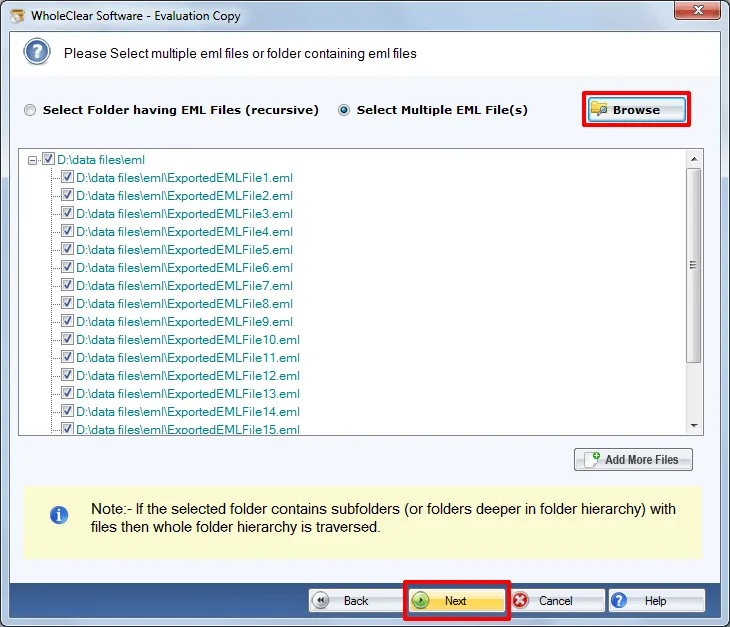
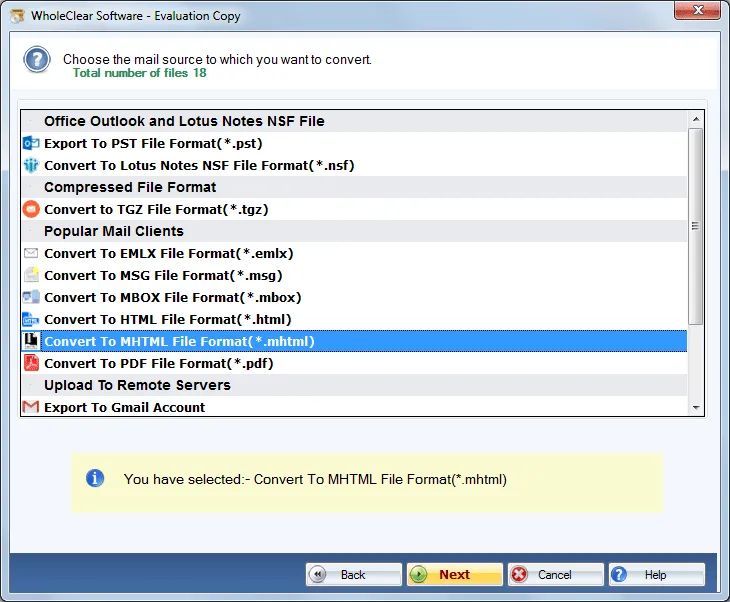
WholeClear EML to MHTML Conversion Application quickly performs EML folders conversion in a single time without any errors. By using this application, users are free to pick any EML folder and smartly perform the conversion of EML files into MHT/MHTML format without wasting any time of users. Not a single trouble is faced by the utility.
Downloadable on all Windows
The program runs on Windows 10/11, macOS 12+ (Intel and Apple Silicon), and Linux x64 (AppImage and DEB).
Save email attachments
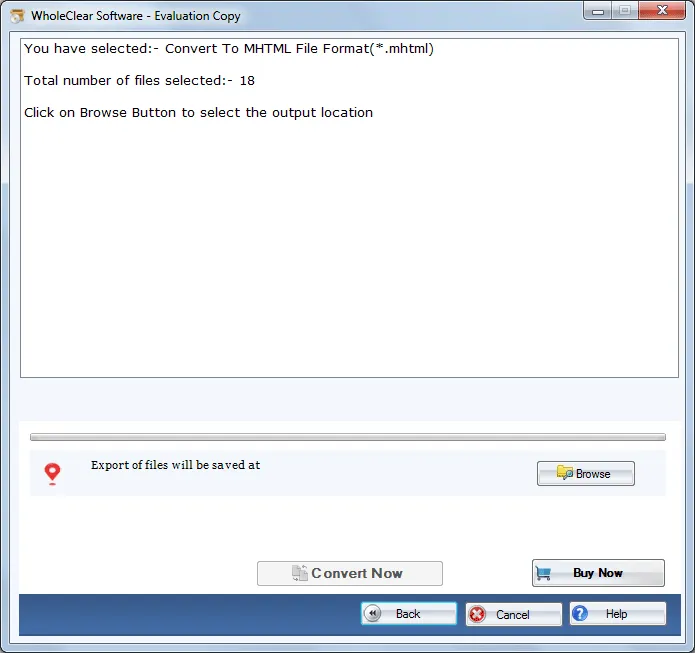
Users have the option to save the attachment of EML file separately before conversion of EML emails into MHTML format. Users can save the attachments in the desired folder and then can easily move to the conversion of emails of EML into MHTML format without any trouble. For every single EML email, a single MHTML file is generated by the utility.
Do not disturb folder hierarchy
EML 2 MHTML Converter Tool does not disturb the complete hierarchy of the folders. It is completely safe and does not alter the original files. Users can check the selected EML files in the Preview pane before finalizing the conversion. Here, users can check the EML file structure and get full assurance prior the conversion.
Deal with all EML types
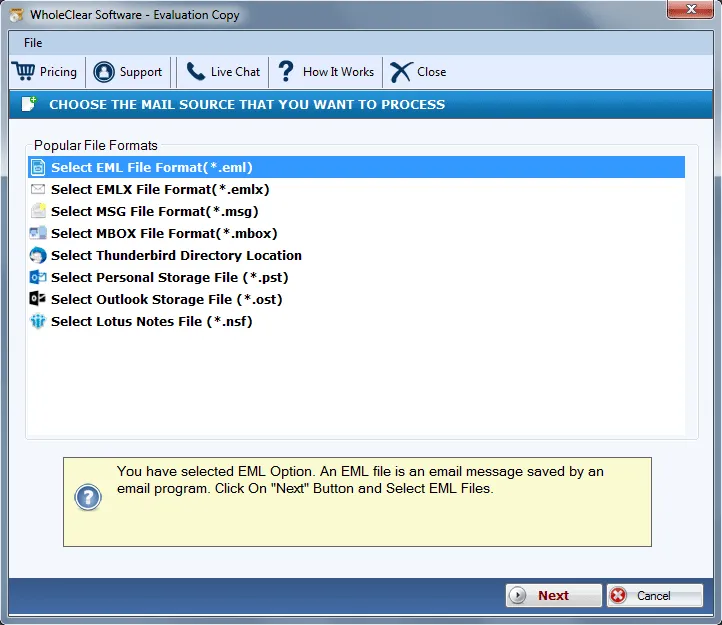
EML files of various applications like Windows Live Mail, Zoho Mail, Mozilla Thunderbird, Outlook Express, IncrediMail, etc. are well supported by the application. Users can simply convert EML emails to MHT/MHTML format. The program does not create any trouble in handling any of the clients EML file.
No limitations for conversion
There is no limit set by the utility on the number and size of EML files. The utility has been well-tested on these parameters and it has been proved that users can export any large EML file into MHT format. Plus, any number of EML files can be imported without affecting the performance of the application.
Easy understandable GUI
EML 2 MHT Converter software is developed to fulfill the needs of both professional and novice users. Therefore, experts have programmed this application with a simplified and effective GUI. With easy working environment, all kind of users can simply implement the process of conversion without much technical expertise.
Assurance of data safety
The utility takes care of every element of EML file meanwhile and after the conversion. The software is fully free from viruses and does not harm any element of EML file. The applied Rich-text formatting and email components such as to, cc, subject, bcc, from, etc. remains safe even after the completion of the conversion.