EMLX 2 G Suite Exporter to convert EMLX files to G Suite
- Fast conversion of EMLX files to Google Apps account
- Include attachments with EMLX emails to export into G Suite account
- Bulk migration of EMLX emails to G Suite account
- Complete maintenance of on-disk folder structure of EMLX files
- No restrictions on migrating MBOX files of large size
- Compatible with 64-bit and 32-bit versions of Windows OS
- Facility to choose any folder of G Suite account to save EMLX files
- No additional program or any email client installation is needed
- Hold email properties and email formatting throughout the migration
- Get a view of selected EMLX files before the conversion
- Free EMLX to Google Apps Importer to understand the application prior to buying it
- 100% secure and safe migration of Mac Mail database
- Permit unlimited EMLX files transfer to user-stated G Suite account
Benefits provided by EMLX 2 Google Apps Importer
Complete features to export EMLX emails to Google Apps
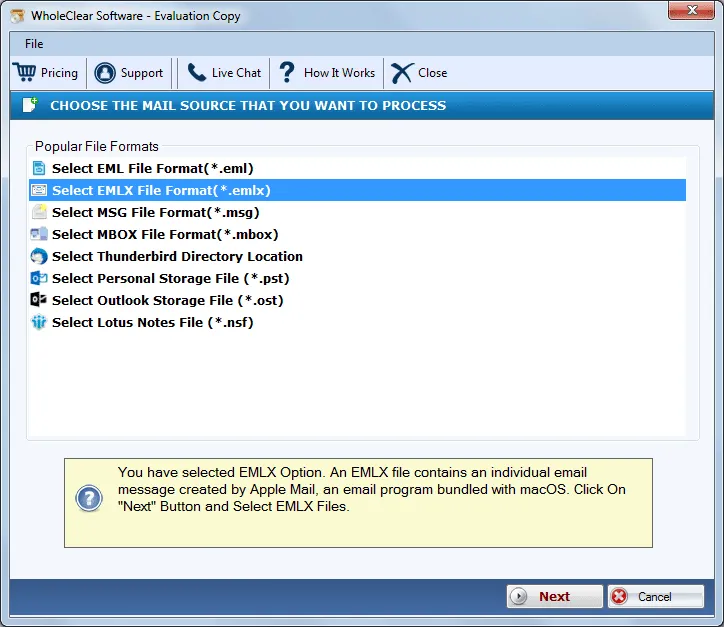
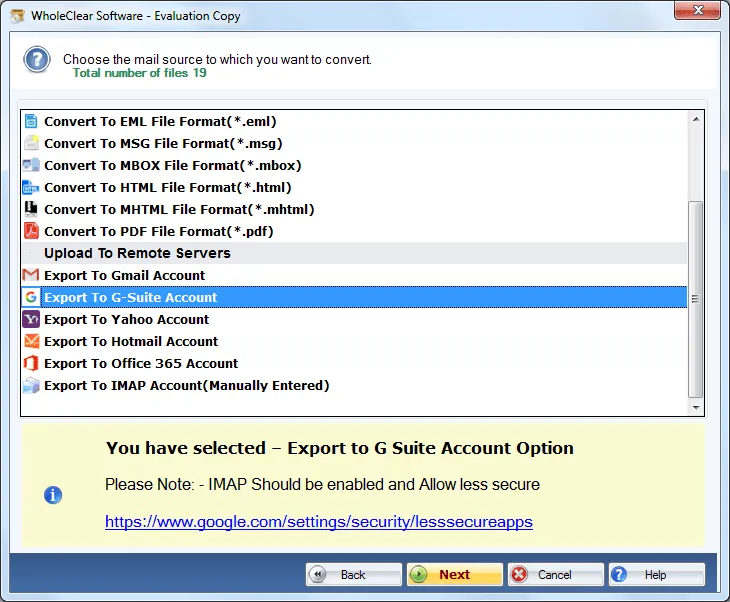
Convert EMLX 2 G Suite directly
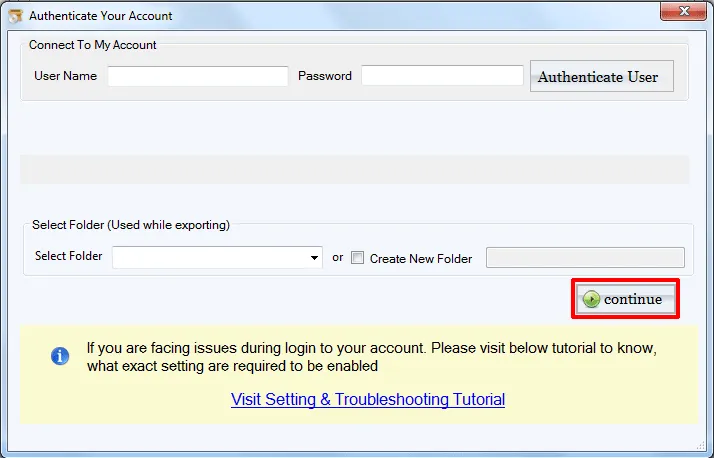
There are several solutions available that could import EMLX files to Google Apps account but all these will not provide a direct import of EMLX files into Google Apps account but with WholeClear EMLX to G Suite Importer, one can export EMLX emails and attachments directly with the proper login details of G Suite account.
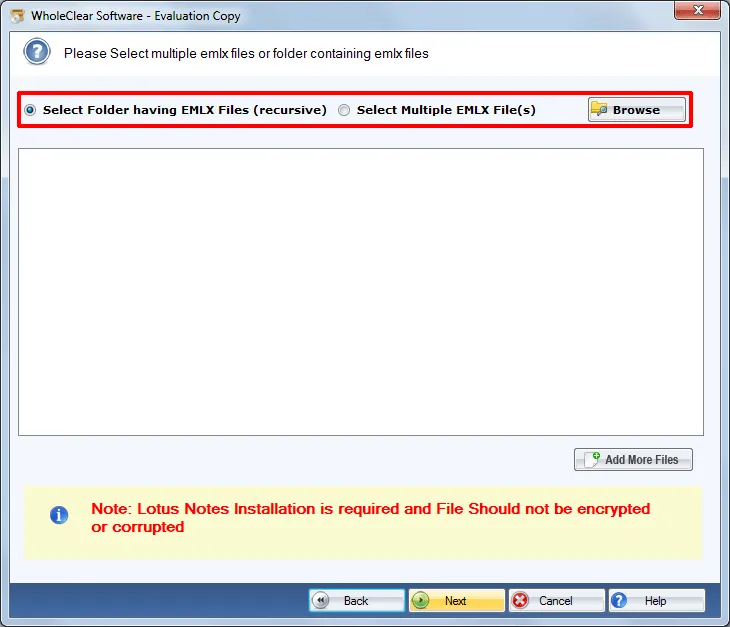
Migrate EMLX files in batch
With the help of dual options – File or Folder users can easily load multiple EMLX files to the software panel and move them easily to G Suite account in one time without any disturbances. The application does not harm any file and there will be no compromise to the quality of files after their import to G Suite account.
Maintain EMLX elements
All the formatting applied on EMLX files will remain the same after the conversion. All the links, images, font style, font color, etc. are completely preserved by the tool. Users will find all the details in the same way as they were before the migration. The internal structure of EMLX emails remains unchanged after the migration.
Standalone program
WholeClear EMLX to Google Apps Tool provides the facility to perform the migration without depending on any external tool. Without the installation of any program in the conversion system, one can easily move Apple Mail files to G Suite. After moving the files, users can easily access EMLX files of Apple Mail by log in to G suite anytime.
Great compatibility to Windows
The application covers all versions of Windows and provides users the facility to migrate Mac Mail files to G Suite account on every Windows platform like Windows 10, Windows 11, macOS 12+, and Linux x64, etc. Both 32-bit and 64-bit of Windows are well supported by the program. An interrupted working by the software on different Windows OS.
Verified application
EMLX 2 Google Apps Exporter is a well-examined and verified application that does not harm or corrupt any EMLX file. Without considering the versions of Mac platform where the EMLX file is created, the application safely exports all EMLX files into Google Apps account. No errors are delivered meanwhile the migration process.
No limit to export
There is no limit defined on the number and size of EMLX files to import into G Suite account. It totally depends on users how many EMLX files they want to move to their G Suite account. With the demo version, users get the facility to export only 25 EMLX files but there is no limit once users have the license edition.
Easily understood to all
There is no need to be technically trained to handle this application. Users simply operate this application with basic computer knowledge. The program is designed in a friendly manner that any user can easily export Apple Mail files to G Suite account without extra efforts and it only takes a few minutes to complete the migration.