MBOX 2 G Suite Importer to import MBOX files to G Suite
- Speedy import of MBOX emails and attachments to G Suite account
- A few steps import without any confusion
- Keep all email elements preserved during the migration
- Batch import of MBOX emails to Google Apps account
- Safe and secure migration without loss of any content
- Permit to use for personal and business user
- Designed for Windows platforms
- Support MBOX file of various platforms
- Retain complete folder structure throughout the conversion
- Easy to tackle by non-technical users
- No extra email client presence is required to import MBOX to G Suite
- Demo and License editions are available
- Free Updates for Lifetime and Round the Clock Customer support availability
Features and benefits of MBOX to Google Apps Importer
Check features of the tool to transfer MBOX files to G Suite
Smartly designed interface
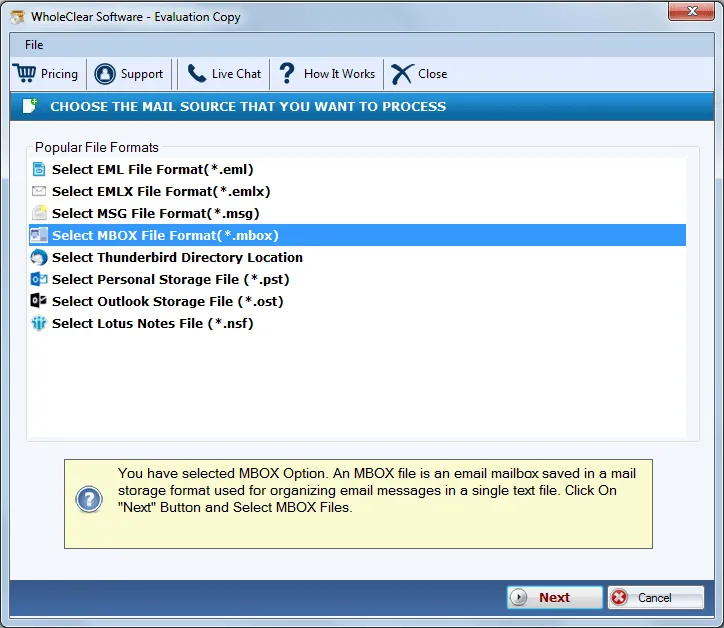
MBOX 2 Google Apps Importer is designed by paying attention to all users. Its simplified wizard makes feel users that they can simply carry out the conversion task without any errors. In case, users come across any doubts, they can contact our customer support team which is available 24*7 and offers full help to users.
Mass Conversion Feature
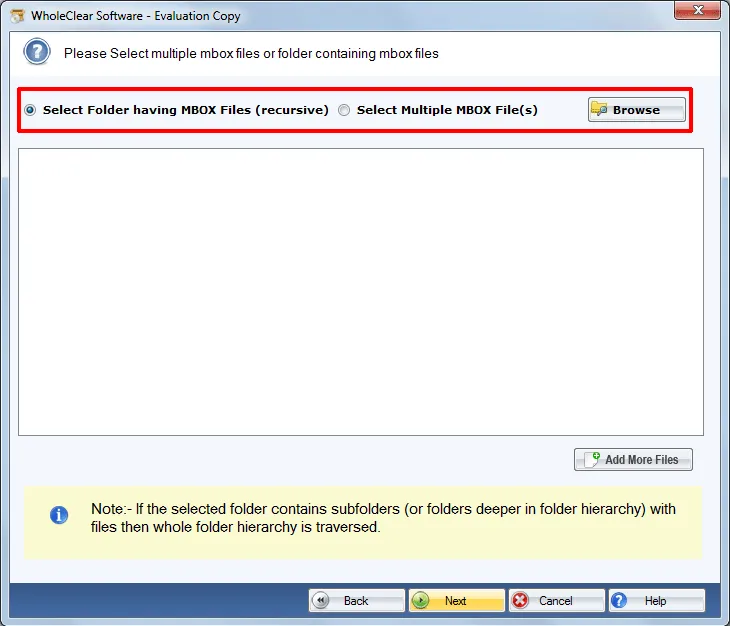
There is no requirement to add and import MBOX file to G Suite one by one. With the folder mode, a folder of MBOX files can be easily imported to G Suite account in one time. This makes the task easier and comfortable for all users. Users are also able to save a lot of time by this feature and can complete the import task seamlessly.
Allow all MBOX types
Every MBOX file can be effortlessly imported to Google Apps account without any hassles. The utility considers all MBOX files irrespective of the platform where it is created. Thunderbird, Apple Mail, PocoMail, Entourage, Eudora, KMail, and others created MBOX file can be quickly moved to user-picked G Suite account.
Direct transfer to G Suite
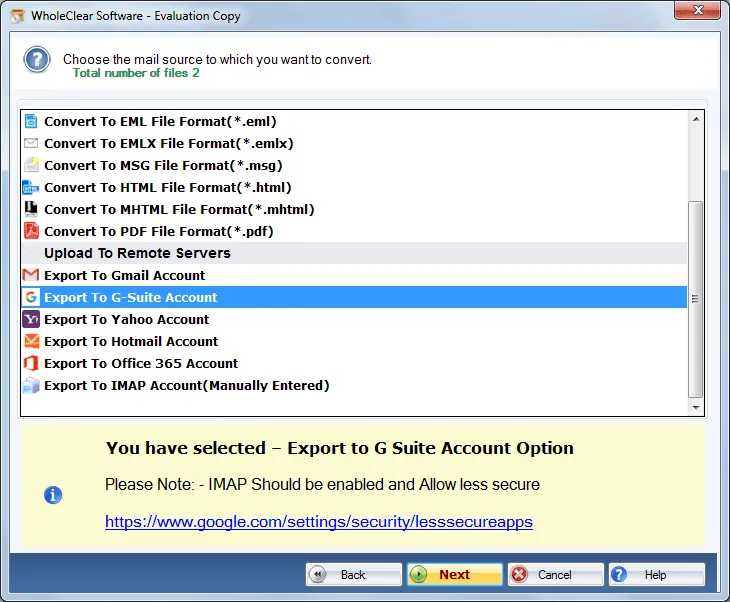
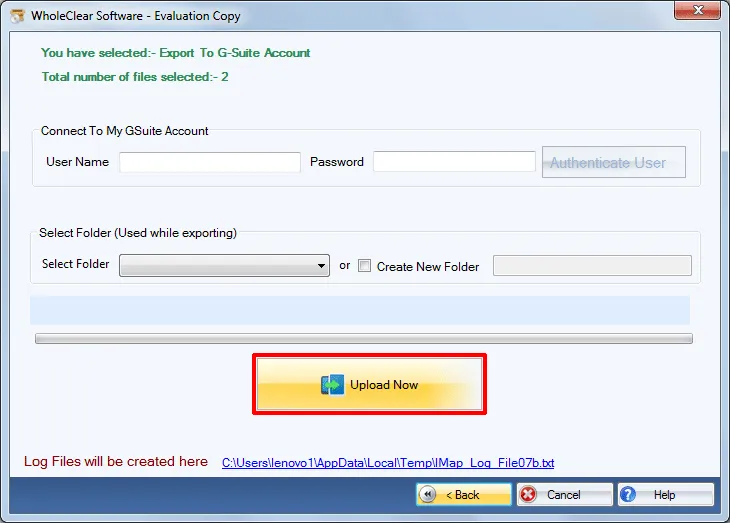
With MBOX 2 G Suite program, there is a straight-forward facility to import MBOX email files to G Suite account. Without the availability of any email client in the system, one can easily move any number of MBOX emails to Google Apps account. Without any harm to any file, the import task gets completed in a short span of time.
Fully Windows Tool
The program runs on Windows 10/11, macOS 12+ (Intel and Apple Silicon), and Linux x64 (AppImage and DEB).
Safety of data on top
Safety of the database during the migration process is set on top while designing this application. There would be no changes done to the original database. The formatting on emails, folder structure, and email properties are well preserved during the conversion process. You will get the files as it is after the import task is completed.
Grant every large file
Size of MBOX file is not a hurdle for you if you are using WholeClear MBOX to Google Apps Exporter Tool. This tool is capable to export every big-sized MBOX file without any disturbance to the conversion process. The software is suitable for both home users and corporate users and does not impose any limit on the number of MBOX files.
Get familiar before purchase
Every user can check the software before they apply for the complete version. One can easily download the demo edition from our official website and can get familiar with every feature of the tool. Both the versions of the tool are same. Users can export only 25 MBOX files to Google Apps account with the free version.