MBOX 2 Office Converter to import MBOX files to O365
- Instant conversion of MBOX data to Office 365 account
- Easy export of MBOX emails and attachments to O365
- User-friendly interface to handle easily by a novice user
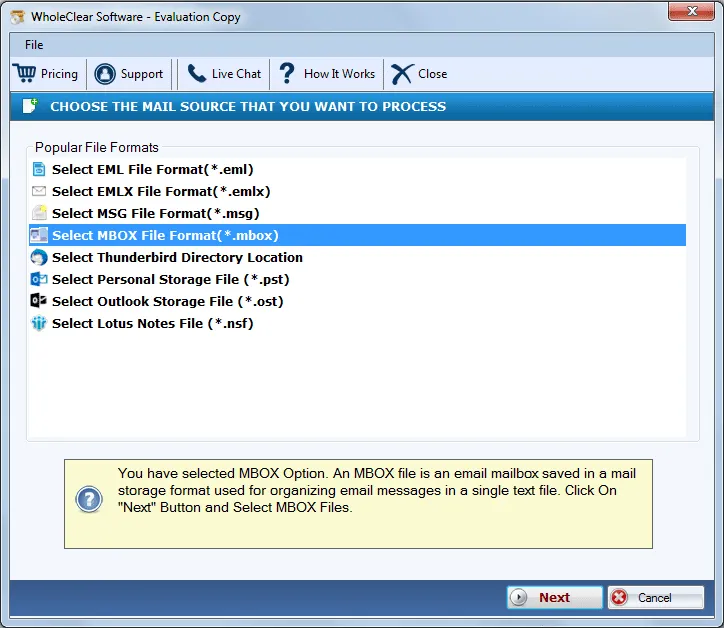
- Import MBOX file of different platforms
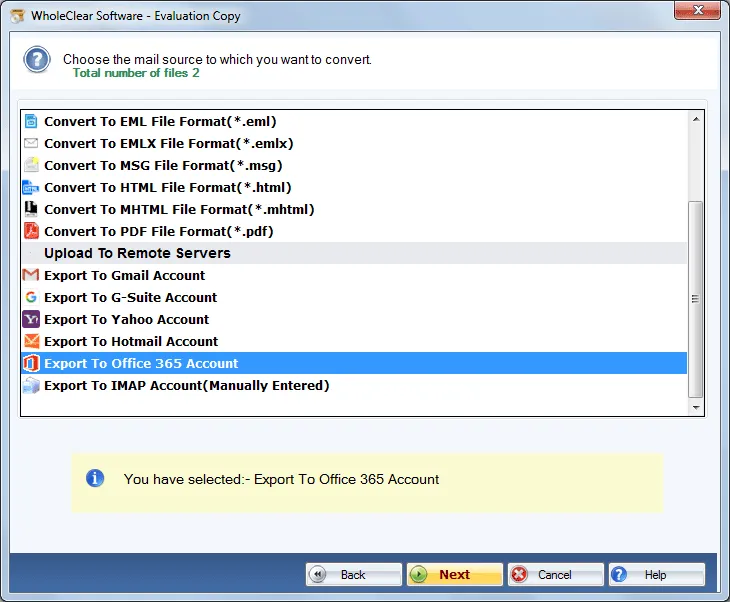
- Export various MBOX files to Exchange Online at a time
- Generate a complete list of MBOX files before the migration
- Available in demo edition for testing the application
- Saving of MBOX files to a new folder of user choice
- Export only user-picked MBOX data to Office 365 account
- Trouble-free solution to export MBOX meta attributes and formatting
- Arranged in tree-view format after the migration
- 30 days Money Back Policy & free updates for lifetime
- Installable on all Windows platforms
Important features of MBOX to O365 Migration Tool
Features of the tool to upload MBOX file to Exchange Online
Two modes for conversion
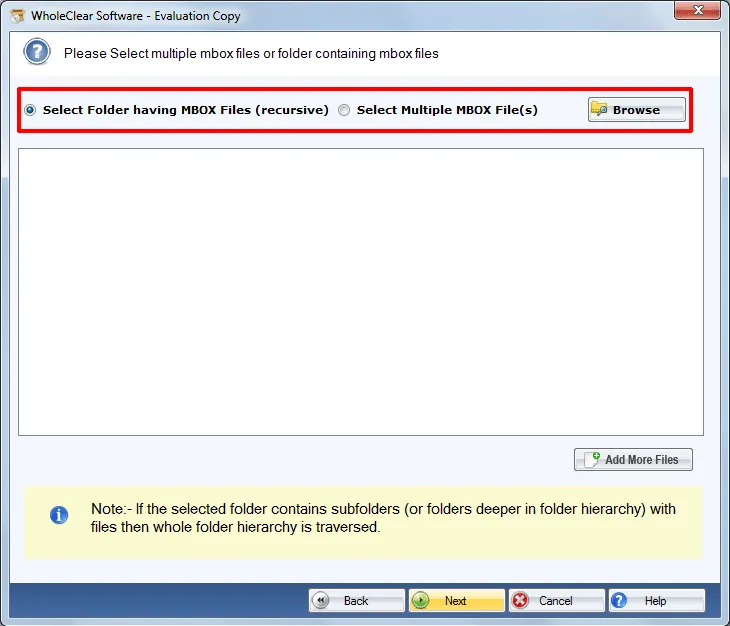
MBOX to Office 365 Converter offers two modes to convert MBOX files – File or Folder. Folder mode is available to export multiple .mbox files to O365. While File mode is available when users have few MBOX files. Without any trouble, one can pick any mode and simply perform the conversion without facing any hurdles on the way.
Mass export of MBOX files
If you have a huge database, go for the batch migration feature and easily migrate multiple MBOX files to Exchange Online in one time. By this, users can avoid repeating the steps by adding MBOX file one by one for conversion. This is one of the highlighted features that make the software more demanding among users.
Transfer selective emails
Users are totally free to select the required MBOX files in Office 365 account as per their needs. Without altering the original files, one can easily export any number of MBOX files. There will be no harm to any file and no loss occurs at all. Before conversion, users can get a list of all the selected MBOX files so that they can check the files.
Simplified application
No technical skills are required to import MBOX to O365. Due to the smart and easy wizard, one can finish the conversion task without getting any technical training. The self-expressive wizard guides users at every step by which operating the software are like a child’s play task for every user and an instant conversion is achieved.
Export every MBOX file
Every MBOX file is easily considered to export into Office 365 account. The application does not differentiate the files while exporting them to Office 365. MBOX file created by Thunderbird, PocoMail, Apple Mail, OperaMail, SpiceBird, KMail, ClawsMail, etc. are well considered by the application without any troubles.
Retain email components
MBOX to Exchange Online Software is designed in a manner that it keeps the data integrity of MBOX file after migration to Office 365. It completely holds email properties like to, cc, bcc, subject, from, date, etc. Moreover, the formatting and the folder hierarchy is also preserved meanwhile the conversion. Users get unaltered data.
Standalone Conversion
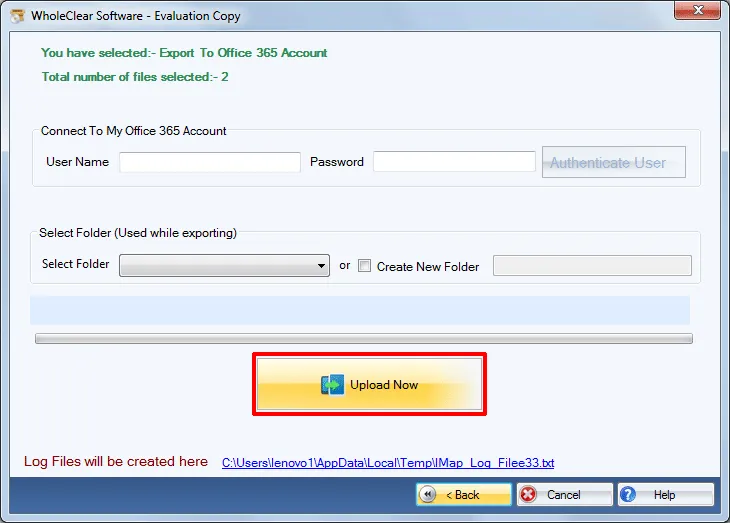
Thunderbird or any other email client installation is not demanded by the application. In the absence of any email client, MBOX emails are easily moved to Office 365 account. Only the correct login details are asked by the software to connect to user Office 365 account and the tool import the MBOX files as per user-instructions.
Free from size barrier
There is no size barrier with MBOX to Office 365 Migration Tool. Users are permitted to export any heavy MBOX file and any number of MBOX files. The application always generates safe results. To check the software before you take the license keys, you can download the demo edition from the official website and get a complete overview of the tool.