MSG to Gmail Exporter to transfer MSG files to Gmail
- Perform complete MSG data to Gmail Import
- Migrate embedded attachments with MSG emails
- Bulk MSG file to Gmail Import
- Instantly transfer selected Outlook MSG files
- No size limitations: allow every large MSG file
- Microsoft Outlook installation is not needed
- Separate folder to save MSG files in Gmail account
- Direct upload MSG files into Gmail account of user-choice
- Maintain the data integrity of MSG files throughout the import
- Compatible with all Windows operating systems
- Allow all Outlook edition MSG files to move in Gmail account
- Demo edition to examine the utility free of cost
- Easy migration with the simplified interface and without errors
View all features of Outlook MSG 2 Gmail Converter
Descriptive features to import MSG file to Gmail account
Full MSG files migration
The application gives the facility to users to export all details of Outlook MSG file. All the emails, attachments, and all details are safely exported to Gmail account of user choice. Only correct login details of Gmail account are required to complete the transfer and within a few minutes, the import gets completed.
Support all MSG files
Without considering the size, number and platform of MSG files, our software migrates MSG files into Gmail account. All Outlook version MSG files like Outlook 2019, 2016, 2013, 2007, 2003, etc. are well supported by the application. Numerous MSG files without any limits are exported to Gmail account with the license edition.
Instant and safe migration
The program is designed to export the data with fast speed. Without facing any troubles, one can easily complete the migration. The utility takes care of complete details and users never face data loss throughout the migration. Users simply select MSG files of their choice and move them to Gmail account of user choice in the desired folder.
Windows supportive application
Users freely install MSG 2 Gmail Exporter on any Windows version. The software is developed to run easily on all versions such as Windows 10, Windows 11, macOS 12+, and Linux x64, etc. The tool can be quickly downloaded, installed and run on all editions of Windows OS. Users need proper internet connectivity to complete the migration task.
Bulk migration feature
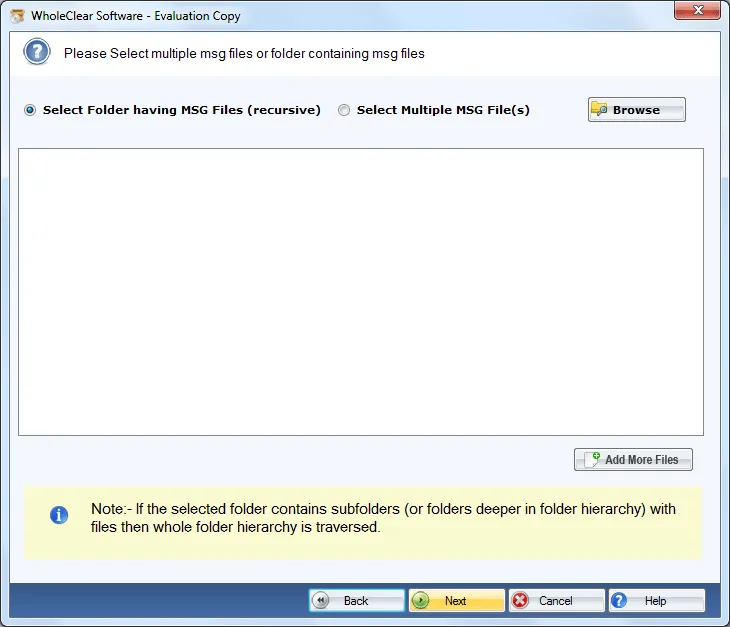
To easily migrate MSG files to Gmail account in huge amounts in a short time period, then grab WholeClear MSG to Gmail Importer. It has a folder mode by which multiple MSG files are simply exported to Gmail account in a single round. No limit is stated on the number of Outlook MSG files.
No modification or omission
Without any alterations to the original MSG files, one can easily transfer MSG data to Gmail. The tool holds all email attributes – to, cc, bcc, subject, from, date, time, etc.. Any kind of file corruption or omission does not take place with this software. 100% successful outcomes are delivered by the tool.
Self-reliant software
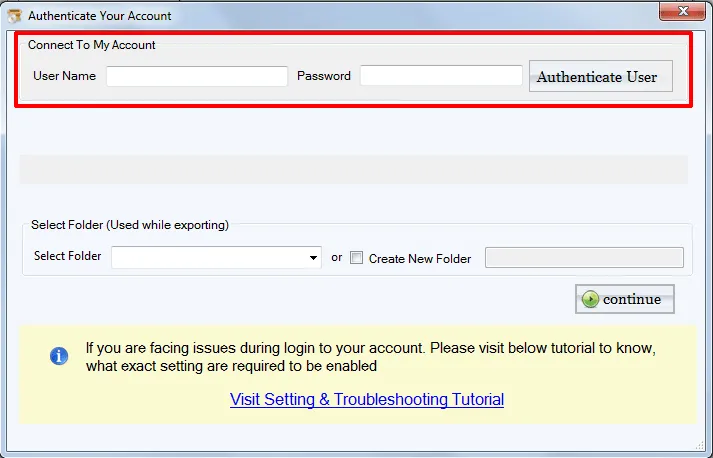
The application is a standalone solution so there is no need for any email client to be present in the system. The software asks only the correct login credentials to migrate the database. One by one, users can import MSG files to multiple Gmail accounts. It also offers to create a new folder in Gmail account to place MSG files.
24*7 technical support
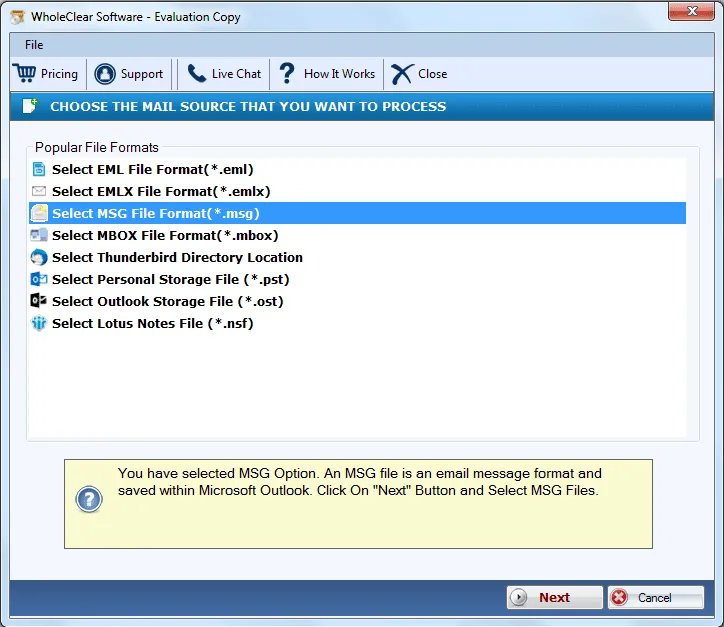
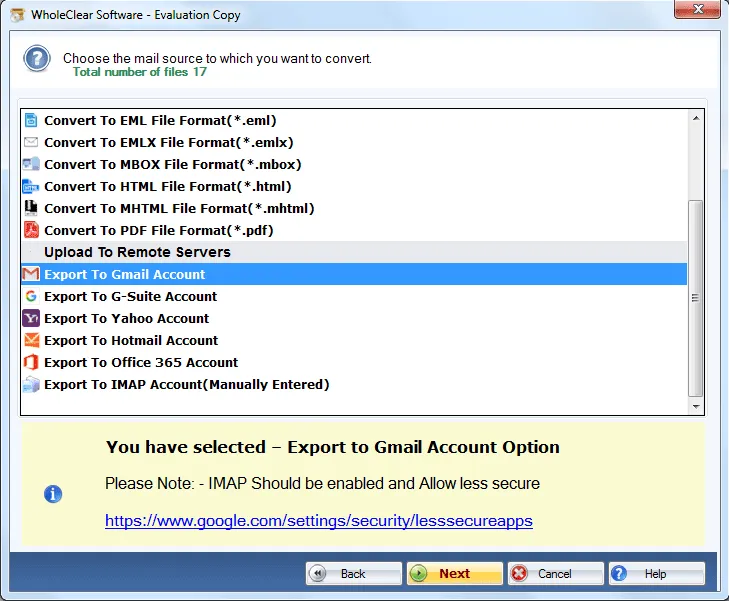
To make the import process easy for all users, we have offered a demo version and some screenshots on the website. Users can take help of these images. But still, users have any queries, they can contact our customer support team which is available all the time to assist users. Live Chat facility is also offered for users to contact us.