PST 2 HTML Converter to export Outlook email to HTML
- Export Outlook email text to HTML format with attachments
- Capable to convert any large PST file to HTML
- Options to save the resultant data to the desired folder location
- Does not require MS Outlook installation to complete the export
- The program is fully compatible with every Windows OS
- Convert PST messages to HTML without committing any errors
- Deal easily with all Microsoft Outlook editions
- Convert unlimited PST files into HTML format without any data losses
- Free Outlook to Lotus Notes NSF Converter to judge the application
- Does not change the original content and structure of Outlook files
- Simplified graphical interface for easy and effortless conversion
- Show preview in a tree-format and items count down option
- Desired PST files and mailbox items conversion into HTML
- Round the clock customer handling team
Characteristics of PST to HTML Conversion Tool
Get all features to export PST messages to HTML
Direct PST 2 HTML Export
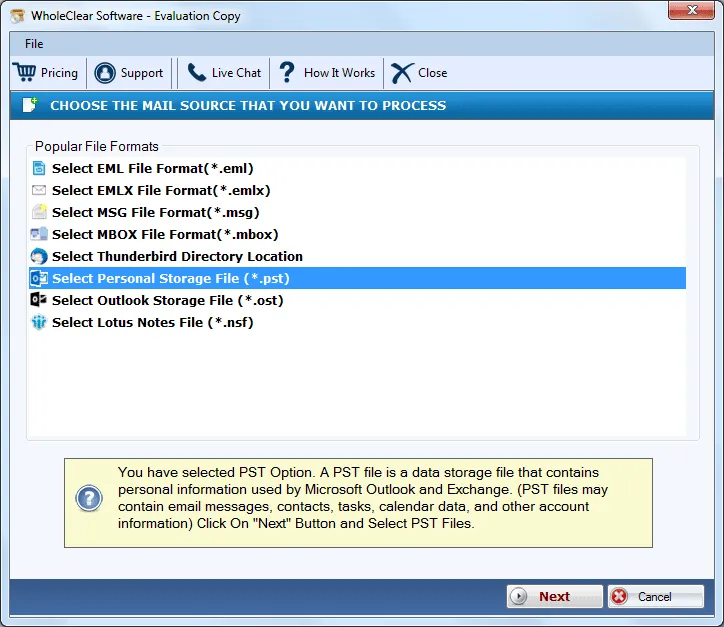
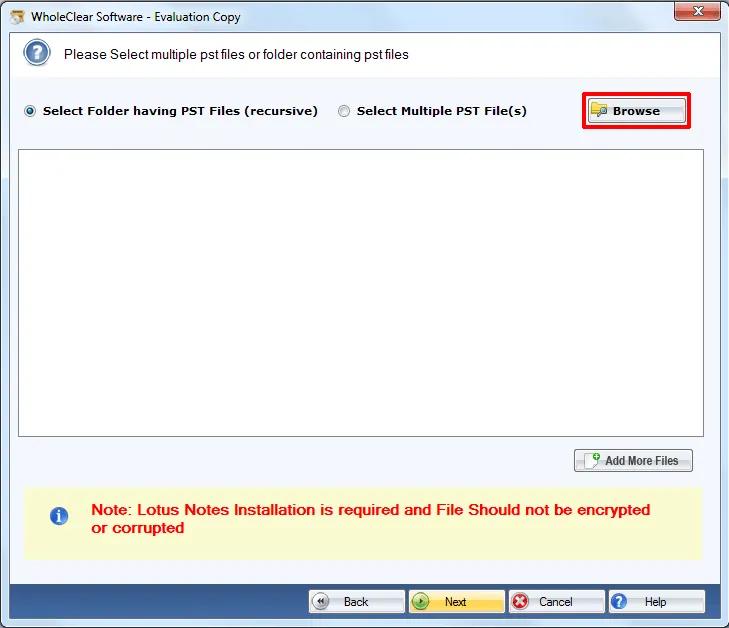
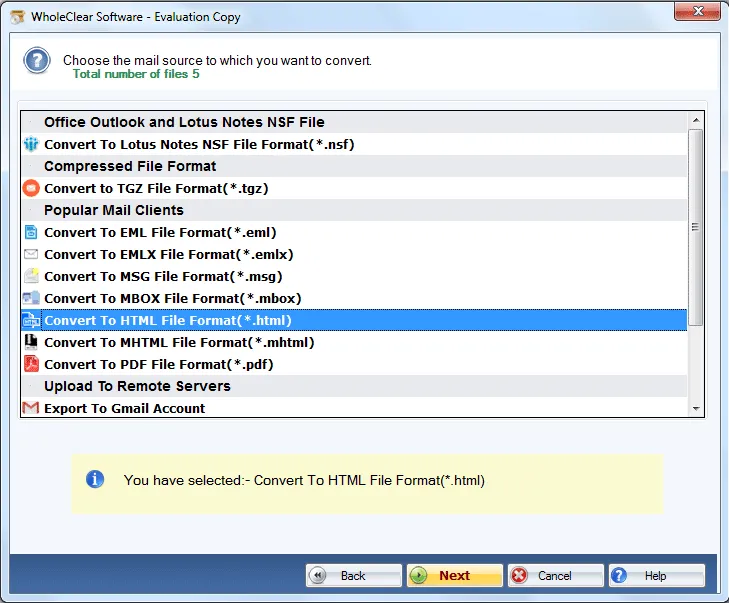
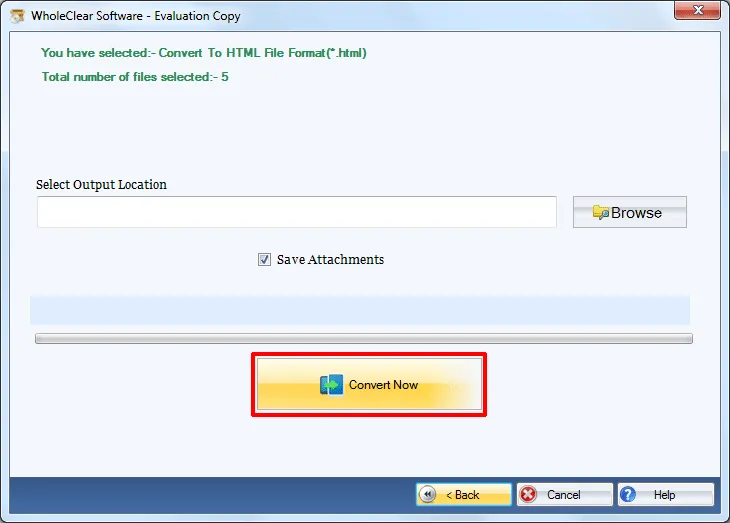
The software converts PST messages to HTML with attachments without utilizing any extra application. There is no requirement for Outlook installation to perform the migration. With 3-4 simplified steps, the migration can be completed without facing any troubles. No damage to any file is faced by users with this safe and smart application.
Export PST of any size
Every size Outlook PST file is permissible by the application to export into HTML format. No effect on the working of the application due to the large size PST file. One can effectively export PST file to HTML format without any trouble. No file gets missed at all from the conversion list as PST 2 HTML Converter Tool is totally virus-free.
Export all type PST files
Every PST file of password-locked nature, archived PST, ANSI & UNICODE PST all are supported to export to HTML format by the application. Plus, no limit on the conversion of PST files is levied by the application. Users can export unlimited files with this utility one by one. Selected PST files and items are exported from Outlook to HTML format.
Deal easily with all Outlook
PST 2 HTML Migration Tool quickly exports all Outlook edition PST files. It deals easily with the latest and older versions of MS Outlook including Outlook 2019, Outlook 2016, Outlook 2013, Outlook 2010, 2007, 2003, etc. One can check the utility by downloading the free edition of the utility and can export any version Outlook PST files to HTML.
Widely compatible with Windows
Without thinking of Windows version, one can install Outlook to HTML Converter on various Windows editions. The utility is programmed for Windows users so it will work with all versions. Windows 10 and Windows 11 are supported seamlessly. Both 32-bit and 64-bit versions of Windows are compatible with this utility.
Generate full preview
The software generates a complete preview of Outlook PST files after they are scanned by the application. The preview of compete database is displayed in a structured manner. Users can pick the selected items or folders whom they want to move in HTML format. By preview, users can get a complete idea of how PST files look in web browsers.
Hold email formatting
PST to HTML Converter application takes proper care of email attributes and email formatting. Email attributes like to, cc, bcc, sent, from, subject, date & time, etc. are safely moved with emails. Moreover, the formatting applied to emails like inline images, hyperlinks, font color, etc. remains intact after finishing the conversion procedure.
Online Support for help
To guide users at every step while performing conversion of Outlook email text to HTML, we have provided an online chat facility for users whom users can contact any time. Additionally, users can email them, skype their queries to the team with the screenshots of the problem. The support team tries to resolve the queries asap.